> ## Documentation Index
> Fetch the complete documentation index at: https://devdocs.xbox.com/llms.txt
> Use this file to discover all available pages before exploring further.
# File explorer page
> File explorer page
Use the File explorer page to browse the file system on your console as shown in the following screenshot.
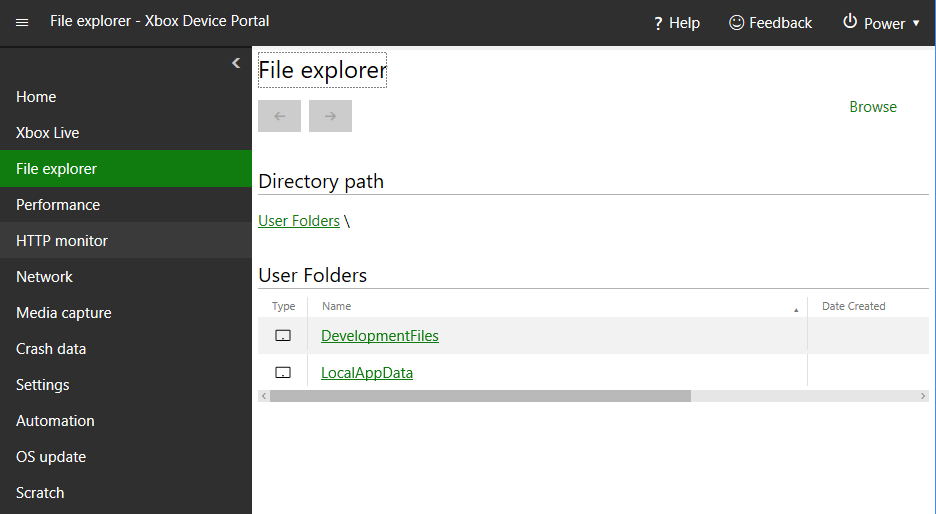 The File explorer page has the following panes.
## Directory path pane
Use the Directory path pane to see the path of the directory that's currently being viewed.
## Directory contents pane
Use the Directory contents pane to see the contents of the directory that's currently being viewed.
## Upload a file to this directory pane
Use the Upload a file to this directory pane to upload a file from your development PC to the directory that's currently being viewed.
## Related topics
- [XBOX Device Portal (Windows Device Portal on XBOX)](/tools/tools-console/wdp/index.md)
- [Game Saves walkthroughs and samples](/build/core-features/common/game-save/game-saves-walkthroughs-and-samples.md)
- [Insights Best Practices](/services/playfab/data-analytics/legacy/insights/best-practices.md)
- [XGameSaveFiles API overview](/build/core-features/common/game-save/xgamesavefiles.md)
- [Profile-guided optimization in Visual Studio](/tools/tools-console/pgo/pgo_full.md)
The File explorer page has the following panes.
## Directory path pane
Use the Directory path pane to see the path of the directory that's currently being viewed.
## Directory contents pane
Use the Directory contents pane to see the contents of the directory that's currently being viewed.
## Upload a file to this directory pane
Use the Upload a file to this directory pane to upload a file from your development PC to the directory that's currently being viewed.
## Related topics
- [XBOX Device Portal (Windows Device Portal on XBOX)](/tools/tools-console/wdp/index.md)
- [Game Saves walkthroughs and samples](/build/core-features/common/game-save/game-saves-walkthroughs-and-samples.md)
- [Insights Best Practices](/services/playfab/data-analytics/legacy/insights/best-practices.md)
- [XGameSaveFiles API overview](/build/core-features/common/game-save/xgamesavefiles.md)
- [Profile-guided optimization in Visual Studio](/tools/tools-console/pgo/pgo_full.md)