> ## Documentation Index
> Fetch the complete documentation index at: https://devdocs.xbox.com/llms.txt
> Use this file to discover all available pages before exploring further.
# Report a Problem page
> Report a Problem page
The **Report a Problem** page provides a way for you to report an issue that you've encountered on your console. You can also send logs that help reproduce the issue.
## To report a problem
1. Select the **Report a Problem** section in Developer Home (Dev Home).
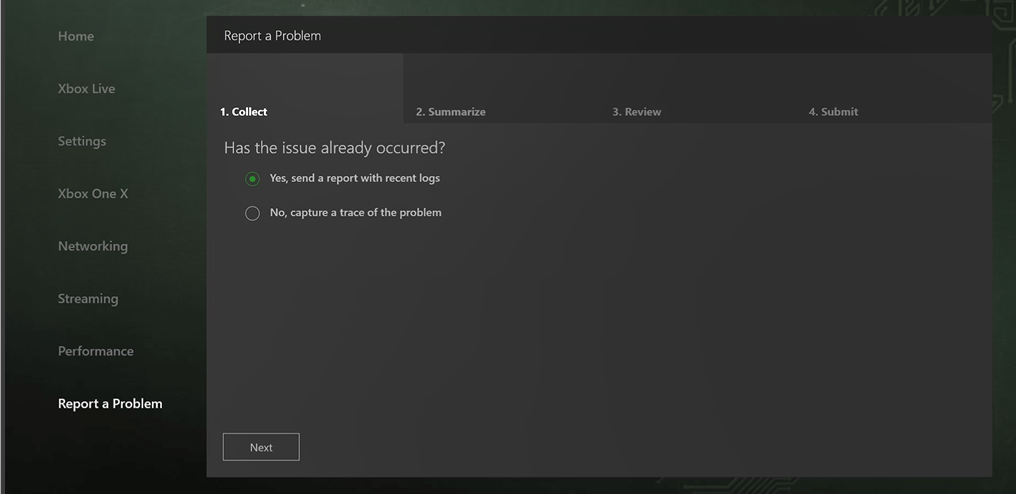
2. On the **Collect** tab, shown in the following screenshot, select **Yes** if the issue has already happened. Select **No** if you want to capture a trace of the issue.
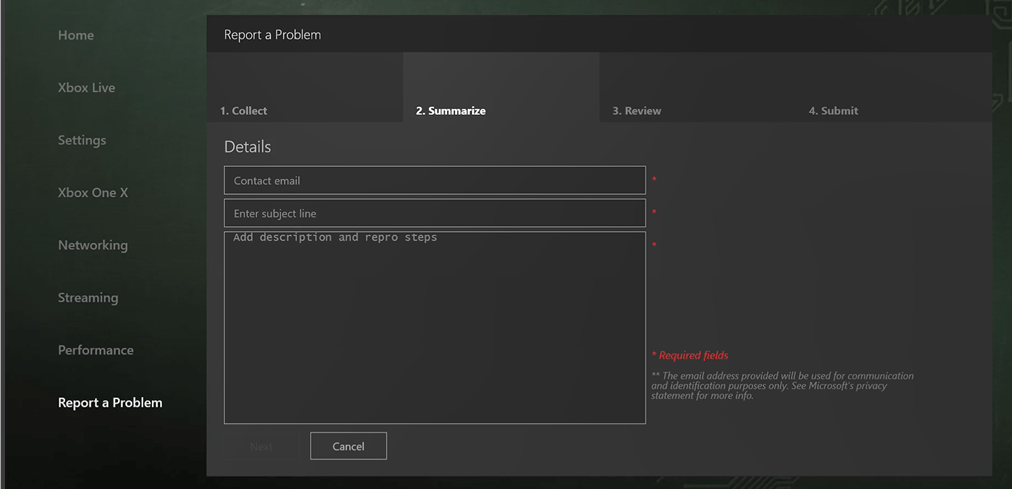
 1. On the **Summarize** tab, shown in the following screenshot, provide your contact information, a summary of the issue, and any steps to reproduce the issue.
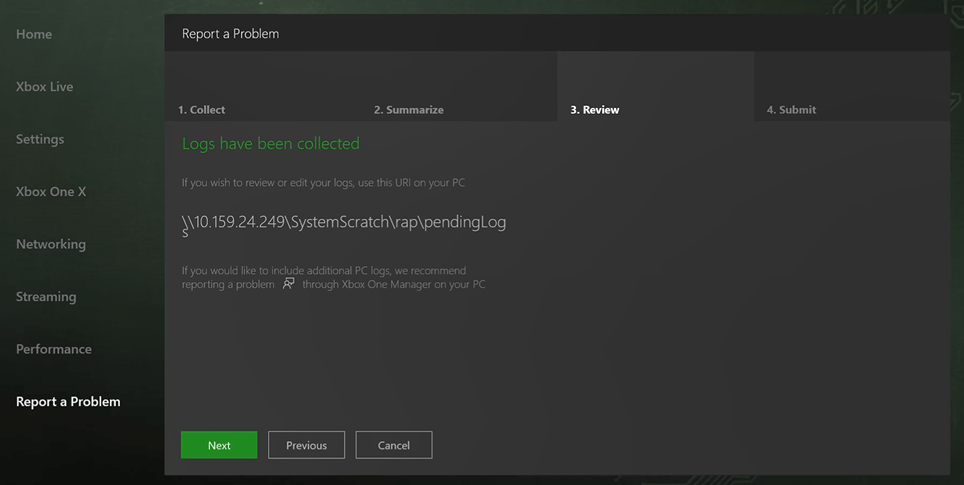
 1. On the **Review** tab, shown in the following screenshot, use the URI provided if you want to review or edit the logs that have been collected.
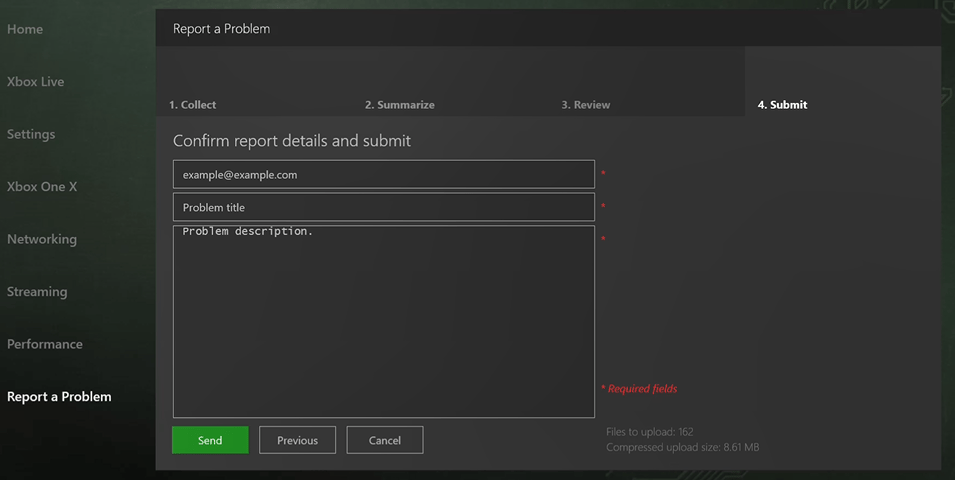
 1. On the **Submit** tab, shown in the following screenshot, confirm your report details and select **Send** to submit your report.
 ## See also
[Developer Home (Dev Home)](/tools/tools-console/devhome/devhome)
## Related topics
- [Developer Home (DevHome) on XBOX dev kits](/tools/tools-console/devhome/index.md)
- [XBOX Insider Program flighting FAQ](/publishing/game-publishing/publishing-processes/managed-creators/publishing-processes-xbox-flighting-faq.md)
- [FAQ for PC developers](/build/gdk-and-engines/guides/pc-faq.md)
- [XBOX Manager](/tools/tools-console/xbom/xbom.md)
- [XBOX PC Remote Tools FAQ and troubleshooting guide](/tools/tools-pc/xbox-pc-remote-tools/faq.md)
## See also
[Developer Home (Dev Home)](/tools/tools-console/devhome/devhome)
## Related topics
- [Developer Home (DevHome) on XBOX dev kits](/tools/tools-console/devhome/index.md)
- [XBOX Insider Program flighting FAQ](/publishing/game-publishing/publishing-processes/managed-creators/publishing-processes-xbox-flighting-faq.md)
- [FAQ for PC developers](/build/gdk-and-engines/guides/pc-faq.md)
- [XBOX Manager](/tools/tools-console/xbom/xbom.md)
- [XBOX PC Remote Tools FAQ and troubleshooting guide](/tools/tools-pc/xbox-pc-remote-tools/faq.md)