> ## Documentation Index
> Fetch the complete documentation index at: https://devdocs.xbox.com/llms.txt
> Use this file to discover all available pages before exploring further.
# Archiving and retrieving multiplayer server logs
> Archive PlayFab multiplayer server logs and retrieve them through GSDK, Game Manager, or ListArchivedMultiplayerServers and GetMultiplayerServerLogs APIs.
In several scenarios, you may want to keep logs or other arbitrary file content from your game servers for later analysis.
There are two ways you can gather your logs either through the Game Server SDK or Game Manager. The SDK provides an API that allows you to write to a log file or access a logging directory.
See [Integrating game servers with the PlayFab game server SDK (GSDK)](/services/playfab/multiplayer/servers/integrating-game-servers-with-gsdk) to learn more about these logging mechanisms. To programmatically gather your logs, use the [ListArchivedMultiplayerServers](xref:titleid.playfabapi.com.multiplayer.multiplayerserver.listarchivedmultiplayerservers) method. The result will give you the information for the servers, next you'll need to call [GetMultiplayerServerLogs](xref:titleid.playfabapi.com.multiplayer.multiplayerserver.getmultiplayerserverlogs) method with the Server ID as the input.
**Archived Servers** is the vehicle for retrieving these logs after the game server has terminated. These logs are kept for 28 days after the termination of your game server.
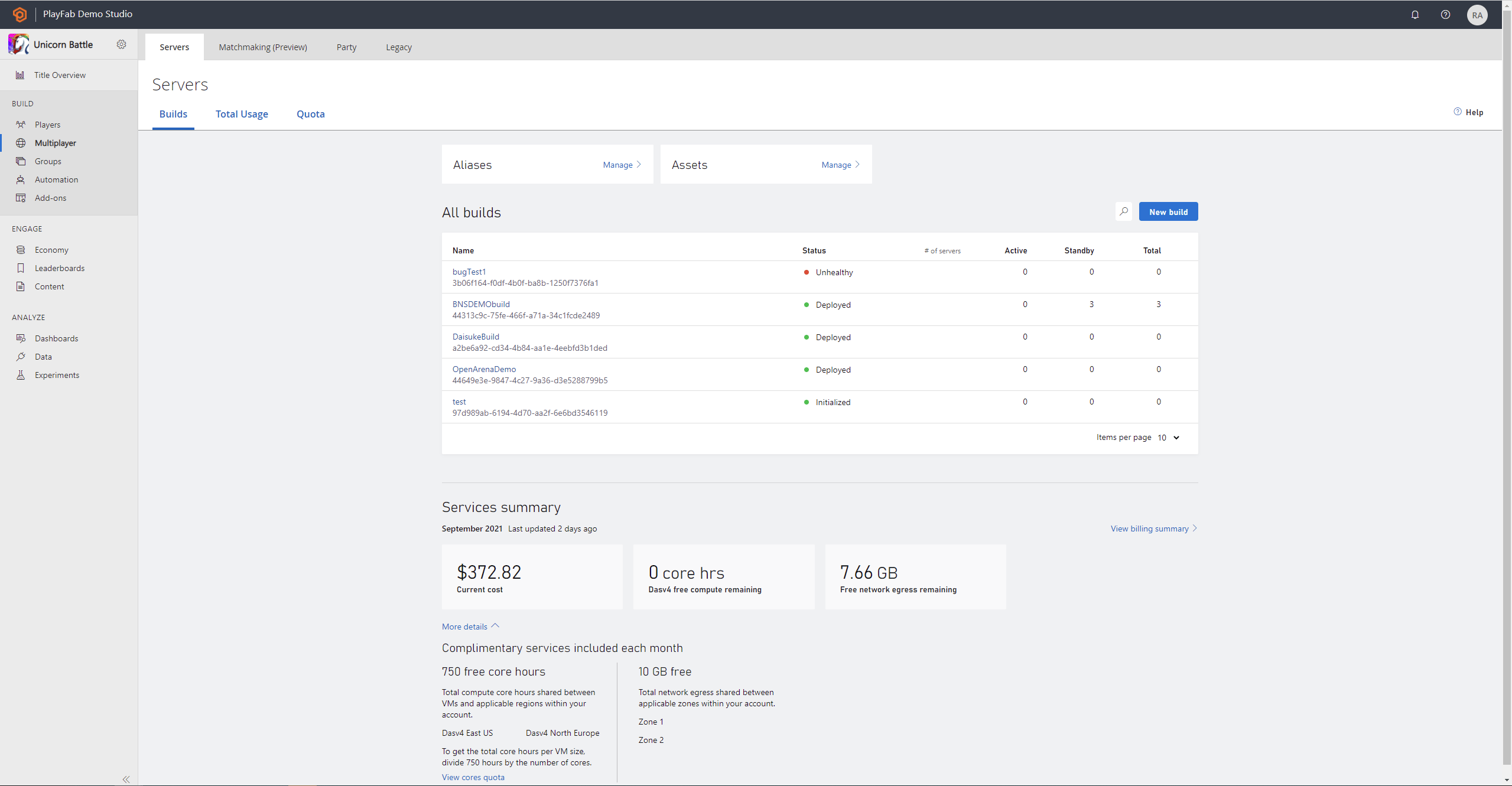
To do this using Game Manager first, go to the **Builds** page in the **Multiplayer tab**, and select the build that is associated to the server you're looking for.
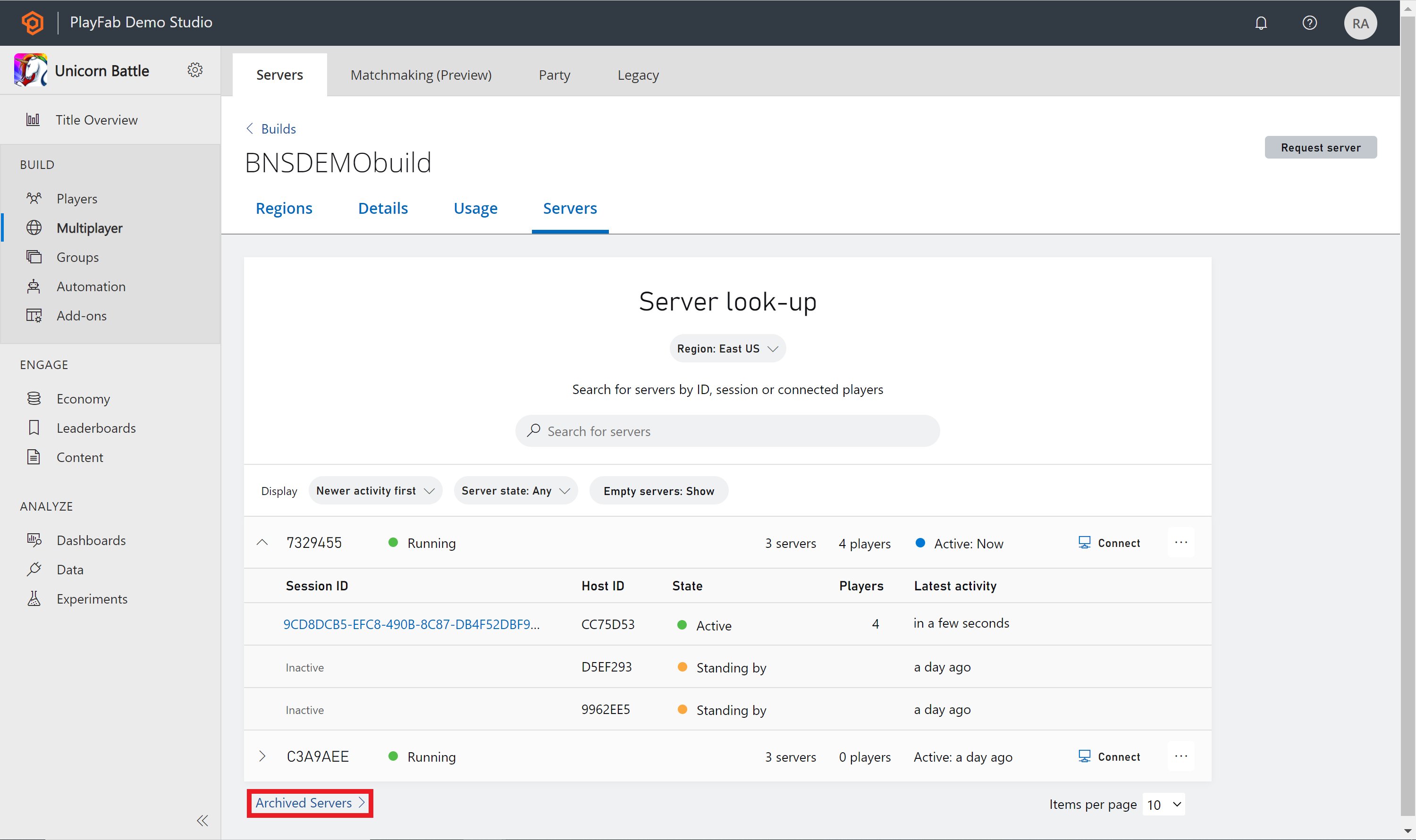
 Next, select the **Servers tab** located at the top and you'll see a list of VM's and servers, select the **Archived servers** link at the bottom
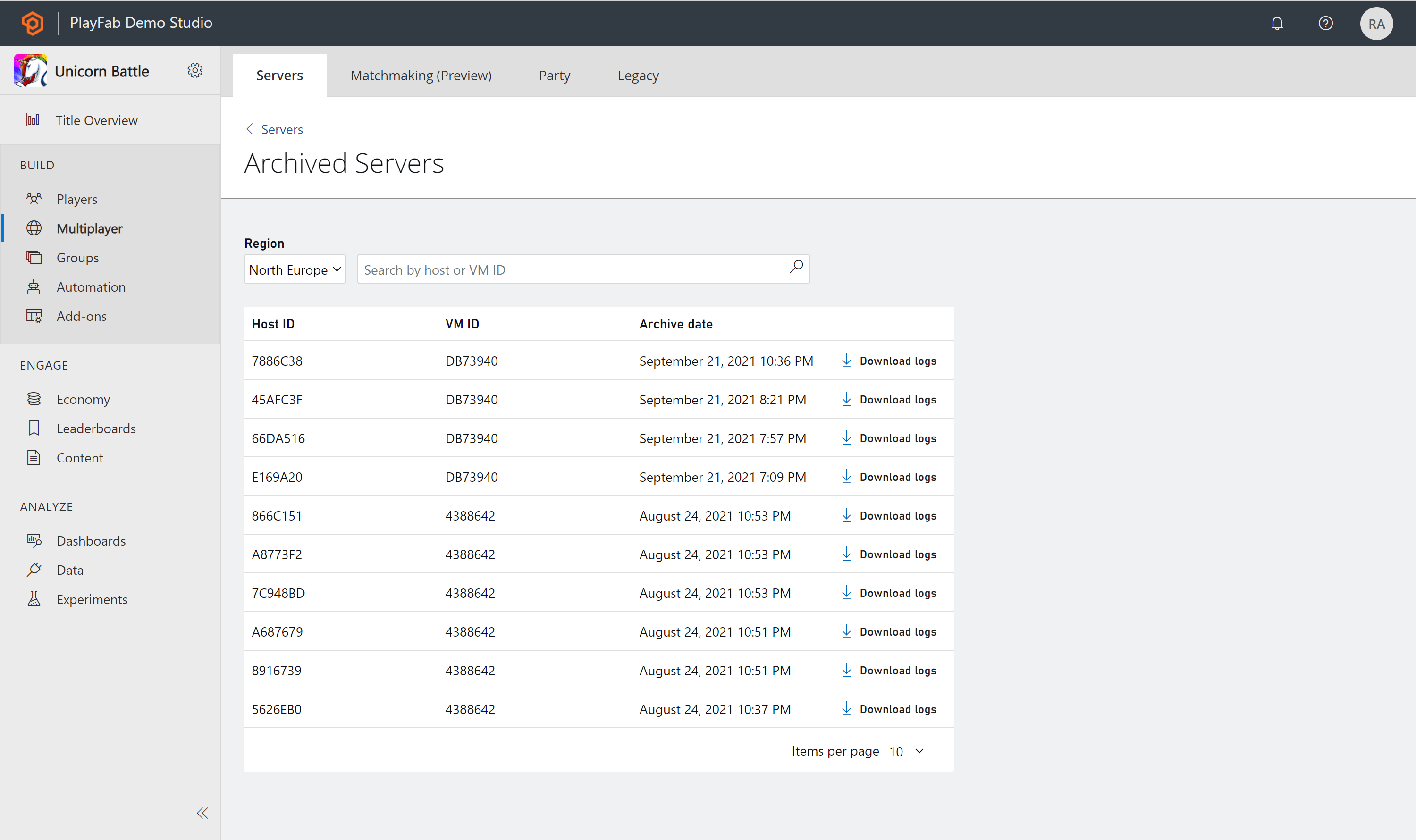
 Use the **Search bar** at the top of the page and use either the **Host ID or VM ID** to download logs for a specific server.
 ## Related topics
- [Servers overview page](/services/playfab/multiplayer/servers/build-server-overview.md)
- [Connect directly to debug game servers](/services/playfab/multiplayer/servers/directly-debugging-game-servers.md)
- [Automatic crash dump collection](/services/playfab/multiplayer/servers/crash-dump-collection.md)
- [S3 Event Archiving](/services/playfab/data-analytics/legacy/s3-event-archiving.md)
- [PFLobbyGetServer](/services/playfab/multiplayer/lobby/playfabmultiplayerreference-cpp/pflobby/functions/pflobbygetserver.md)
## Related topics
- [Servers overview page](/services/playfab/multiplayer/servers/build-server-overview.md)
- [Connect directly to debug game servers](/services/playfab/multiplayer/servers/directly-debugging-game-servers.md)
- [Automatic crash dump collection](/services/playfab/multiplayer/servers/crash-dump-collection.md)
- [S3 Event Archiving](/services/playfab/data-analytics/legacy/s3-event-archiving.md)
- [PFLobbyGetServer](/services/playfab/multiplayer/lobby/playfabmultiplayerreference-cpp/pflobby/functions/pflobbygetserver.md)