> ## Documentation Index
> Fetch the complete documentation index at: https://devdocs.xbox.com/llms.txt
> Use this file to discover all available pages before exploring further.
# Player segmentation
> Define PlayFab player segments in Game Manager based on statistics, tags, or currency and trigger CloudScript actions when players enter a segment.
Player segmentation is defined in [Game Manager](/services/playfab/live-service-management/gamemanager/quickstart). Segments allow you to define useful or interesting groups of players, and perform exclusive actions on that group.
## Requirements
* Players with and without a distinctive characteristic defined in PlayFab.
* A defined [CloudScript PlayStream Hook](/services/playfab/data-analytics/acting-data/action-rules-using-cloudscript-actions-with-playstream).
### Example case: Run a custom CloudScript for every player who reaches an in-game goal
The *defining characteristic* of a player might be:
* Login time
* Linked device type
* Tags
* Real-world location
* Statistic values
* Virtual currency values
* Real money purchases, and more.
For this example, our distinctive characteristic will be a statistic - specifically, players who achieve **50 str**.
Statistics are one of many possible options, and only specifically required for this example. Feel free to replace the statistic requirement with another filter of your choice.
Our action will be to run a CloudScript function. CloudScript is by far the most flexible trigger option, granting you the full control of player and segmentation information at the time of segment transition.
From the **Game Manager** screen:
* Navigate to your **Title**.
* Select **Players** from the menu on the left.
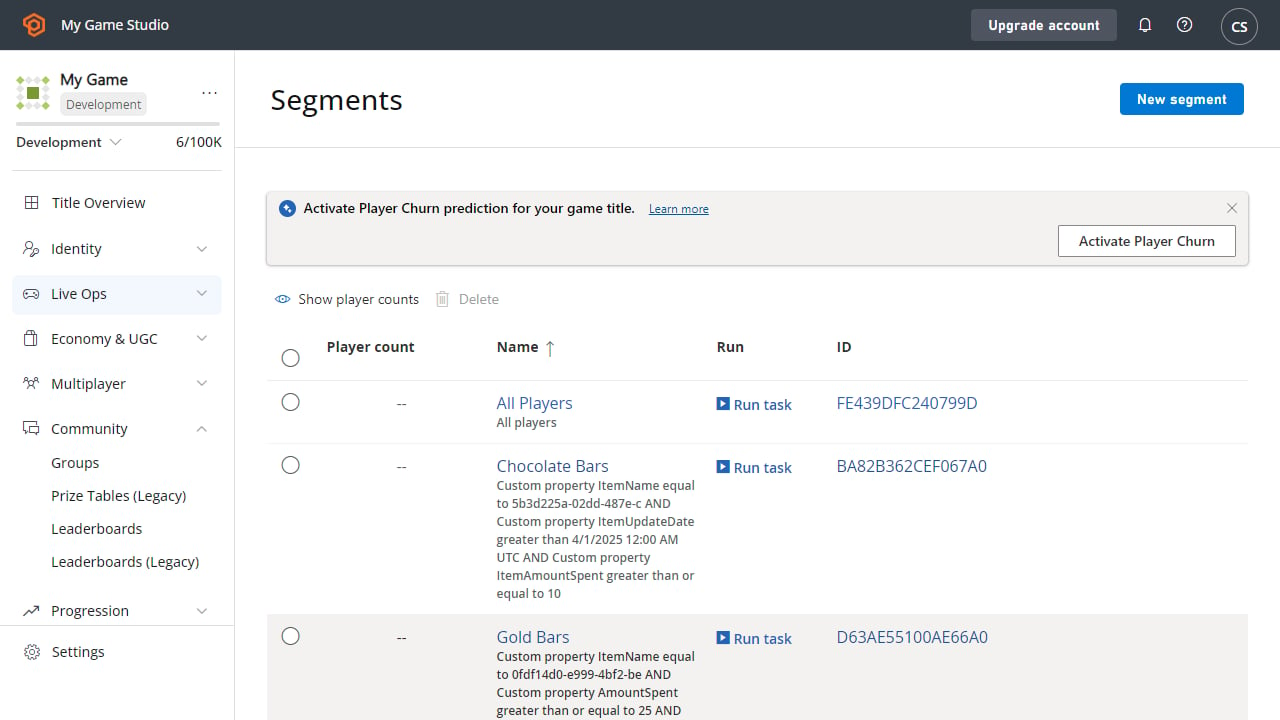
* Move to the **Segments** tab.
* Select **New Segment**.
The screen shown below is an example of the **Segment** described above.
 The most complex part of this example is the CloudScript. Utilize the second parameter, *Context*, in your [CloudScript handler](/services/playfab/data-analytics/acting-data/action-rules-using-cloudscript-actions-with-playstream) to identify the player, and segment transition.
Afterwards, perform any action you wish on the player, such as granting [inventory items](/services/playfab/player-progression/player-data/player-inventory), [virtual currency](/services/playfab/economy-monetization/economy-v2/tutorials/currencies), [player data](/services/playfab/player-progression/player-data/quickstart), or [statistics](/services/playfab/community/leaderboards/tournaments-leaderboards/using-player-statistics).
See also: [Best Practices for store segmentation](/services/playfab/economy-monetization/economy-v2/overview)
## Related topics
- [Segmentation](/services/playfab/live-service-management/game-configuration/segmentation/segmentation-overview.md)
- [player_action_executed](/services/playfab/api-references/events/Player/player-action-executed.md)
- [PlayFab Live service management documentation](/services/playfab/live-service-management/index.md)
- [Custom Stores for Player Segments in Economy (Legacy)](/services/playfab/economy-monetization/economy/tutorials/custom-stores-for-player-segments.md)
- [Live Service Management Overview](/services/playfab/live-service-management/overview.md)
The most complex part of this example is the CloudScript. Utilize the second parameter, *Context*, in your [CloudScript handler](/services/playfab/data-analytics/acting-data/action-rules-using-cloudscript-actions-with-playstream) to identify the player, and segment transition.
Afterwards, perform any action you wish on the player, such as granting [inventory items](/services/playfab/player-progression/player-data/player-inventory), [virtual currency](/services/playfab/economy-monetization/economy-v2/tutorials/currencies), [player data](/services/playfab/player-progression/player-data/quickstart), or [statistics](/services/playfab/community/leaderboards/tournaments-leaderboards/using-player-statistics).
See also: [Best Practices for store segmentation](/services/playfab/economy-monetization/economy-v2/overview)
## Related topics
- [Segmentation](/services/playfab/live-service-management/game-configuration/segmentation/segmentation-overview.md)
- [player_action_executed](/services/playfab/api-references/events/Player/player-action-executed.md)
- [PlayFab Live service management documentation](/services/playfab/live-service-management/index.md)
- [Custom Stores for Player Segments in Economy (Legacy)](/services/playfab/economy-monetization/economy/tutorials/custom-stores-for-player-segments.md)
- [Live Service Management Overview](/services/playfab/live-service-management/overview.md)