> ## Documentation Index
> Fetch the complete documentation index at: https://devdocs.xbox.com/llms.txt
> Use this file to discover all available pages before exploring further.
# Microsoft Accounts Authentication for PlayFab
> Learn how to sign up for PlayFab with a Microsoft Account, invite new Microsoft-authenticated users to your studio, and use Entra ID sign-in for Game Manager.
# Account Authentication for PlayFab Game Manager
All **New** PlayFab user accounts after July 27th 2024 must use a Microsoft authentication service.
PlayFab supports two methods for user authentication. The first is the original PlayFab user authentication system. The second and recommended is Microsoft's authentication services - Microsoft Account and Microsoft Entra ID (formerly known as Azure Active Directory).
### Sign-up with a Microsoft Authenticated Account
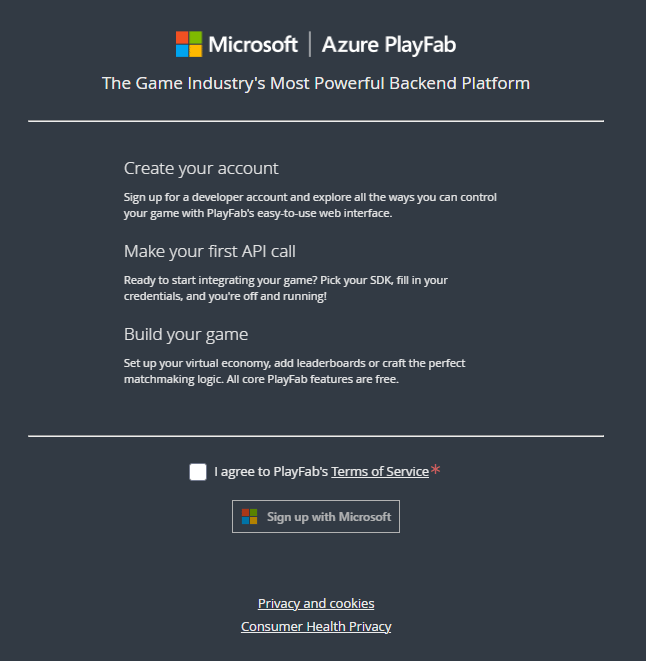
You can create a new PlayFab account using an existing or new Microsoft Account. The PlayFab authentication system is no longer available for new accounts.
1. Navigate to [PlayFab's Signup page](https://developer.playfab.com).
2. Select **Sign up with Microsoft** and follow the signup flow.
 ### To create a new Microsoft Authenticated user
1. Navigate to your studio's users section.
### To create a new Microsoft Authenticated user
1. Navigate to your studio's users section.
 2. Select **Add User** in the top right
3. Add the required details and configurations including selecting **Microsoft** as the authentication provider.
2. Select **Add User** in the top right
3. Add the required details and configurations including selecting **Microsoft** as the authentication provider.
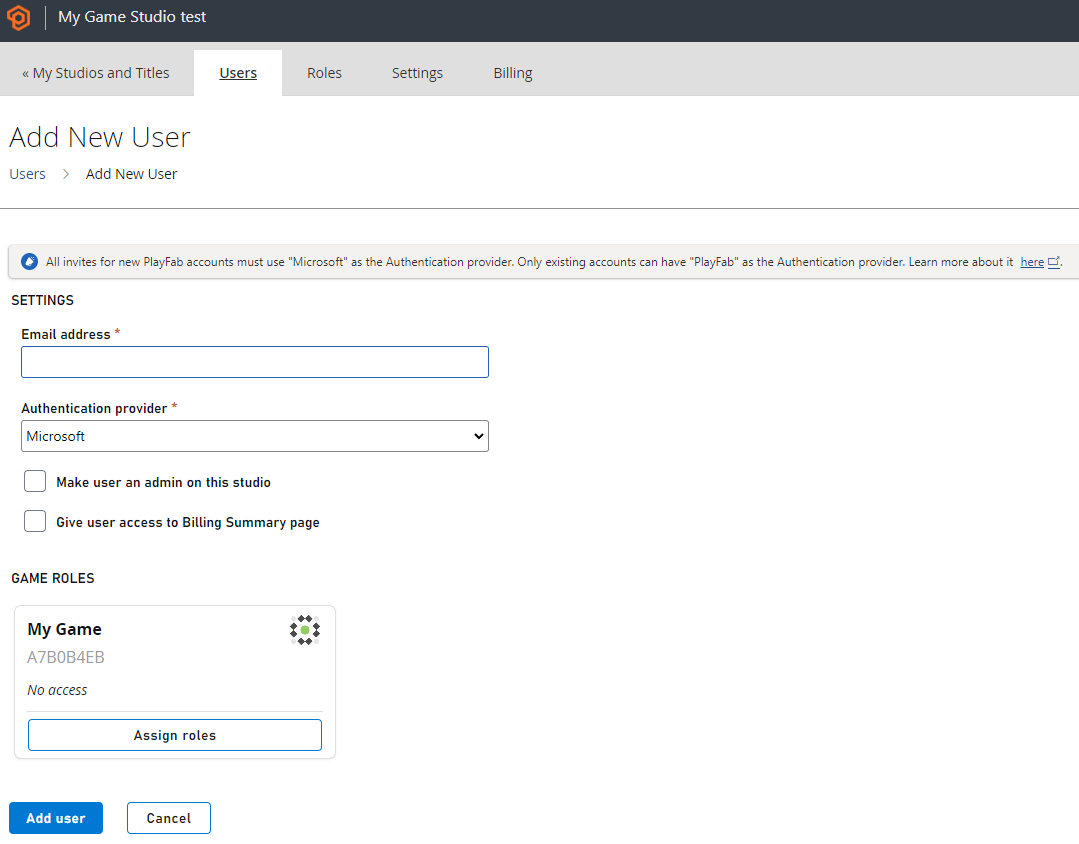 4. Select **Add user** when done to send an invite to the user. The user then registers via a Microsoft Account.
 ### Microsoft Account Limitations
Microsoft Account authentication is functional for individual users, including Microsoft Account token exchange for programmatic authentication. It doesn't support groups or graph.
## Related topics
- [Authentication](/services/playfab/identity/player-identity/authentication/index.md)
- [Microsoft Entra ID authentication for PlayFab APIs](/services/playfab/identity/dev-identity/authentication/entra-id-api-authentication.md)
- [Connecting Grafana to Insights](/services/playfab/data-analytics/legacy/connectivity/connecting-grafana-to-insights.md)
- [Connecting Kusto C# SDK to Insights](/services/playfab/data-analytics/legacy/connectivity/connecting-kusto-csharp-to-insights.md)
- [Connecting Kusto Explorer to Insights](/services/playfab/data-analytics/legacy/connectivity/connecting-kusto-explorer-to-insights.md)
### Microsoft Account Limitations
Microsoft Account authentication is functional for individual users, including Microsoft Account token exchange for programmatic authentication. It doesn't support groups or graph.
## Related topics
- [Authentication](/services/playfab/identity/player-identity/authentication/index.md)
- [Microsoft Entra ID authentication for PlayFab APIs](/services/playfab/identity/dev-identity/authentication/entra-id-api-authentication.md)
- [Connecting Grafana to Insights](/services/playfab/data-analytics/legacy/connectivity/connecting-grafana-to-insights.md)
- [Connecting Kusto C# SDK to Insights](/services/playfab/data-analytics/legacy/connectivity/connecting-kusto-csharp-to-insights.md)
- [Connecting Kusto Explorer to Insights](/services/playfab/data-analytics/legacy/connectivity/connecting-kusto-explorer-to-insights.md)