> ## Documentation Index
> Fetch the complete documentation index at: https://devdocs.xbox.com/llms.txt
> Use this file to discover all available pages before exploring further.
# Daily A/B Test KPI Report
> Overview of the PlayFab Daily A/B Test KPI report, which breaks down DAU, ARPDAU, retention, and transactions per bucket to evaluate experiments.
The Daily A/B test Key Performance Indicators (KPI) report shows the outcome of an A/B test, broken down by A and B buckets.
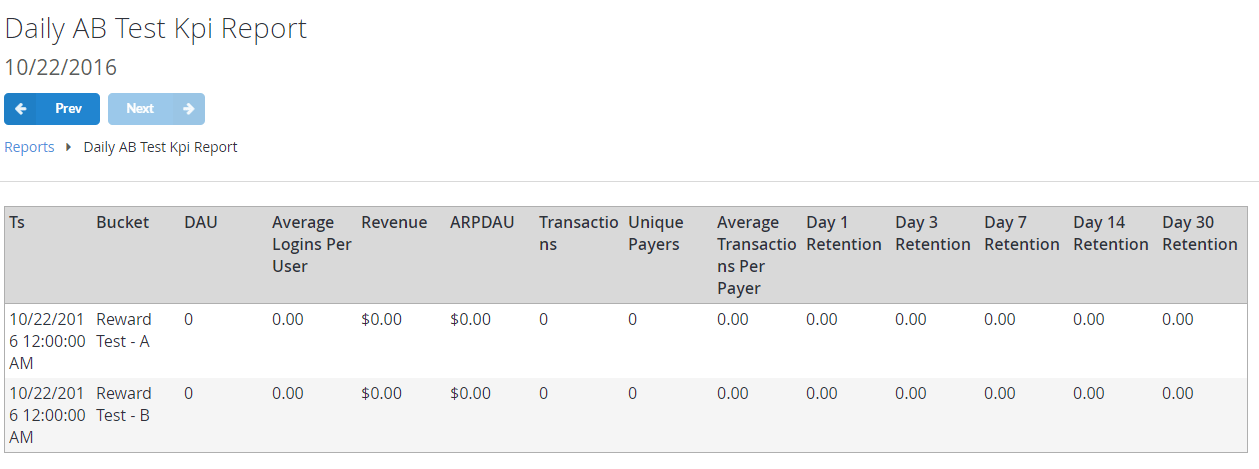 The Key Performance Indicators for A/B tests include:
* **DAU** (Daily Active Users)
* **Average Logins Per User**
* **ARPDAU** (Average Revenue per Daily Active User)
* **Total number of Transactions**
* **Total number of Unique Payers**
* **Average Transactions per Payer**
* **Retention for Day 1, 3, 7, 14 and 30**
## Populating the report
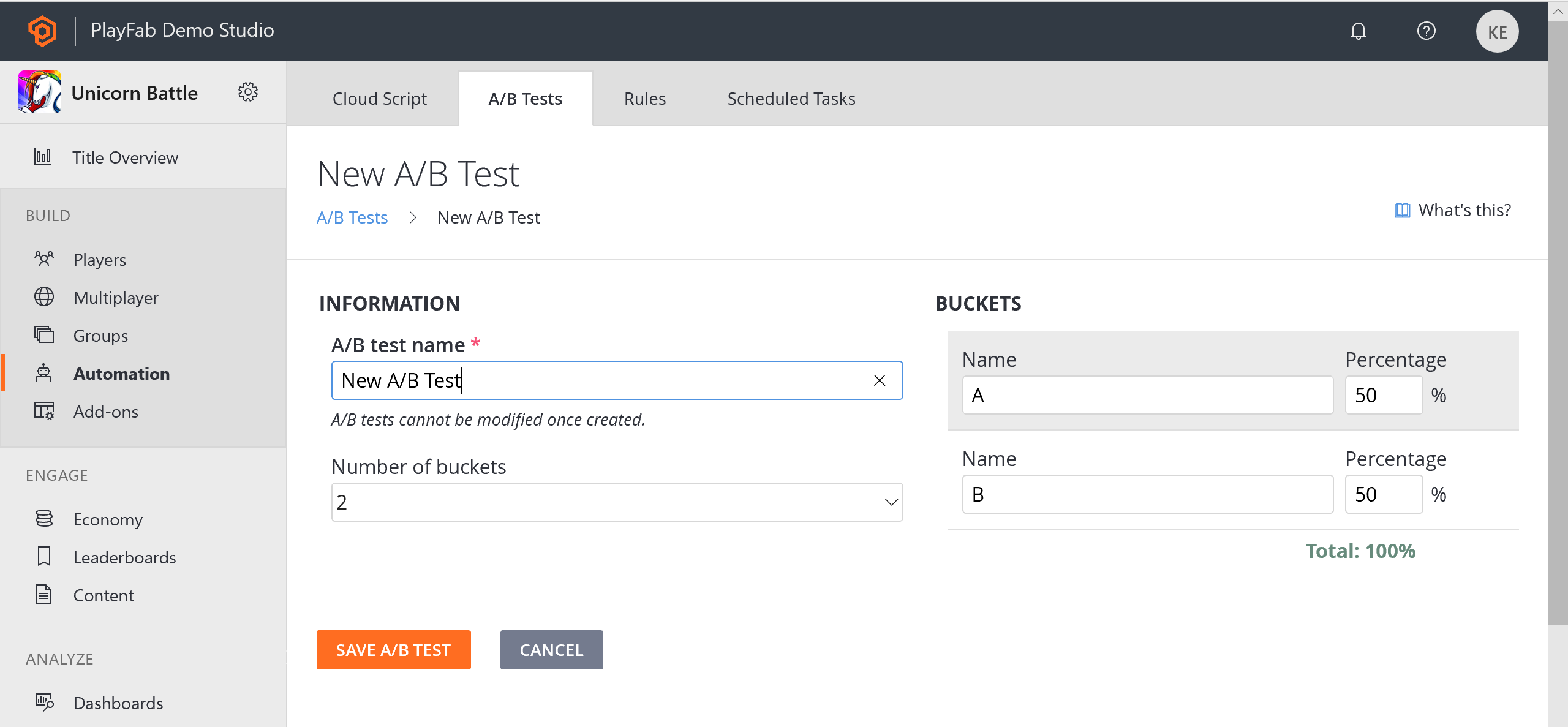
The first step in setting up A/B testing is to create an A/B test using the PlayFab Game Manager. To do this:
1. Select **Automation** from the menu to the left.
2. Go to the **A/B Testing** tab.
3. Create a **New A/B Test** and configure the **A/B test name** and user **Buckets**.
You can have up to **5 Buckets** with independent ratios (**%**).
The Key Performance Indicators for A/B tests include:
* **DAU** (Daily Active Users)
* **Average Logins Per User**
* **ARPDAU** (Average Revenue per Daily Active User)
* **Total number of Transactions**
* **Total number of Unique Payers**
* **Average Transactions per Payer**
* **Retention for Day 1, 3, 7, 14 and 30**
## Populating the report
The first step in setting up A/B testing is to create an A/B test using the PlayFab Game Manager. To do this:
1. Select **Automation** from the menu to the left.
2. Go to the **A/B Testing** tab.
3. Create a **New A/B Test** and configure the **A/B test name** and user **Buckets**.
You can have up to **5 Buckets** with independent ratios (**%**).
 Please refer to the [Customer Stores for Player Segments](/services/playfab/economy-monetization/economy/tutorials/custom-stores-for-player-segments) tutorial for further information on A/B testing with stores that are available only to players from defined player segments.
## Related topics
- [Reports quickstart](/services/playfab/data-analytics/learn-data/reports/quickstart.md)
- [Daily Abuse Reports History Report](/services/playfab/data-analytics/learn-data/reports/daily-abuse-reports-history-report.md)
- [Daily email report](/services/playfab/data-analytics/learn-data/reports/daily-email-report.md)
- [Reports](/services/playfab/data-analytics/learn-data/reports/overview.md)
- [Daily and Monthly CDN Usage Report](/services/playfab/data-analytics/learn-data/reports/daily-and-monthly-cdn-usage-report.md)
Please refer to the [Customer Stores for Player Segments](/services/playfab/economy-monetization/economy/tutorials/custom-stores-for-player-segments) tutorial for further information on A/B testing with stores that are available only to players from defined player segments.
## Related topics
- [Reports quickstart](/services/playfab/data-analytics/learn-data/reports/quickstart.md)
- [Daily Abuse Reports History Report](/services/playfab/data-analytics/learn-data/reports/daily-abuse-reports-history-report.md)
- [Daily email report](/services/playfab/data-analytics/learn-data/reports/daily-email-report.md)
- [Reports](/services/playfab/data-analytics/learn-data/reports/overview.md)
- [Daily and Monthly CDN Usage Report](/services/playfab/data-analytics/learn-data/reports/daily-and-monthly-cdn-usage-report.md)