> ## Documentation Index
> Fetch the complete documentation index at: https://devdocs.xbox.com/llms.txt
> Use this file to discover all available pages before exploring further.
# Throttle
> Throttle
# Throttle
A specialized version of a Y-axis–only joystick. Designed for driving games.
## Properties
`type` - "throttle"
`axisUp` - *string*. Which trigger the upper part of the control maps to. Must be either `"leftTrigger"` or `"rightTrigger"`.
`axisDown` - *string*. Which trigger the lower part of the control maps to. Must be either `"leftTrigger"` or `"rightTrigger"`.
`relative` - *boolean*, *optional*. Controls how the throttle calculates its value. If `true`, the value will be based on where the user's initial touch was located. If `false`, the value will be based on the center point of the control. Defaults to `true`.
`sticky` - *boolean*, *optional*. Controls what happens when the user stops touching the control. If `true`, the throttle will stay at the last value. If `false`, it will reset to 0. Defaults to `false`.
`enabled` - *boolean*, *optional*. Defaults to `true`. Sets the visual state of the control to enabled/disabled. A disabled control will still receive input from the player, but *not* change the visual style based on the input.
`visible` - *boolean*, *optional*. Defaults to `true`. Determines if the control is displayed to the player to interact with. To change this during game play, see [Changing touch layouts using game state](/build/core-features/common/game-streaming/building-touch-layouts/game-streaming-touch-changing-layouts-game-state#change_state).
`styles` - *object*, *optional*. Customization of the visual representation of the control. The styles are represented as an object per state that can be styled.
The throttle control can have the following states styled.
* `default` - The base style.
* `activated` - Applied when the player is touching the knob and it's exactly at the 0 value along the axis.
* `activatedDown` - Applied when the player is touching the knob and has moved the knob such that it's in the negative (lower) section of the throttle axis.
* `activatedUp` - Applied when the player is touching the knob and has moved the knob such that it's in the positive (upper) section of the throttle axis.
* `idle` - Applied when the player is *not* interacting with the control and the knob is also not `sticky` in the upper section of the axis.
* `idleUp` - Applied when the player is *not* interacting with the control and the knob has been moved to the upper section and `sticky` has been set to `true`.
**Styling properties per state**
`opacity` - *number*, *optional*. The opacity to be applied to the control. Default to 1.0 for all states but `disabled`.
[`axisUp`](/reference/system/touchadaptationkit/types/game-streaming-touch-throttle-axis) - *object*, *optional*. An [`axis`](/reference/system/touchadaptationkit/types/game-streaming-touch-throttle-axis) object that specifies the styling for the positive (upper) portion of the throttle.
[`axisDown`](/reference/system/touchadaptationkit/types/game-streaming-touch-throttle-axis) - *object*, *optional*. An [`axis`](/reference/system/touchadaptationkit/types/game-streaming-touch-throttle-axis) object that specifies the styling for the negative (lower) portion of the throttle.
[`knob`](/reference/system/touchadaptationkit/types/game-streaming-touch-knob) - *object*, *optional*. The [`knob`](/reference/system/touchadaptationkit/types/game-streaming-touch-knob) object that specifies the styling of the knob portion of the throttle.
`indicator` - *object*, *optional*. A [stroke](/reference/system/touchadaptationkit/types/game-streaming-touch-stroke) that specifies the styling to apply to the component connecting the knob to the current position on the axis.
**Asset dimensions**
For each of the style objects that accept image assets, a given asset is provided at a base resolution and at 1.5x, 2.0x, 3.0x, and 4.0x scales of that base resolution. The resolution of a given image must be less than or equal to the following maximum resolutions.
| Object | @1.0x | @1.5x | @2.0x | @3.0x | @4.0x |
| :-------------- | :---- | :---- | :------ | :------ | :------ |
| knob.faceImage | 60x60 | 90x90 | 120x120 | 180x180 | 240x240 |
| knob.background | 60x60 | 90x90 | 120x120 | 180x180 | 240x240 |
## Remarks
The `throttle` control allows for the player to provide the variable pressure of a trigger by using a touch control.
The `throttle` control is designed to be placed in the center spot of the wheel—and to be the only control between that spot and the side of the screen.
Set `sticky` to true if the player will likely want to have a constant pressure applied to the trigger to allow them to set the value and then use their fingers for different actions.
**Styling remarks**
When streaming via the Windows version of the Content Test Application, not all styling will display correctly.
## Sample
#### Example 1: Basic throttle
**Figure 1. Throttle control**
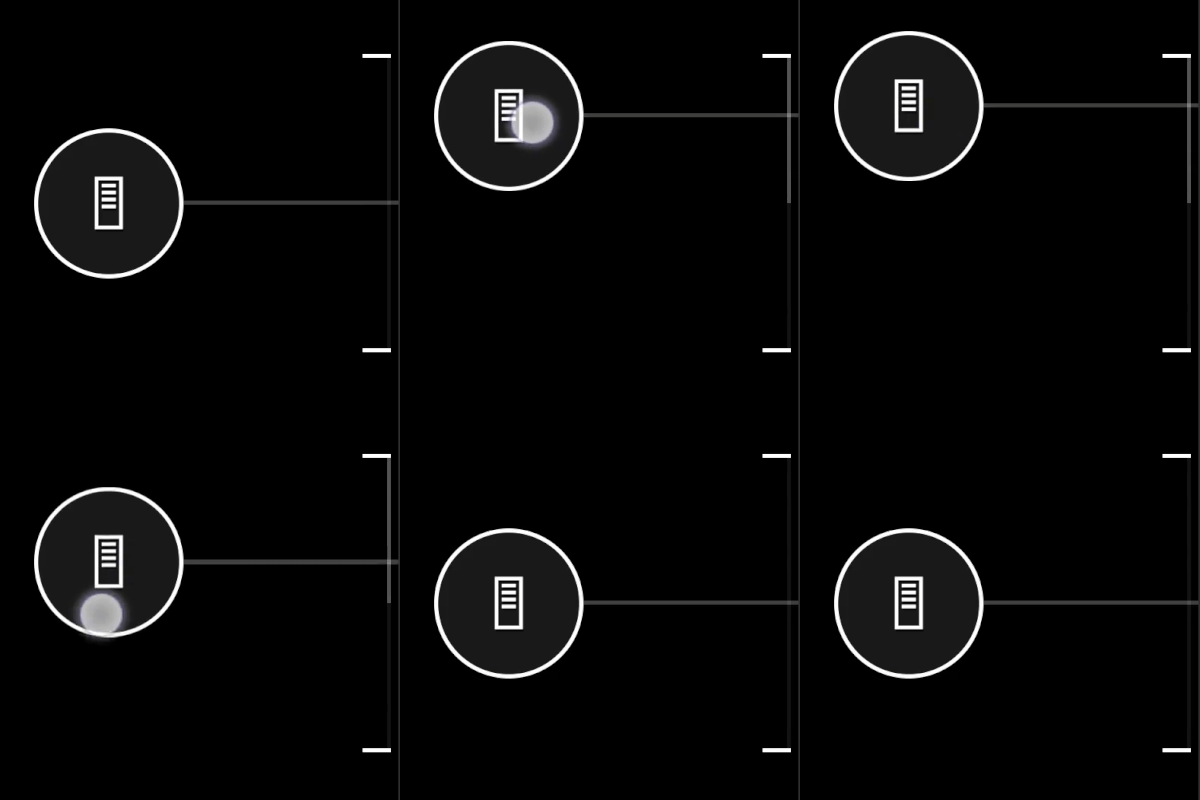 This uses the default styling.
```JSON theme={null}
{
"type": "throttle",
"axisUp": "rightTrigger",
"axisDown": "leftTrigger",
"sticky": true
}
```
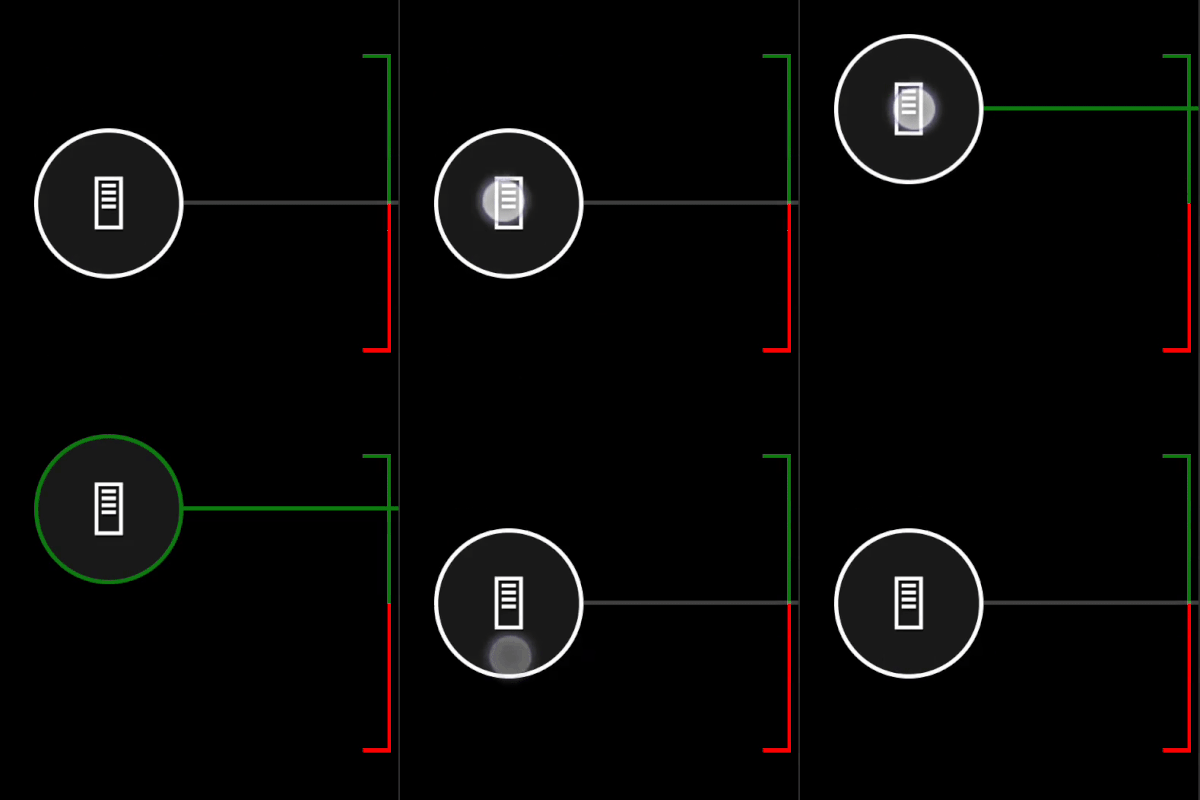
#### Example 2: Throttle with styled outline and explicitly defined icons
**Figure 1. Customized throttle control**
This uses the default styling.
```JSON theme={null}
{
"type": "throttle",
"axisUp": "rightTrigger",
"axisDown": "leftTrigger",
"sticky": true
}
```
#### Example 2: Throttle with styled outline and explicitly defined icons
**Figure 1. Customized throttle control**
 ```JSON theme={null}
{
"type": "throttle",
"axisUp": "rightTrigger",
"axisDown": "leftTrigger",
"sticky": true,
"styles": {
"default": {
"knob" : {
"faceImage" : {
"type": "icon",
"value": "gasPedal"
}
},
"axisUp": {
"stroke" : {
"type": "solid",
"color": "#107C10"
},
"cap" : {
"type": "color",
"value": "#107C10"
}
},
"axisDown": {
"stroke" : {
"type": "solid",
"color": "#ff0000"
},
"cap" : {
"type": "color",
"value": "#ff0000"
}
}
},
"idleUp" : {
"knob" : {
"stroke" : {
"type": "solid",
"color": "#107C10"
}
},
"indicator" : {
"type": "solid",
"color": "#107C10"
}
},
"activatedUp" : {
"indicator" : {
"type": "solid",
"color": "#107C10"
}
},
"activatedDown": {
"knob" : {
"faceImage" : {
"type": "icon",
"value": "brakePedal"
}
},
"indicator" : {
"type": "solid",
"color": "#ff0000"
}
}
}
}
```
## Requirements
**Layout Version:** 1.0+ (Styling available from layout version 3.2+)
## Related topics
- [Best practices for the RTA service](/services/xbox-services/fundamentals/rta/concepts/live-rta-best-practices.md)
- [XBOX services Title Storage overview](/services/xbox-services/storage/title-storage/live-title-storage-overview.md)
- [Fine-Grained Rate Limiting](/services/xbox-services/develop/best-practices/live-fine-grained-rate-limiting.md)
- [PlayFab Party Release Notes](/services/playfab/multiplayer/networking/release-notes.md)
- [PlayFab Party 릴리스 정보](/ko/services/playfab/multiplayer/networking/release-notes.md)
```JSON theme={null}
{
"type": "throttle",
"axisUp": "rightTrigger",
"axisDown": "leftTrigger",
"sticky": true,
"styles": {
"default": {
"knob" : {
"faceImage" : {
"type": "icon",
"value": "gasPedal"
}
},
"axisUp": {
"stroke" : {
"type": "solid",
"color": "#107C10"
},
"cap" : {
"type": "color",
"value": "#107C10"
}
},
"axisDown": {
"stroke" : {
"type": "solid",
"color": "#ff0000"
},
"cap" : {
"type": "color",
"value": "#ff0000"
}
}
},
"idleUp" : {
"knob" : {
"stroke" : {
"type": "solid",
"color": "#107C10"
}
},
"indicator" : {
"type": "solid",
"color": "#107C10"
}
},
"activatedUp" : {
"indicator" : {
"type": "solid",
"color": "#107C10"
}
},
"activatedDown": {
"knob" : {
"faceImage" : {
"type": "icon",
"value": "brakePedal"
}
},
"indicator" : {
"type": "solid",
"color": "#ff0000"
}
}
}
}
```
## Requirements
**Layout Version:** 1.0+ (Styling available from layout version 3.2+)
## Related topics
- [Best practices for the RTA service](/services/xbox-services/fundamentals/rta/concepts/live-rta-best-practices.md)
- [XBOX services Title Storage overview](/services/xbox-services/storage/title-storage/live-title-storage-overview.md)
- [Fine-Grained Rate Limiting](/services/xbox-services/develop/best-practices/live-fine-grained-rate-limiting.md)
- [PlayFab Party Release Notes](/services/playfab/multiplayer/networking/release-notes.md)
- [PlayFab Party 릴리스 정보](/ko/services/playfab/multiplayer/networking/release-notes.md)