> ## Documentation Index
> Fetch the complete documentation index at: https://devdocs.xbox.com/llms.txt
> Use this file to discover all available pages before exploring further.
# XBOX Manager: 콘솔 자동화 관리
> XBOX Manager: 콘솔 자동화 관리
다음 스크린샷에 표시된 XBOX Manager의 Automation 탭은 무인 스크립트(및 XBOX One X 개발 키트와 전면 패널 스크립트)를 위한 [XBOX Device Portal (Windows Device Portal on XBOX)](/tools/tools-console/wdp/wdp) UI를 호스팅합니다. 전면 패널 디스플레이가 있는 개발 키트에 연결된 경우 원격 테스트 및 제어를 위해 Automation 페이지에서 디스플레이를 사용할 수 있습니다. Automation 탭은 콘솔에서 [XBOX Device Portal](/tools/tools-console/wdp/wdp)이 활성화된 경우에만 사용할 수 있습니다.
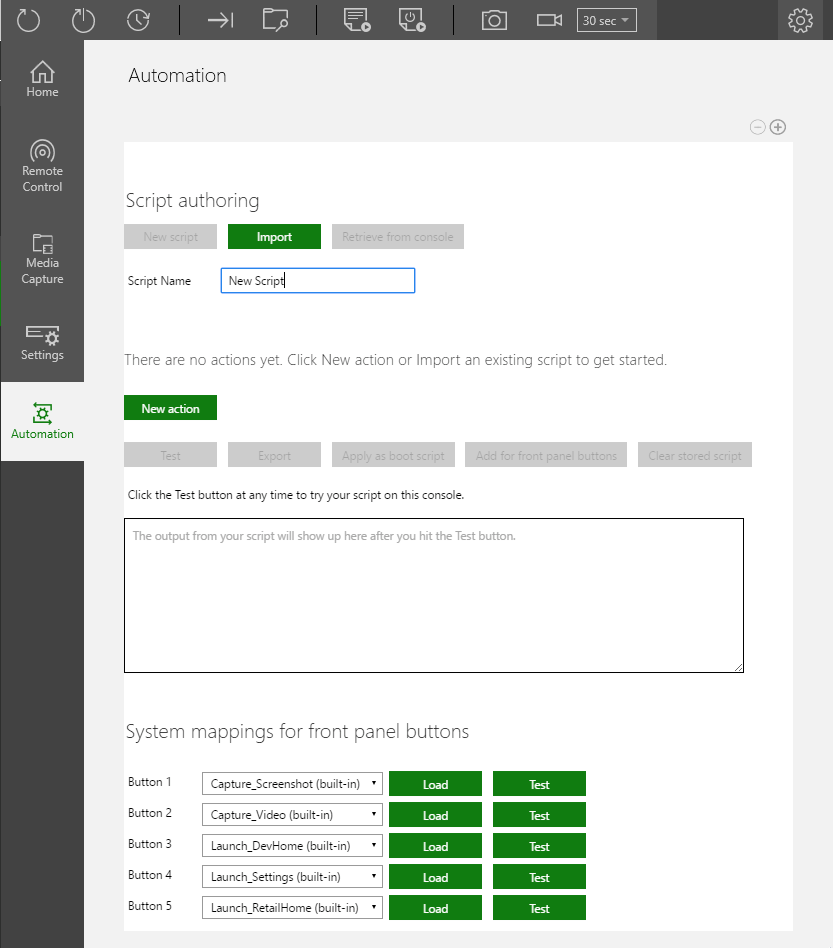 ## 새 스크립트 만들기
1. 다음과 같이 표시되는 **New script**를 선택합니다.
## 새 스크립트 만들기
1. 다음과 같이 표시되는 **New script**를 선택합니다.  2. 새 스크립트 이름을 입력합니다. 기본 이름은 **New Script**입니다.
3. 스크립트에 새 작업을 추가합니다. 다음과 같이 표시되는 **New action**을 선택합니다.
2. 새 스크립트 이름을 입력합니다. 기본 이름은 **New Script**입니다.
3. 스크립트에 새 작업을 추가합니다. 다음과 같이 표시되는 **New action**을 선택합니다.
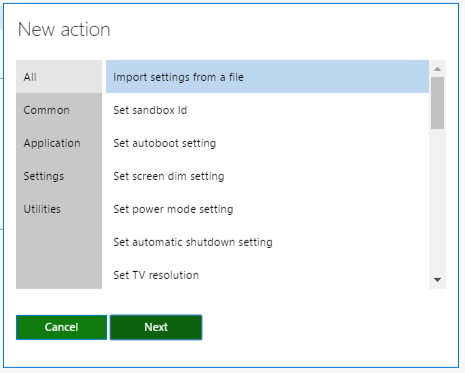
 1. 다음과 같이 표시되는 **New action** 창에서 스크립트에 대한 작업을 선택한 다음 **Next**를 선택합니다.
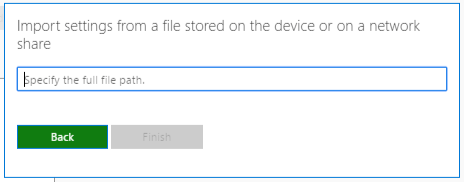
 1. 다음과 같이 표시되는 작업 매개변수를 설정합니다.
 1. 3\~5단계를 반복하여 스크립트에 더 많은 작업을 추가합니다.
2. 선택적으로, 시작 시 스크립트를 실행하도록 설정하려면 다음과 같이 표시되는 **Apply as boot script**를 선택합니다.
1. 3\~5단계를 반복하여 스크립트에 더 많은 작업을 추가합니다.
2. 선택적으로, 시작 시 스크립트를 실행하도록 설정하려면 다음과 같이 표시되는 **Apply as boot script**를 선택합니다.
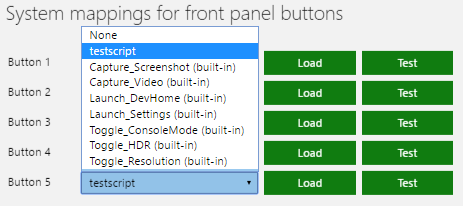
 1. 선택적으로, 전면 패널 버튼 중 하나에 스크립트를 적용하려면 다음과 같이 표시되는 **Add for front panel buttons**를 클릭한 다음, 다음과 같이 표시되는 **System mappings for front panel buttons** 섹션에서 스크립트를 선택합니다.

 ## Related topics
- [개발 콘솔 관리를 위한 XBOX Manager 도구](/ko/tools/tools-console/xbom/index.md)
- [XBOX Manager: 콘솔 및 그룹 관리](/ko/tools/tools-console/xbom/manager-tool-groups.md)
- [XBOX Manager: 콘솔 설정 관리](/ko/tools/tools-console/xbom/manager-tool-console-settings.md)
- [XBOX Manager](/ko/tools/tools-console/xbom/xbom.md)
- [XUser의 헤드리스 자동화](/ko/build/core-features/common/user/users-headless-automation.md)
## Related topics
- [개발 콘솔 관리를 위한 XBOX Manager 도구](/ko/tools/tools-console/xbom/index.md)
- [XBOX Manager: 콘솔 및 그룹 관리](/ko/tools/tools-console/xbom/manager-tool-groups.md)
- [XBOX Manager: 콘솔 설정 관리](/ko/tools/tools-console/xbom/manager-tool-console-settings.md)
- [XBOX Manager](/ko/tools/tools-console/xbom/xbom.md)
- [XUser의 헤드리스 자동화](/ko/build/core-features/common/user/users-headless-automation.md)