> ## Documentation Index
> Fetch the complete documentation index at: https://devdocs.xbox.com/llms.txt
> Use this file to discover all available pages before exploring further.
# XBOX Device Portal 워크스페이스에 도구 추가
> XBOX Device Portal 워크스페이스에 도구 추가
XBOX Device Portal의 모든 페이지/워크스페이스에 도구를 추가하여 인터페이스를 사용자 지정합니다.
## 워크스페이스에 도구 추가
1. 도구를 추가할 워크스페이스(예: **Scratch** 페이지)로 이동합니다.
2. **Menu**(세 줄 아이콘)를 선택합니다.
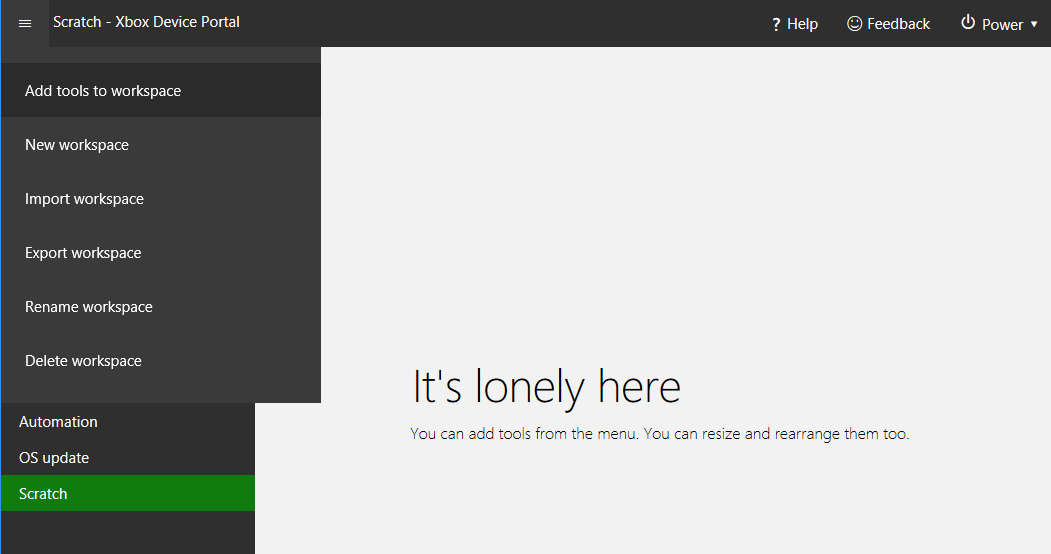
3. 다음 스크린샷과 같이 표시되는 메뉴에서 **Add tools to workspace**를 선택합니다.
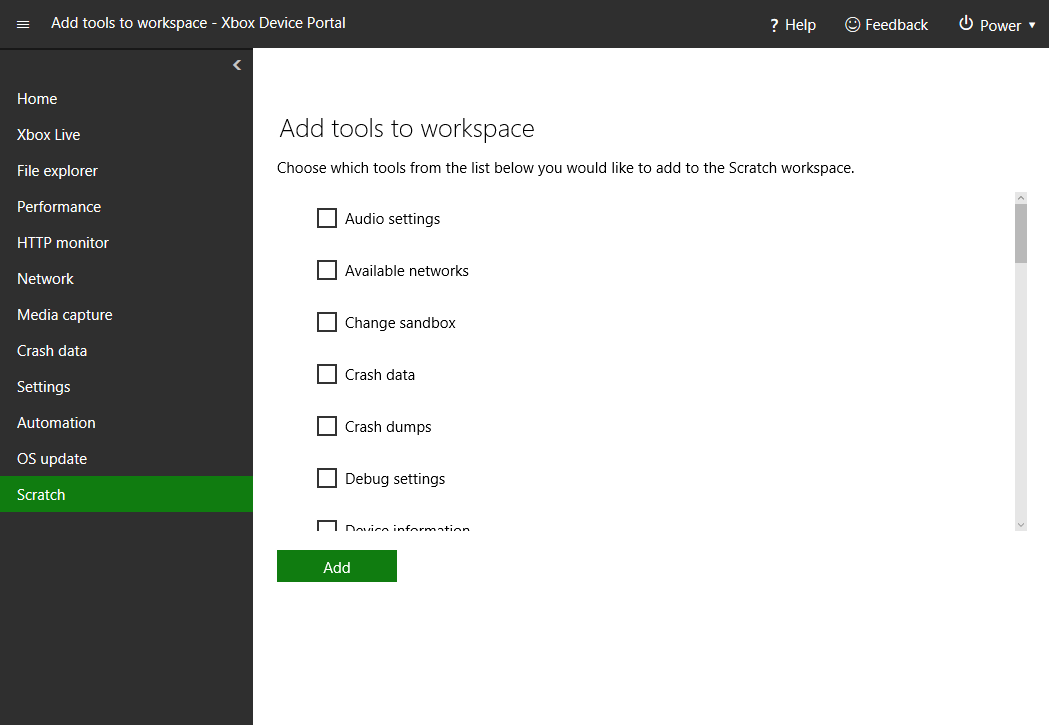
 4. 다음 스크린샷과 같이 워크스페이스에 추가할 도구를 선택합니다.
 5. **Add**를 선택합니다.
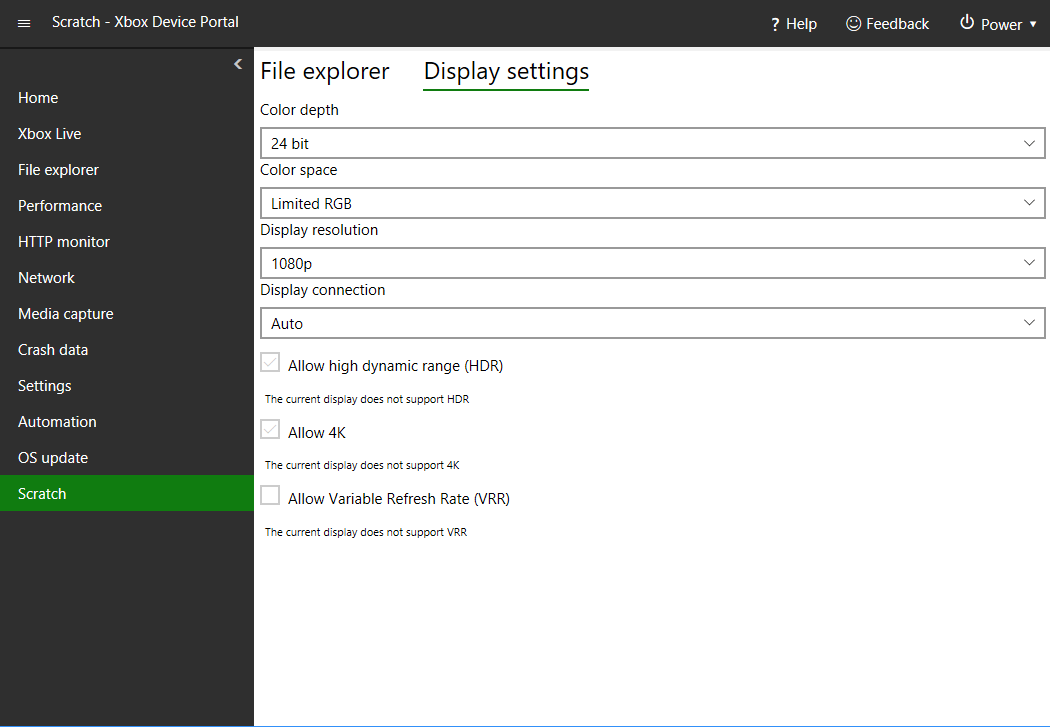
6. 다음 스크린샷과 같이 선택한 도구가 현재 워크스페이스에 추가됩니다.
5. **Add**를 선택합니다.
6. 다음 스크린샷과 같이 선택한 도구가 현재 워크스페이스에 추가됩니다.
 ## Related topics
- [Scratch 페이지](/ko/tools/tools-console/wdp/windows-device-portal-on-xbox-scratch.md)
- [스크립트 작성 도구](/ko/tools/tools-console/wdp/script-authoring-tool.md)
- [TAK 편집기 설정](/ko/build/core-features/common/game-streaming/tak-editor/game-streaming-tak-editor-setup.md)
- [XBOX PC Remote Tools](/ko/tools/tools-pc/xbox-pc-remote-tools/index.md)
- [XBOX Device Portal (XBOX의 Windows Device Portal)](/ko/tools/tools-console/wdp/index.md)
## Related topics
- [Scratch 페이지](/ko/tools/tools-console/wdp/windows-device-portal-on-xbox-scratch.md)
- [스크립트 작성 도구](/ko/tools/tools-console/wdp/script-authoring-tool.md)
- [TAK 편집기 설정](/ko/build/core-features/common/game-streaming/tak-editor/game-streaming-tak-editor-setup.md)
- [XBOX PC Remote Tools](/ko/tools/tools-pc/xbox-pc-remote-tools/index.md)
- [XBOX Device Portal (XBOX의 Windows Device Portal)](/ko/tools/tools-console/wdp/index.md)