> ## Documentation Index
> Fetch the complete documentation index at: https://devdocs.xbox.com/llms.txt
> Use this file to discover all available pages before exploring further.
# CloudScript에서 오류 처리
> try/catch 블록을 사용하여 PlayFab CloudScript 오류를 잡고 검사하고, API 오류 코드를 추출하고, CloudScript 대시보드에서 처리되지 않은 오류를 모니터링합니다.
이 자습서에서는 CloudScript 핸들러 내에서 오류를 인식하고 처리하는 방법을 설명합니다.
## 식별
첫 번째 단계는 오류를 식별하는 것입니다. 잡히지 않은 모든 오류는 로그에 기록되고 호출자(클라이언트)에게 반환되는 응답에서 확인할 수 있지만, `try/catch` 블록을 사용하여 오류를 조기에 잡을 수 있습니다.
오류를 생성하고 잡는 다음 CloudScript 스니펫을 고려해 보세요.
```javascript theme={null}
"use strict";
handlers.GenerateError = () => {
try {
server.GetPlayerStatistics({
PlayFabId : "non-existing-player-id"
});
} catch (ex) {
let error = ex.apiErrorInfo.apiError.error; // In this case - "InvalidParams"
let errorCode = ex.apiErrorInfo.apiError.errorCode; // In this case : 1000
}
}
```
catch 블록 내에서 오류 코드가 어떻게 추출되었는지 주목했나요? 오류 목록 전체는 [글로벌 API 메서드 오류 코드 문서](/services/playfab/api-references/global-api-method-error-codes)를 참조하세요.
오류 코드만으로도 오류를 식별하기에 충분합니다.
## 로깅
처리되지 않은 모든 오류는 응답에 추가되어, 클라이언트가 문제를 처리할 수 있게 합니다.
동시에, CloudScript 오류 항목을 만들어 CloudScript 대시보드에서 사용 가능한 총 통계에 추가합니다.
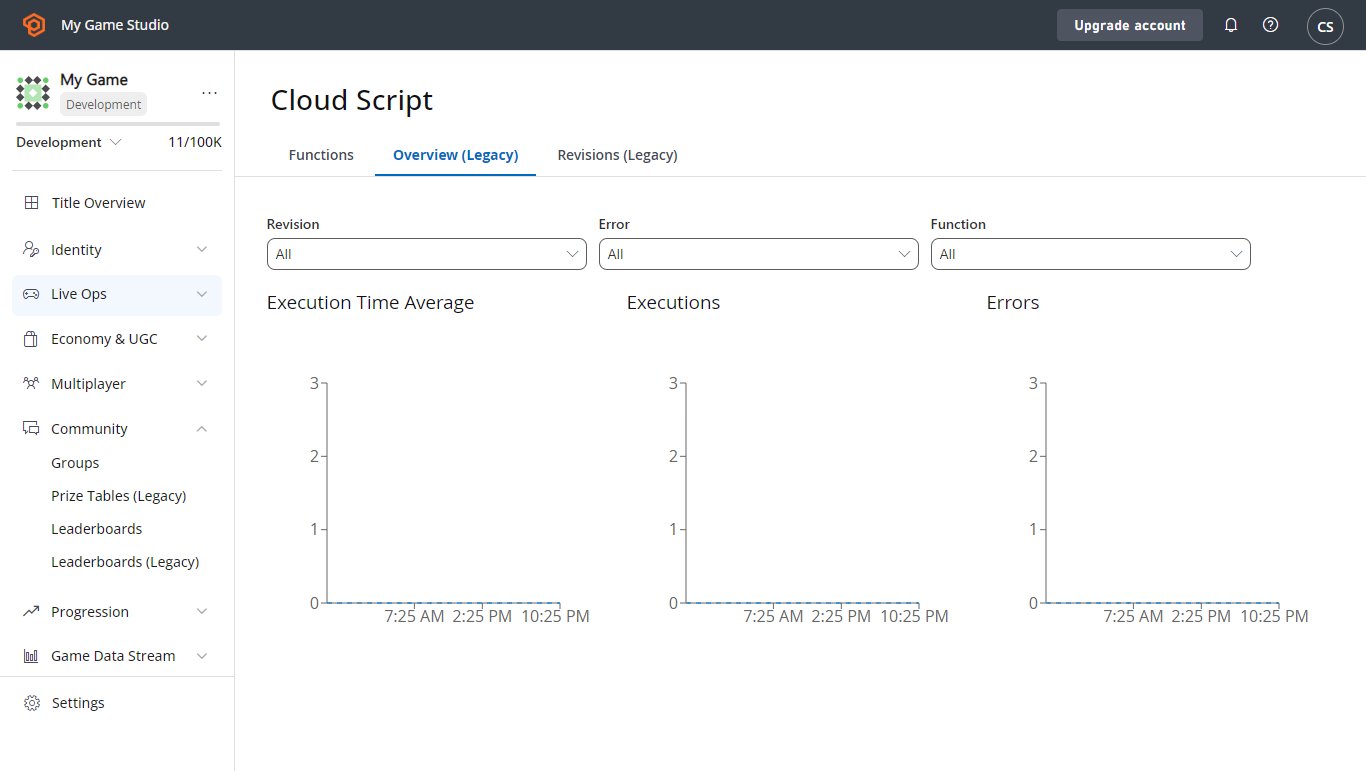 JSON 문자열 형태로 예외를 강제로 로깅하려면, `log` 객체를 통한 오류 로깅을 사용하세요.
```javascript theme={null}
"use strict";
handlers.GenerateError = () => {
try {
server.GetPlayerStatistics({
PlayFabId : "non-existing-player-id"
});
} catch (ex) {
log.error(ex);
}
}
```
마지막으로, 나중에 분석을 통해 처리할 수 있도록 타이틀/플레이어 이벤트를 작성할 수 있습니다.
```javascript theme={null}
"use strict";
handlers.GenerateError = () => {
try {
server.GetPlayerStatistics({
PlayFabId : "non-existing-player-id"
});
} catch (ex) {
server.WriteTitleEvent({
EventName : 'cs_error',
Body : ex
});
}
}
```
## 복구
오류에서 항상 복구할 수 있는 것은 아닙니다. `InvalidArguments`와 같은 문제는 플레이어에게 문제를 다시 보고하는 것 외에는 다른 옵션이 없습니다.
재시도 전략을 적용할 수 있는 오류의 하위 집합이 있습니다. *재시도 가능한* 오류 유형은 [글로벌 API 메서드 오류 코드](/services/playfab/api-references/global-api-method-error-codes)에 설명되어 있습니다.
재시도 전략을 적용할 때 다음 요구 사항을 *반드시* 충족하도록 요청합니다.
* 재시도할 때마다 재시도 간 지연 시간이 *기하급수적으로* 증가해야 합니다. 이렇게 하면 성공적인 호출의 가능성이 높아지고, 게임이 PlayFab 서버로 스팸 호출을 하는 것을 방지합니다(그러면 *더 많은* 호출이 거부됩니다).
* 이 재시도 전략은 *선택적으로* 적용해야 하며, 재시도할 가치가 있는 코드에만 사용해야 합니다.
## CloudScript 시간 초과 오류
CloudScript API 호출의 실행 시간은 4초로 제한됩니다.
실행 시간이 4초를 초과하면, `InternalServerError`가 발생하고 PlayStream 이벤트는 다음과 유사한 Logs 객체를 작성합니다.
```
"Logs":[
{
"Level":"Error",
"Message":"PlayFab API request failure",
"Data":{
"request":{
"PlayFabId":"9437A5ADDAE3012D"
},
"error":"Timeout",
"api":"/Server/GetPlayerSegments"
}
}
]
```
이 오류가 발생하면 다음을 수행할 수 있습니다.
* CloudScript를 4초 이내에 실행되는 더 작은 코드 세그먼트로 나눕니다.
* 경우에 따라 더 긴 시간 제한이 있는 [Azure Functions를 사용하는 CloudScript](/services/playfab/live-service-management/service-gateway/automation/cloudscript-af/quickstart)로 전환합니다. 제한은 [빠른 시작 가이드](/services/playfab/live-service-management/service-gateway/automation/cloudscript-af/quickstart#execution-limits)에서 확인할 수 있습니다.
## Related topics
- [사용자 지정 CloudScript 작성](/ko/services/playfab/live-service-management/service-gateway/automation/cloudscript/writing-custom-cloudscript.md)
- [CloudScript에서 Webhook 호출](/ko/services/playfab/live-service-management/service-gateway/automation/cloudscript/making-webhook-calls-from-cloudscript.md)
- [Azure 포털에서 CloudScript Azure Functions 디버깅](/ko/services/playfab/live-service-management/service-gateway/automation/cloudscript-af/debugging-with-CloudScript-AF-Azure.md)
- [Visual Studio Code에서 Azure Functions로 CloudScript 디버깅](/ko/services/playfab/live-service-management/service-gateway/automation/cloudscript-af/debugging-with-CloudScript-AF-VSCode.md)
- [SDK 오류 처리 모범 사례](/ko/services/playfab/live-service-management/service-gateway/automation/cloudscript/sdk-error-handling-best-practices.md)
JSON 문자열 형태로 예외를 강제로 로깅하려면, `log` 객체를 통한 오류 로깅을 사용하세요.
```javascript theme={null}
"use strict";
handlers.GenerateError = () => {
try {
server.GetPlayerStatistics({
PlayFabId : "non-existing-player-id"
});
} catch (ex) {
log.error(ex);
}
}
```
마지막으로, 나중에 분석을 통해 처리할 수 있도록 타이틀/플레이어 이벤트를 작성할 수 있습니다.
```javascript theme={null}
"use strict";
handlers.GenerateError = () => {
try {
server.GetPlayerStatistics({
PlayFabId : "non-existing-player-id"
});
} catch (ex) {
server.WriteTitleEvent({
EventName : 'cs_error',
Body : ex
});
}
}
```
## 복구
오류에서 항상 복구할 수 있는 것은 아닙니다. `InvalidArguments`와 같은 문제는 플레이어에게 문제를 다시 보고하는 것 외에는 다른 옵션이 없습니다.
재시도 전략을 적용할 수 있는 오류의 하위 집합이 있습니다. *재시도 가능한* 오류 유형은 [글로벌 API 메서드 오류 코드](/services/playfab/api-references/global-api-method-error-codes)에 설명되어 있습니다.
재시도 전략을 적용할 때 다음 요구 사항을 *반드시* 충족하도록 요청합니다.
* 재시도할 때마다 재시도 간 지연 시간이 *기하급수적으로* 증가해야 합니다. 이렇게 하면 성공적인 호출의 가능성이 높아지고, 게임이 PlayFab 서버로 스팸 호출을 하는 것을 방지합니다(그러면 *더 많은* 호출이 거부됩니다).
* 이 재시도 전략은 *선택적으로* 적용해야 하며, 재시도할 가치가 있는 코드에만 사용해야 합니다.
## CloudScript 시간 초과 오류
CloudScript API 호출의 실행 시간은 4초로 제한됩니다.
실행 시간이 4초를 초과하면, `InternalServerError`가 발생하고 PlayStream 이벤트는 다음과 유사한 Logs 객체를 작성합니다.
```
"Logs":[
{
"Level":"Error",
"Message":"PlayFab API request failure",
"Data":{
"request":{
"PlayFabId":"9437A5ADDAE3012D"
},
"error":"Timeout",
"api":"/Server/GetPlayerSegments"
}
}
]
```
이 오류가 발생하면 다음을 수행할 수 있습니다.
* CloudScript를 4초 이내에 실행되는 더 작은 코드 세그먼트로 나눕니다.
* 경우에 따라 더 긴 시간 제한이 있는 [Azure Functions를 사용하는 CloudScript](/services/playfab/live-service-management/service-gateway/automation/cloudscript-af/quickstart)로 전환합니다. 제한은 [빠른 시작 가이드](/services/playfab/live-service-management/service-gateway/automation/cloudscript-af/quickstart#execution-limits)에서 확인할 수 있습니다.
## Related topics
- [사용자 지정 CloudScript 작성](/ko/services/playfab/live-service-management/service-gateway/automation/cloudscript/writing-custom-cloudscript.md)
- [CloudScript에서 Webhook 호출](/ko/services/playfab/live-service-management/service-gateway/automation/cloudscript/making-webhook-calls-from-cloudscript.md)
- [Azure 포털에서 CloudScript Azure Functions 디버깅](/ko/services/playfab/live-service-management/service-gateway/automation/cloudscript-af/debugging-with-CloudScript-AF-Azure.md)
- [Visual Studio Code에서 Azure Functions로 CloudScript 디버깅](/ko/services/playfab/live-service-management/service-gateway/automation/cloudscript-af/debugging-with-CloudScript-AF-VSCode.md)
- [SDK 오류 처리 모범 사례](/ko/services/playfab/live-service-management/service-gateway/automation/cloudscript/sdk-error-handling-best-practices.md)