> ## Documentation Index
> Fetch the complete documentation index at: https://devdocs.xbox.com/llms.txt
> Use this file to discover all available pages before exploring further.
# 기본 스토어 작업
> 사용자가 구매할 수 있는 항목 결정, 사용 권한 확인, 구매 완료를 포함하여 XStore API로 인게임 스토어를 구현합니다.
인게임 스토어는 일반적으로 세 가지 기본 작업을 포함합니다.
1. [사용자가 구매할 수 있는 항목 결정](#1-determining-what-users-can-purchase)
2. [사용자가 소유하거나 사용 권한이 있는 제품 평가](#2-evaluating-what-products-the-user-owns-or-is-entitled-to)
3. [적격 제품 구매](#3-purchasing-eligible-products)
이 문서에서는 모범 사례를 반영하여 지속적으로 업데이트되는 InGameStore 샘플에서 파생된 각 작업에 대한 샘플 코드를 보여줍니다.
## XStore API 호출 준비
모든 `XStore` API는 [XStoreCreateContext](/reference/system/xstore/xstore_members)를 사용하여 만든 `XStoreContextHandle`을 통해 동작합니다.
이 컨텍스트를 사용하면 콘솔에서는 지정된 사용자의 컨텍스트에서, PC에서는 사용 가능한 기본 사용자의 컨텍스트에서 스토어 작업을 수행할 수 있습니다. 콘솔에서는 Suspend 또는 Quick Resume 이벤트가 컨텍스트를 무효화합니다. 이러한 조건을 안전하게 처리하려면 게임이 일시 중단 상태에서 다시 시작될 때마다 `XStoreContextHandle`을 닫고 다시 만드세요.
## 1. 사용자가 구매할 수 있는 항목 결정
게임이 일반적으로 판매용으로 제공하는 것은 추가 기능(add-on)입니다. 다음 코드는 어떤 제품이 사용 가능한지 게임에서 알기 위해 필요한 기본 [XStoreQueryAssociatedProductsAsync](/reference/system/xstore/xstore_members) API 호출을 보여줍니다.
이 쿼리는 자동으로 게임과 연결된 **구매 가능한** 추가 기능만 반환합니다. 게임이 Partner Center의 **Product relationship setup** 섹션에서 이 제품과 "can sell" 관계로 설정되어 있는 한, 동일한 게시자(즉, 동일한 Partner Center 계정으로 구성됨)와 연결된 관련이 없는 제품도 이 호출에서 반환되도록 만들 수 있습니다.
제품 관계 구성에 대해 자세히 알아보려면 [게임의 제품 관계 구성](/publishing/game-publishing/tutorial-xbox-managed/how-to-create-product-relationships)을 참고하세요.
```cpp theme={null}
bool CALLBACK ProductEnumerationCallback(const XStoreProduct* product, void* context)
{
// Handle adding the product to the game
printf("%s %s %u\n", product->title, product->storeId, product->productKind);
return true;
}
void QueryCatalog()
{
auto async = new XAsyncBlock{};
async->queue = m_asyncQueue;
async->callback = [](XAsyncBlock* async)
{
XStoreProductQueryHandle queryHandle = nullptr;
HRESULT hr = XStoreQueryAssociatedProductsResult(async, &queryHandle);
if (SUCCEEDED(hr))
{
hr = XStoreEnumerateProductsQuery(queryHandle, async->context, ProductEnumerationCallback);
if (SUCCEEDED(hr))
{
// TODO: Check for more pages to process
printf("Enumeration complete\n");
}
XStoreCloseProductsQueryHandle(queryHandle);
delete async;
}
};
XStoreProductKind typeFilter =
XStoreProductKind::Consumable |
XStoreProductKind::Durable |
XStoreProductKind::Game;
HRESULT hr = XStoreQueryAssociatedProductsAsync(
m_xStoreContext,
typeFilter,
UINT8_MAX, // placeholder maximum, see Paging
async)
if (FAILED(hr))
{
delete async;
}
}
```
### 주의 사항
* `XStoreQueryAssociatedProductsAsync`로는 구매 가능한 제품만 반환됩니다. 번들에서만 부여되거나 그 외 독립적으로 구매할 수 없도록 설정된 제품은 반환되지 않습니다. 후자의 경우 `XStoreQueryProductsAsync`를 사용하세요.
* 반환되는 제품의 수를 사전에 알 수 없으므로 개수를 누적해야 합니다.
### 페이징
연결된 제품 또는 사용 권한을 쿼리할 때 페이징 처리는 선택 사항이 아닙니다. 서비스에서 반환하는 페이지 수와 페이지당 반환되는 항목 수는 환경 및 서비스 부하에 따라 다를 수 있습니다. 페이징 처리 방법의 예는 [XStoreQueryAssociatedProductsAsync](/reference/system/xstore/xstore_members)를 참고하세요.
### 기타 옵션
`storeId`를 알고 있거나 다른 `actionFilters`가 필요한 경우 [XStoreQueryProductsAsync](/reference/system/xstore/xstore_members)를 사용하여 특정 제품을 쿼리할 수 있습니다. "Action"은 제품에 적용되는 사용 시나리오로, `Purchase`, `License`, `Gift`, `Redeem` 같은 동사를 포함합니다.
[XStoreQueryAssociatedProductsForStoreIdAsync](/reference/system/xstore/xstore_members)를 사용하여 다른 게임의 연결된 제품을 쿼리할 수 있으며, 이는 다른 타이틀의 추가 기능을 교차 판매하는 데 유용할 수 있습니다.
[XStoreQueryProductForCurrentGameAsync](/reference/system/xstore/xstore_members)는 현재 실행 중인 게임의 제품만 쿼리하는 API입니다.
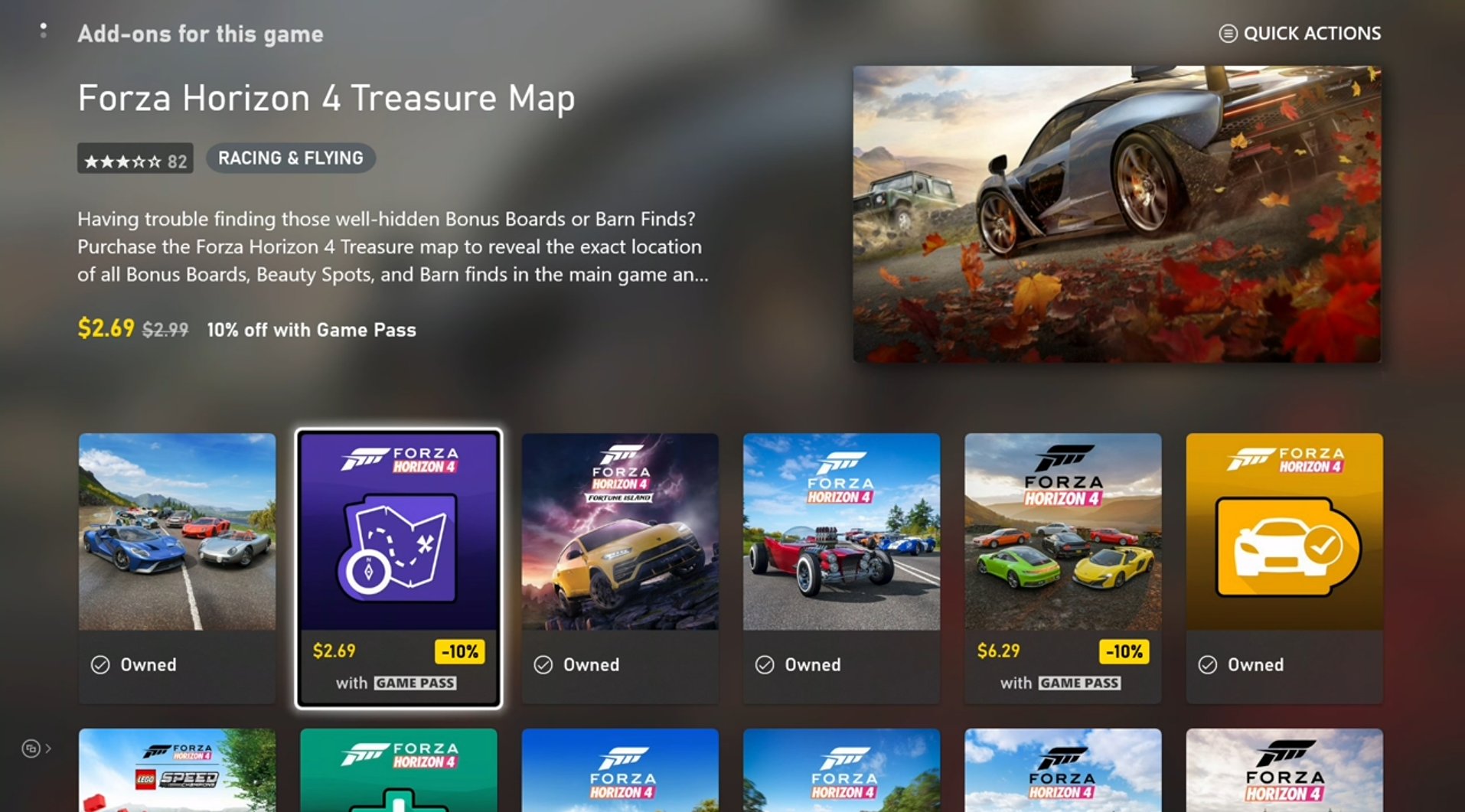
[XStoreShowAssociatedProductsUIAsync](/reference/system/xstore/xstore_members)는 사용자를 Microsoft Store 앱의 연결된 제품 보기(제품 종류로 필터링됨)로 이동시킵니다. 이 API는 인게임 인터페이스에서 사용 가능한 제품을 나열하는 대신 사용할 수 있는 대안입니다.
 ## 2. 사용자가 소유하거나 사용 권한이 있는 제품 평가
이 단계는 앞에서 보인 것과 대부분 동일한 코드를 사용하지만, 다음과 같이 대체합니다.
* [XStoreQueryAssociatedProductsAsync](/reference/system/xstore/xstore_members) → [XStoreQueryEntitledProductsAsync](/reference/system/xstore/xstore_members)
* [XStoreQueryAssociatedProductsResult](/reference/system/xstore/xstore_members) → [XStoreQueryEntitledProductsResult](/reference/system/xstore/xstore_members)
`QueryEntitledProducts` API는 사용자에게 부여된 제품을 반환합니다. 부여됨(Entitled)이란 사용자가 제품을 직접 소유하거나, 다른 제품(예: 번들 및 구독)을 통해 사용 권한을 충족하거나, 다른 사용자의 공유 사용 권한을 통해 사용 권한을 얻는 것을 의미합니다.
또한 [XStoreQueryAssociatedProductsAsync](/reference/system/xstore/xstore_members)(및 관련 함수)의 결과가 사용 권한을 결정합니다. [XStoreProduct](/reference/system/xstore/xstore_members) 구조체에는 사용자에게 사용 권한이 부여된 경우 true로 설정되는 `isInUserCollection` 필드가 포함되어 있습니다.
### 소모품 소유
소모품 수량은 `XStoreProduct.skus[i].collectionData.quantity`에 표시됩니다. 일반적으로 소모품 제품에는 SKU가 하나뿐입니다.
수량을 조회하는 데 [XStoreQueryConsumableBalanceRemainingAsync](/reference/system/xstore/xstore_members)를 사용할 수도 있지만, 각 호출마다 서비스 호출이 발생하므로 많은 수의 소모품에 대해 개별적으로 사용하지 마세요.
소모품 기반 생태계의 무결성을 유지하려면 서비스 측 유효성 검사와 소모품 사용을 활용하세요. 자세한 내용은 [소모품 기반 생태계](/publishing/xstore-commerce/xstore-consumables)를 참고하세요.
### 내구성(Durable) 소유
계정이 제품을 소유하는지 확인하는 것만으로는 게임에서 사용할 수 있는 사용 권한이 있는지 판단하기에 충분하지 않습니다. Durable 제품은 [게임의 제품 공유 모델](/publishing/xstore-commerce/xstore-product-sharing)에 설명된 콘텐츠 공유 정책을 준수해야 합니다.
**패키지가 있는 durable**의 경우 콘텐츠 공유 규칙에 따라 라이선스가 부여될 수 있는지 확인하려면 [XStoreAcquireLicenseForPackageAsync](/reference/system/xstore/xstore_members)를 사용하세요.
**패키지가 없는 durable**의 경우 동일한 작업을 수행하려면 [XStoreAcquireLicenseForDurablesAsync](/reference/system/xstore/xstore_members)를 사용하세요.
**디지털**로 라이선스된 게임의 경우 라이선스 부여 가능한 패키지 없는 durable 제품 목록을 반환하려면 [XStoreQueryAddOnLicensesAsync](/reference/system/xstore/xstore_members)를 사용하세요.
자세한 내용은 [다운로드 가능한 콘텐츠 관리 및 라이선스 부여](/publishing/xstore-commerce/xstore-dlc)와 [패키지 없는 durable 사용 방법](/publishing/xstore-commerce/xstore-dwob)을 참고하세요.
## 3. 적격 제품 구매
구매 가능한 제품의 구매 흐름을 표시하려면 `storeId`를 [XStoreShowPurchaseUIAsync](/reference/system/xstore/xstore_members) API에 전달합니다.
```cpp theme={null}
void MakePurchase(const char* storeId)
{
auto async = new XAsyncBlock{};
async->context = &storeId;
async->queue = m_asyncQueue;
async->callback = [](XAsyncBlock *async)
{
const char* = reinterpret_cast(async->context);
HRESULT hr = XStoreShowPurchaseUIResult(async);
if (SUCCEEDED(hr))
{
printf("Purchase succeeded (%s)\n", storeId);
// Refresh ownership and update game
}
else
{
printf("Purchase failed (%s) 0x%x\n", storeId, hr);
if (hr == E_GAMESTORE_ALREADY_PURCHASED)
{
printf("Already own this\n");
}
}
delete async;
};
HRESULT hr = XStoreShowPurchaseUIAsync(
m_xStoreContext,
storeId,
nullptr, // Can be used to override the title bar text
nullptr, // Can be used to provide extra details to purchase
async);
if (FAILED(hr))
{
delete async;
printf("Error calling XStoreShowPurchaseUIAsync : 0x%x\n", hr);
return;
}
}
```
플레이어는 Xbox.com, PC, 모바일 앱 또는 기타 채널에서 Microsoft Store로 명시적으로 전환하여 게임 외부에서도 구매할 수 있습니다. 따라서 요청 시 안정적으로 제품 소유권을 새로 고치는 지점을 게임에 제공하세요. 초기 로그인 흐름은 완벽한 지점이지만, 인게임 스토어로의 전환 과정이나 설정 어딘가에도 새로 고침을 추가하세요.
## 참조 API 문서
* [XStore (API 내용)](/reference/system/xstore/xstore_members)
* 함수
* [XStoreCreateContext](/reference/system/xstore/xstore_members)
* [XStoreQueryAssociatedProductsAsync](/reference/system/xstore/xstore_members)
* [XStoreQueryProductsAsync](/reference/system/xstore/xstore_members)
* [XStoreQueryAssociatedProductsForStoreIdAsync](/reference/system/xstore/xstore_members)
* [XStoreQueryProductForCurrentGameAsync](/reference/system/xstore/xstore_members)
* [XStoreShowAssociatedProductsUIAsync](/reference/system/xstore/xstore_members)
* [XStoreQueryEntitledProductsAsync](/reference/system/xstore/xstore_members)
* [XStoreQueryAssociatedProductsResult](/reference/system/xstore/xstore_members)
* [XStoreQueryEntitledProductsResult](/reference/system/xstore/xstore_members)
* [XStoreQueryConsumableBalanceRemainingAsync](/reference/system/xstore/xstore_members)
* [XStoreAcquireLicenseForPackageAsync](/reference/system/xstore/xstore_members)
* [XStoreAcquireLicenseForDurablesAsync](/reference/system/xstore/xstore_members)
* [XStoreQueryAddOnLicensesAsync](/reference/system/xstore/xstore_members)
* [XStoreShowPurchaseUIAsync](/reference/system/xstore/xstore_members)
* 구조체
* [XStoreProduct](/reference/system/xstore/xstore_members)
## 참고
[커머스 개요](/publishing/xstore-commerce/xstore-commerce-overview)
[XStore 개발 및 테스트 활성화](/publishing/xstore-commerce/xstore-product-testing-setup)
[XStore API 참조](/reference/system/xstore/xstore_members)
## Related topics
- [XStoreQueryConsumableBalanceRemainingAsync](/ko/reference/system/xstore/functions/xstorequeryconsumablebalanceremainingasync.md)
- [XStoreQueryProductForCurrentGameAsync](/ko/reference/system/xstore/functions/xstorequeryproductforcurrentgameasync.md)
- [XStoreShowAssociatedProductsUIAsync](/ko/reference/system/xstore/functions/xstoreshowassociatedproductsuiasync.md)
- [XStore](/ko/reference/system/xstore/xstore_members.md)
- [XStoreQueryAssociatedProductsResult](/ko/reference/system/xstore/functions/xstorequeryassociatedproductsresult.md)
## 2. 사용자가 소유하거나 사용 권한이 있는 제품 평가
이 단계는 앞에서 보인 것과 대부분 동일한 코드를 사용하지만, 다음과 같이 대체합니다.
* [XStoreQueryAssociatedProductsAsync](/reference/system/xstore/xstore_members) → [XStoreQueryEntitledProductsAsync](/reference/system/xstore/xstore_members)
* [XStoreQueryAssociatedProductsResult](/reference/system/xstore/xstore_members) → [XStoreQueryEntitledProductsResult](/reference/system/xstore/xstore_members)
`QueryEntitledProducts` API는 사용자에게 부여된 제품을 반환합니다. 부여됨(Entitled)이란 사용자가 제품을 직접 소유하거나, 다른 제품(예: 번들 및 구독)을 통해 사용 권한을 충족하거나, 다른 사용자의 공유 사용 권한을 통해 사용 권한을 얻는 것을 의미합니다.
또한 [XStoreQueryAssociatedProductsAsync](/reference/system/xstore/xstore_members)(및 관련 함수)의 결과가 사용 권한을 결정합니다. [XStoreProduct](/reference/system/xstore/xstore_members) 구조체에는 사용자에게 사용 권한이 부여된 경우 true로 설정되는 `isInUserCollection` 필드가 포함되어 있습니다.
### 소모품 소유
소모품 수량은 `XStoreProduct.skus[i].collectionData.quantity`에 표시됩니다. 일반적으로 소모품 제품에는 SKU가 하나뿐입니다.
수량을 조회하는 데 [XStoreQueryConsumableBalanceRemainingAsync](/reference/system/xstore/xstore_members)를 사용할 수도 있지만, 각 호출마다 서비스 호출이 발생하므로 많은 수의 소모품에 대해 개별적으로 사용하지 마세요.
소모품 기반 생태계의 무결성을 유지하려면 서비스 측 유효성 검사와 소모품 사용을 활용하세요. 자세한 내용은 [소모품 기반 생태계](/publishing/xstore-commerce/xstore-consumables)를 참고하세요.
### 내구성(Durable) 소유
계정이 제품을 소유하는지 확인하는 것만으로는 게임에서 사용할 수 있는 사용 권한이 있는지 판단하기에 충분하지 않습니다. Durable 제품은 [게임의 제품 공유 모델](/publishing/xstore-commerce/xstore-product-sharing)에 설명된 콘텐츠 공유 정책을 준수해야 합니다.
**패키지가 있는 durable**의 경우 콘텐츠 공유 규칙에 따라 라이선스가 부여될 수 있는지 확인하려면 [XStoreAcquireLicenseForPackageAsync](/reference/system/xstore/xstore_members)를 사용하세요.
**패키지가 없는 durable**의 경우 동일한 작업을 수행하려면 [XStoreAcquireLicenseForDurablesAsync](/reference/system/xstore/xstore_members)를 사용하세요.
**디지털**로 라이선스된 게임의 경우 라이선스 부여 가능한 패키지 없는 durable 제품 목록을 반환하려면 [XStoreQueryAddOnLicensesAsync](/reference/system/xstore/xstore_members)를 사용하세요.
자세한 내용은 [다운로드 가능한 콘텐츠 관리 및 라이선스 부여](/publishing/xstore-commerce/xstore-dlc)와 [패키지 없는 durable 사용 방법](/publishing/xstore-commerce/xstore-dwob)을 참고하세요.
## 3. 적격 제품 구매
구매 가능한 제품의 구매 흐름을 표시하려면 `storeId`를 [XStoreShowPurchaseUIAsync](/reference/system/xstore/xstore_members) API에 전달합니다.
```cpp theme={null}
void MakePurchase(const char* storeId)
{
auto async = new XAsyncBlock{};
async->context = &storeId;
async->queue = m_asyncQueue;
async->callback = [](XAsyncBlock *async)
{
const char* = reinterpret_cast(async->context);
HRESULT hr = XStoreShowPurchaseUIResult(async);
if (SUCCEEDED(hr))
{
printf("Purchase succeeded (%s)\n", storeId);
// Refresh ownership and update game
}
else
{
printf("Purchase failed (%s) 0x%x\n", storeId, hr);
if (hr == E_GAMESTORE_ALREADY_PURCHASED)
{
printf("Already own this\n");
}
}
delete async;
};
HRESULT hr = XStoreShowPurchaseUIAsync(
m_xStoreContext,
storeId,
nullptr, // Can be used to override the title bar text
nullptr, // Can be used to provide extra details to purchase
async);
if (FAILED(hr))
{
delete async;
printf("Error calling XStoreShowPurchaseUIAsync : 0x%x\n", hr);
return;
}
}
```
플레이어는 Xbox.com, PC, 모바일 앱 또는 기타 채널에서 Microsoft Store로 명시적으로 전환하여 게임 외부에서도 구매할 수 있습니다. 따라서 요청 시 안정적으로 제품 소유권을 새로 고치는 지점을 게임에 제공하세요. 초기 로그인 흐름은 완벽한 지점이지만, 인게임 스토어로의 전환 과정이나 설정 어딘가에도 새로 고침을 추가하세요.
## 참조 API 문서
* [XStore (API 내용)](/reference/system/xstore/xstore_members)
* 함수
* [XStoreCreateContext](/reference/system/xstore/xstore_members)
* [XStoreQueryAssociatedProductsAsync](/reference/system/xstore/xstore_members)
* [XStoreQueryProductsAsync](/reference/system/xstore/xstore_members)
* [XStoreQueryAssociatedProductsForStoreIdAsync](/reference/system/xstore/xstore_members)
* [XStoreQueryProductForCurrentGameAsync](/reference/system/xstore/xstore_members)
* [XStoreShowAssociatedProductsUIAsync](/reference/system/xstore/xstore_members)
* [XStoreQueryEntitledProductsAsync](/reference/system/xstore/xstore_members)
* [XStoreQueryAssociatedProductsResult](/reference/system/xstore/xstore_members)
* [XStoreQueryEntitledProductsResult](/reference/system/xstore/xstore_members)
* [XStoreQueryConsumableBalanceRemainingAsync](/reference/system/xstore/xstore_members)
* [XStoreAcquireLicenseForPackageAsync](/reference/system/xstore/xstore_members)
* [XStoreAcquireLicenseForDurablesAsync](/reference/system/xstore/xstore_members)
* [XStoreQueryAddOnLicensesAsync](/reference/system/xstore/xstore_members)
* [XStoreShowPurchaseUIAsync](/reference/system/xstore/xstore_members)
* 구조체
* [XStoreProduct](/reference/system/xstore/xstore_members)
## 참고
[커머스 개요](/publishing/xstore-commerce/xstore-commerce-overview)
[XStore 개발 및 테스트 활성화](/publishing/xstore-commerce/xstore-product-testing-setup)
[XStore API 참조](/reference/system/xstore/xstore_members)
## Related topics
- [XStoreQueryConsumableBalanceRemainingAsync](/ko/reference/system/xstore/functions/xstorequeryconsumablebalanceremainingasync.md)
- [XStoreQueryProductForCurrentGameAsync](/ko/reference/system/xstore/functions/xstorequeryproductforcurrentgameasync.md)
- [XStoreShowAssociatedProductsUIAsync](/ko/reference/system/xstore/functions/xstoreshowassociatedproductsuiasync.md)
- [XStore](/ko/reference/system/xstore/xstore_members.md)
- [XStoreQueryAssociatedProductsResult](/ko/reference/system/xstore/functions/xstorequeryassociatedproductsresult.md)