> ## Documentation Index
> Fetch the complete documentation index at: https://devdocs.xbox.com/llms.txt
> Use this file to discover all available pages before exploring further.
# Touch Adaptation Kit(TAK) 참조
> 터치 레이아웃 및 번들을 빌드하고 tak.exe를 사용하여 스트리밍되는 XBOX 게임에서 터치 컨트롤을 활성화하기 위한 Touch Adaptation Kit(TAK) 참조입니다.
## 번들 및 도구
| 항목 | 설명 |
| :--------------------------------------------------------------------------------------------------------------------------------------- | :----------------------------------------------------------- |
| [터치 적응 번들(TAB)](/build/core-features/common/game-streaming/game-streaming-touch-touch-adaptation-bundle) | 터치로 게임을 플레이할 수 있게 하는 자체 포함된 레이아웃, 자산 및 구성 세트입니다. |
| [Touch Adaptation Kit 명령줄 도구(tak.exe)](/build/core-features/common/game-streaming/tak-command-line-tool/game-streaming-tak-command-line) | 터치 컨트롤 레이아웃을 만들고 검증합니다. 스트리밍 디바이스가 PC에서 레이아웃을 가져올 수 있도록 합니다. |
## 레이아웃 구성
터치 레이아웃의 기본 레이아웃 구성 요소입니다.
| 항목 | 설명 |
| :------------------------------------------------------------------------------------------------- | :--------------------------------------------------- |
| [레이아웃](/reference/system/touchadaptationkit/layout/game-streaming-touch-layout) | 게임에 대한 전체 터치 레이아웃의 표현입니다. |
| [컨트롤 클러스터](/reference/system/touchadaptationkit/layout/game-streaming-touch-control-cluster-outer) | 휠의 외부 부분에 두 개의 슬롯을 차지하는 데 사용할 수 있는 최대 4개의 컨트롤 배열입니다. |
| [내부 휠](/reference/system/touchadaptationkit/layout/game-streaming-touch-inner-wheel) | 휠의 내부 부분을 분할하는 최대 4개의 컨트롤 배열입니다. |
| [레이어](/reference/system/touchadaptationkit/layout/game-streaming-touch-layer) | 기본 터치 레이아웃 위에 오버레이할 수 있는 ***실험적*** 하위 터치 레이아웃입니다. |
| [레이어 액션](/reference/system/touchadaptationkit/layout/game-streaming-touch-layer-action) | 버튼이 레이어를 표시하기 위해 사용할 수 있는 ***실험적*** 액션입니다. |
| [레이아웃 방향](/reference/system/touchadaptationkit/layout/game-streaming-touch-layout-orientation) | (***사용 중단됨***) 터치 레이아웃이 표시될 방향입니다. |
| [휠](/reference/system/touchadaptationkit/layout/game-streaming-touch-wheel) | 내부 및 외부 원형 영역에 배치된 터치 컨트롤 세트입니다. |
## 터치 컨트롤
터치 레이아웃에 사용할 수 있는 시각적 컨트롤 세트입니다.
| 컨트롤 | 설명 | 예시 |
| :------------------------------------------------------------------------------------------ | :--------------------------------------------------- | :---------------------------------------------------------------------------------------------------------------------------------------------------------------------------------------------------------------------------------------------------------------------------------------------------------------------------------------------------------------------------------------------------------------------------------------------------------------------------------------------------------------------------------------------------------------------------------------------------------------------------------------------------------------------------------------------------------------------------------------------------------------------------------------------------------------- |
| [아케이드 버튼](/reference/system/touchadaptationkit/controls/game-streaming-touch-arcadebuttons) | 아케이드 게임기 스타일로 호 모양으로 배치된 6개 또는 8개 버튼 컬렉션입니다. | 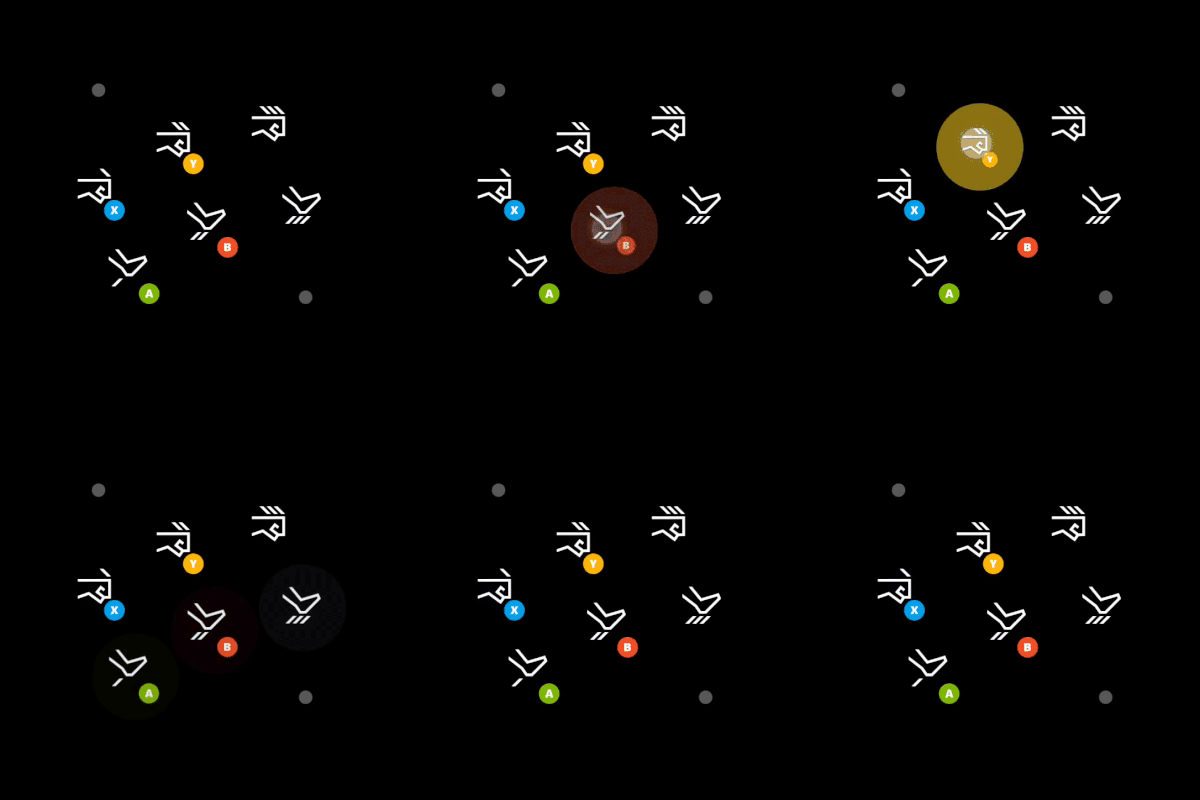 |
| [빈 항목(Blank)](/reference/system/touchadaptationkit/controls/game-streaming-touch-blank) | `layer`에서 슬롯에 표시되던 컨트롤을 숨기는 데 사용되는 ***실험적*** 컨트롤입니다. | |
| [버튼](/reference/system/touchadaptationkit/controls/game-streaming-touch-button) | 플레이어 터치 입력에 응답할 수 있는 기본 컨트롤입니다. |
|
| [빈 항목(Blank)](/reference/system/touchadaptationkit/controls/game-streaming-touch-blank) | `layer`에서 슬롯에 표시되던 컨트롤을 숨기는 데 사용되는 ***실험적*** 컨트롤입니다. | |
| [버튼](/reference/system/touchadaptationkit/controls/game-streaming-touch-button) | 플레이어 터치 입력에 응답할 수 있는 기본 컨트롤입니다. | 
 |
| [방향 패드](/reference/system/touchadaptationkit/controls/game-streaming-touch-directionalpad) | 항상 게임패드 방향 패드를 매핑하는 방향 패드 컨트롤입니다. |
|
| [방향 패드](/reference/system/touchadaptationkit/controls/game-streaming-touch-directionalpad) | 항상 게임패드 방향 패드를 매핑하는 방향 패드 컨트롤입니다. | 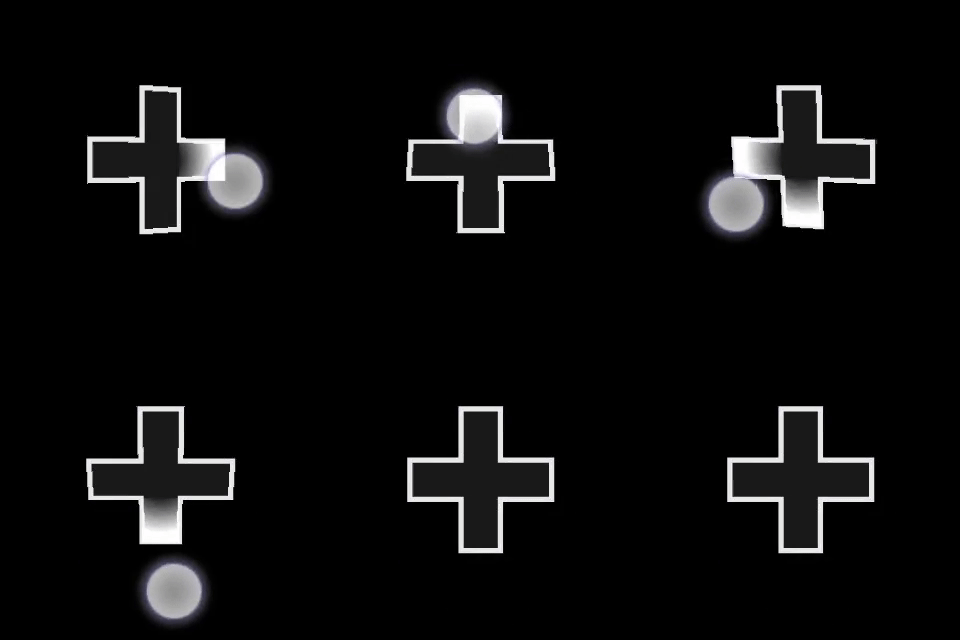 |
| [조이스틱](/reference/system/touchadaptationkit/controls/game-streaming-touch-joystick) | 조이스틱처럼 동작하는 아날로그 컨트롤입니다. |
|
| [조이스틱](/reference/system/touchadaptationkit/controls/game-streaming-touch-joystick) | 조이스틱처럼 동작하는 아날로그 컨트롤입니다. | 
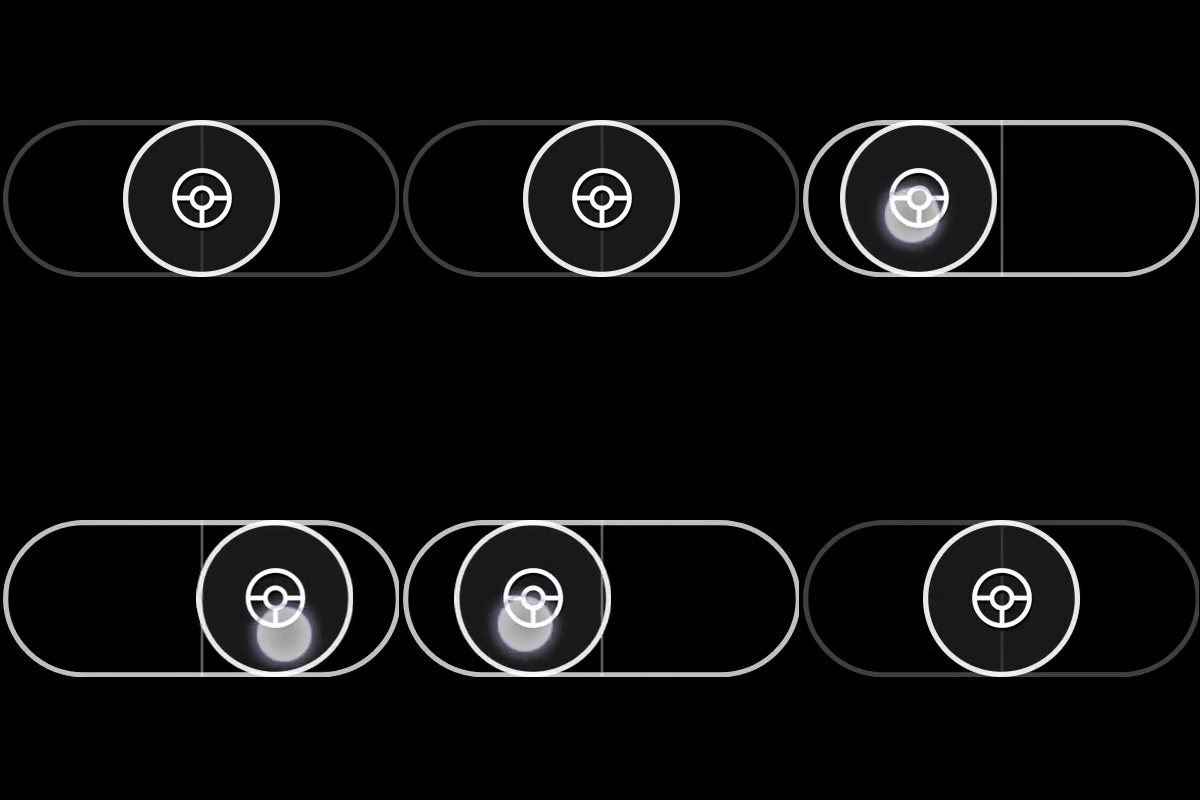 |
| [스로틀](/reference/system/touchadaptationkit/controls/game-streaming-touch-throttle) | 트리거에 매핑되는 Y축 전용 조이스틱의 특수 버전입니다. 드라이빙 게임을 위해 설계되었습니다. |
|
| [스로틀](/reference/system/touchadaptationkit/controls/game-streaming-touch-throttle) | 트리거에 매핑되는 Y축 전용 조이스틱의 특수 버전입니다. 드라이빙 게임을 위해 설계되었습니다. | 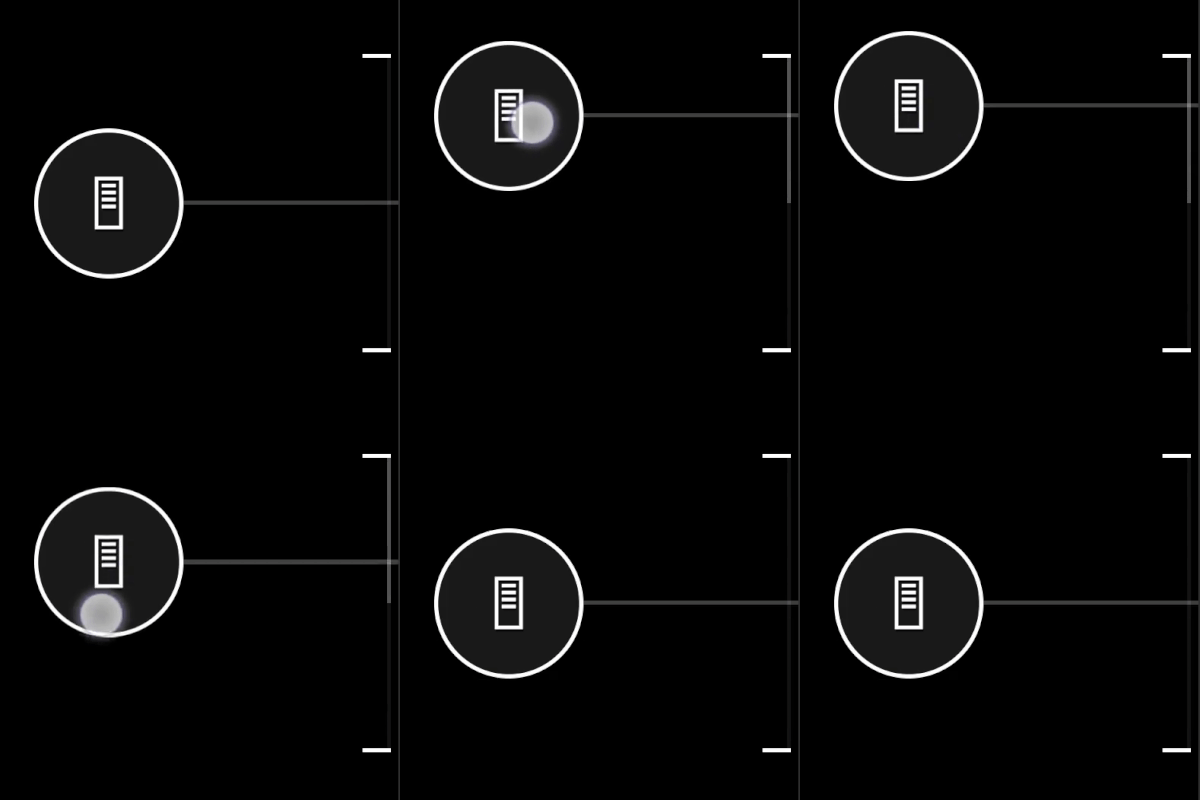 |
| [터치패드](/reference/system/touchadaptationkit/controls/game-streaming-touch-touchpad) | 플레이어가 노트북 터치패드처럼 상호 작용할 수 있는 아날로그 컨트롤입니다. |
|
| [터치패드](/reference/system/touchadaptationkit/controls/game-streaming-touch-touchpad) | 플레이어가 노트북 터치패드처럼 상호 작용할 수 있는 아날로그 컨트롤입니다. |  |
## 컨트롤 스타일링 및 구성 요소
| 구성 요소 | 설명 |
| :------------------------------------------------------------------------------------------------ | :------------------------------------------ |
| [액션](/reference/system/touchadaptationkit/types/game-streaming-touch-action) | 참조할 수 있는 물리적 컨트롤러 액션입니다. |
| [자산](/reference/system/touchadaptationkit/types/game-streaming-touch-asset) | 터치 적응 패키지에 포함된 사용자 지정 이미지에 대한 참조입니다. |
| [축](/reference/system/touchadaptationkit/types/game-streaming-touch-axis) | 터치 컨트롤을 물리적 아날로그 컨트롤과 동등한 것으로 매핑하는 정의입니다. |
| [색상](/reference/system/touchadaptationkit/types/game-streaming-touch-color) | 색상에 대한 참조입니다. |
| [Deadzone](/reference/system/touchadaptationkit/types/game-streaming-touch-deadzone) | 입력으로 등록되지 않아야 하는 플레이어 상호 작용의 양에 대한 정의입니다. |
| [Hexcolor](/reference/system/touchadaptationkit/types/game-streaming-touch-hexcolor) | 참조할 RGBA 색상 값의 16진수 표현을 포함하는 문자열입니다. |
| [아이콘](/reference/system/touchadaptationkit/types/game-streaming-touch-icon) | 아이콘에 대한 참조입니다. |
| [조이스틱 윤곽 및 표시기](/reference/system/touchadaptationkit/types/game-streaming-touch-joystick-outline) | 조이스틱 컨트롤의 외부 링에 대한 스타일링 속성입니다. |
| [노브](/reference/system/touchadaptationkit/types/game-streaming-touch-knob) | 플레이어가 상호 작용할 수 있는 버튼과 같은 구성 요소의 스타일링 속성입니다. |
| [응답 곡선](/reference/system/touchadaptationkit/types/game-streaming-touch-responsecurve) | 입력을 출력으로 매핑하는 곡선 범위 정의입니다. |
| [스트로크](/reference/system/touchadaptationkit/types/game-streaming-touch-stroke) | 참조되는 개체의 윤곽에 대한 스타일링 속성입니다. |
| [스로틀 축](/reference/system/touchadaptationkit/types/game-streaming-touch-throttle-axis) | 스로틀 컨트롤의 축에 대한 스타일링 속성입니다. |
## 센서 컨트롤
센서 컨트롤을 사용하면 플레이어 디바이스의 물리적 센서 매핑을 물리적 컨트롤러 입력에 매핑할 수 있습니다.
| 컨트롤 | 설명 |
| :---------------------------------------------------------------------------------------------- | :---------------------------------------------------------------- |
| [가속도계](/reference/system/touchadaptationkit/sensor-controls/game-streaming-touch-accelerometer) | (사용 가능한 경우) 클라이언트 디바이스의 가속도계를 지정된 축 집합에 매핑하는 ***실험적*** 센서 컨트롤입니다. |
| [자이로스코프](/reference/system/touchadaptationkit/sensor-controls/game-streaming-touch-gyroscope) | 디바이스의 물리적 움직임을 지정된 축 집합에 매핑하는 센서 컨트롤입니다. |
## Related topics
- [Touch Adaptation Kit 명령줄 도구(tak.exe)](/ko/build/core-features/common/game-streaming/tak-command-line-tool/game-streaming-tak-command-line.md)
- [Touch Adaptation Kit](/ko/reference/system/touchadaptationkit/touchadaptationkit-reference.md)
- [Touch Adaptation Kit (TAK) 명령줄 도구 참고서](/ko/build/core-features/common/game-streaming/tak-command-line-tool/index.md)
- [Visual Studio Code용 Touch Adaptation Kit (TAK) 편집기](/ko/build/core-features/common/game-streaming/tak-editor/index.md)
- [Touch Adaptation Kit Editor란?](/ko/build/core-features/common/game-streaming/tak-editor/game-streaming-tak-editor.md)
|
## 컨트롤 스타일링 및 구성 요소
| 구성 요소 | 설명 |
| :------------------------------------------------------------------------------------------------ | :------------------------------------------ |
| [액션](/reference/system/touchadaptationkit/types/game-streaming-touch-action) | 참조할 수 있는 물리적 컨트롤러 액션입니다. |
| [자산](/reference/system/touchadaptationkit/types/game-streaming-touch-asset) | 터치 적응 패키지에 포함된 사용자 지정 이미지에 대한 참조입니다. |
| [축](/reference/system/touchadaptationkit/types/game-streaming-touch-axis) | 터치 컨트롤을 물리적 아날로그 컨트롤과 동등한 것으로 매핑하는 정의입니다. |
| [색상](/reference/system/touchadaptationkit/types/game-streaming-touch-color) | 색상에 대한 참조입니다. |
| [Deadzone](/reference/system/touchadaptationkit/types/game-streaming-touch-deadzone) | 입력으로 등록되지 않아야 하는 플레이어 상호 작용의 양에 대한 정의입니다. |
| [Hexcolor](/reference/system/touchadaptationkit/types/game-streaming-touch-hexcolor) | 참조할 RGBA 색상 값의 16진수 표현을 포함하는 문자열입니다. |
| [아이콘](/reference/system/touchadaptationkit/types/game-streaming-touch-icon) | 아이콘에 대한 참조입니다. |
| [조이스틱 윤곽 및 표시기](/reference/system/touchadaptationkit/types/game-streaming-touch-joystick-outline) | 조이스틱 컨트롤의 외부 링에 대한 스타일링 속성입니다. |
| [노브](/reference/system/touchadaptationkit/types/game-streaming-touch-knob) | 플레이어가 상호 작용할 수 있는 버튼과 같은 구성 요소의 스타일링 속성입니다. |
| [응답 곡선](/reference/system/touchadaptationkit/types/game-streaming-touch-responsecurve) | 입력을 출력으로 매핑하는 곡선 범위 정의입니다. |
| [스트로크](/reference/system/touchadaptationkit/types/game-streaming-touch-stroke) | 참조되는 개체의 윤곽에 대한 스타일링 속성입니다. |
| [스로틀 축](/reference/system/touchadaptationkit/types/game-streaming-touch-throttle-axis) | 스로틀 컨트롤의 축에 대한 스타일링 속성입니다. |
## 센서 컨트롤
센서 컨트롤을 사용하면 플레이어 디바이스의 물리적 센서 매핑을 물리적 컨트롤러 입력에 매핑할 수 있습니다.
| 컨트롤 | 설명 |
| :---------------------------------------------------------------------------------------------- | :---------------------------------------------------------------- |
| [가속도계](/reference/system/touchadaptationkit/sensor-controls/game-streaming-touch-accelerometer) | (사용 가능한 경우) 클라이언트 디바이스의 가속도계를 지정된 축 집합에 매핑하는 ***실험적*** 센서 컨트롤입니다. |
| [자이로스코프](/reference/system/touchadaptationkit/sensor-controls/game-streaming-touch-gyroscope) | 디바이스의 물리적 움직임을 지정된 축 집합에 매핑하는 센서 컨트롤입니다. |
## Related topics
- [Touch Adaptation Kit 명령줄 도구(tak.exe)](/ko/build/core-features/common/game-streaming/tak-command-line-tool/game-streaming-tak-command-line.md)
- [Touch Adaptation Kit](/ko/reference/system/touchadaptationkit/touchadaptationkit-reference.md)
- [Touch Adaptation Kit (TAK) 명령줄 도구 참고서](/ko/build/core-features/common/game-streaming/tak-command-line-tool/index.md)
- [Visual Studio Code용 Touch Adaptation Kit (TAK) 편집기](/ko/build/core-features/common/game-streaming/tak-editor/index.md)
- [Touch Adaptation Kit Editor란?](/ko/build/core-features/common/game-streaming/tak-editor/game-streaming-tak-editor.md)