> ## Documentation Index
> Fetch the complete documentation index at: https://devdocs.xbox.com/llms.txt
> Use this file to discover all available pages before exploring further.
# PlayFab アカウントの作成
> PlayFab 開発者アカウントを作成して Game Manager にアクセスし、タイトルを登録し、PlayFab API の呼び出しを開始する手順を段階的に説明します。
PlayFab API を呼び出す前に、[PlayFab 開発者アカウント](https://developer.playfab.com) を用意する必要があります。既に PlayFab アカウントをお持ちの場合は、このステップをスキップできます。
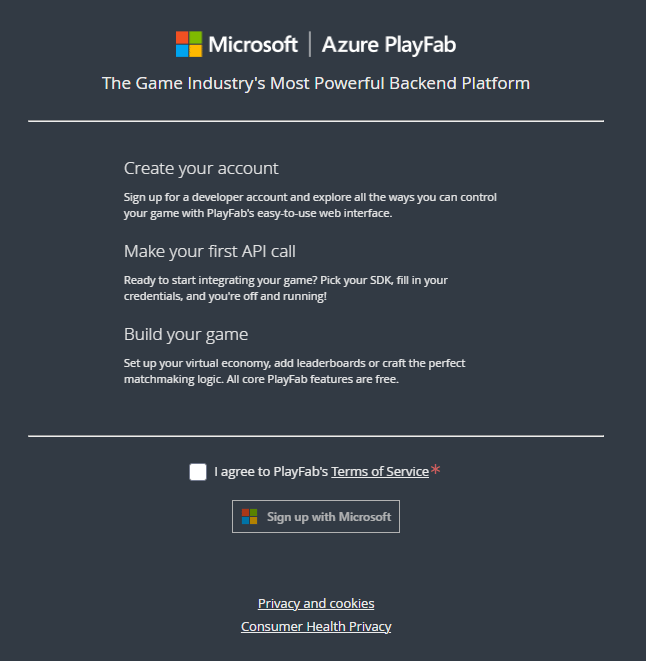 PlayFab アカウントを作成したら、PlayFab のホーム ページ ([https://developer.playfab.com](https://developer.playfab.com)) に移動し、サインインします。
PlayFab はゲーム スタジオの名前やゲームのタイトルを知らないため、スタジオを作成すると、**My Game** というプレースホルダー タイトルが自動的に作成されます。タイトル情報は、**Create Title** 画面でいつでも編集できます。
**Title ID** はゲームに固有のもので、私たちはこれをタイトルと呼びます。PlayFab API 呼び出しを行うときにこの値を使用します (実際の **Title ID** は **BCFE** *ではありません*)。
PlayFab アカウントを作成したら、PlayFab のホーム ページ ([https://developer.playfab.com](https://developer.playfab.com)) に移動し、サインインします。
PlayFab はゲーム スタジオの名前やゲームのタイトルを知らないため、スタジオを作成すると、**My Game** というプレースホルダー タイトルが自動的に作成されます。タイトル情報は、**Create Title** 画面でいつでも編集できます。
**Title ID** はゲームに固有のもので、私たちはこれをタイトルと呼びます。PlayFab API 呼び出しを行うときにこの値を使用します (実際の **Title ID** は **BCFE** *ではありません*)。
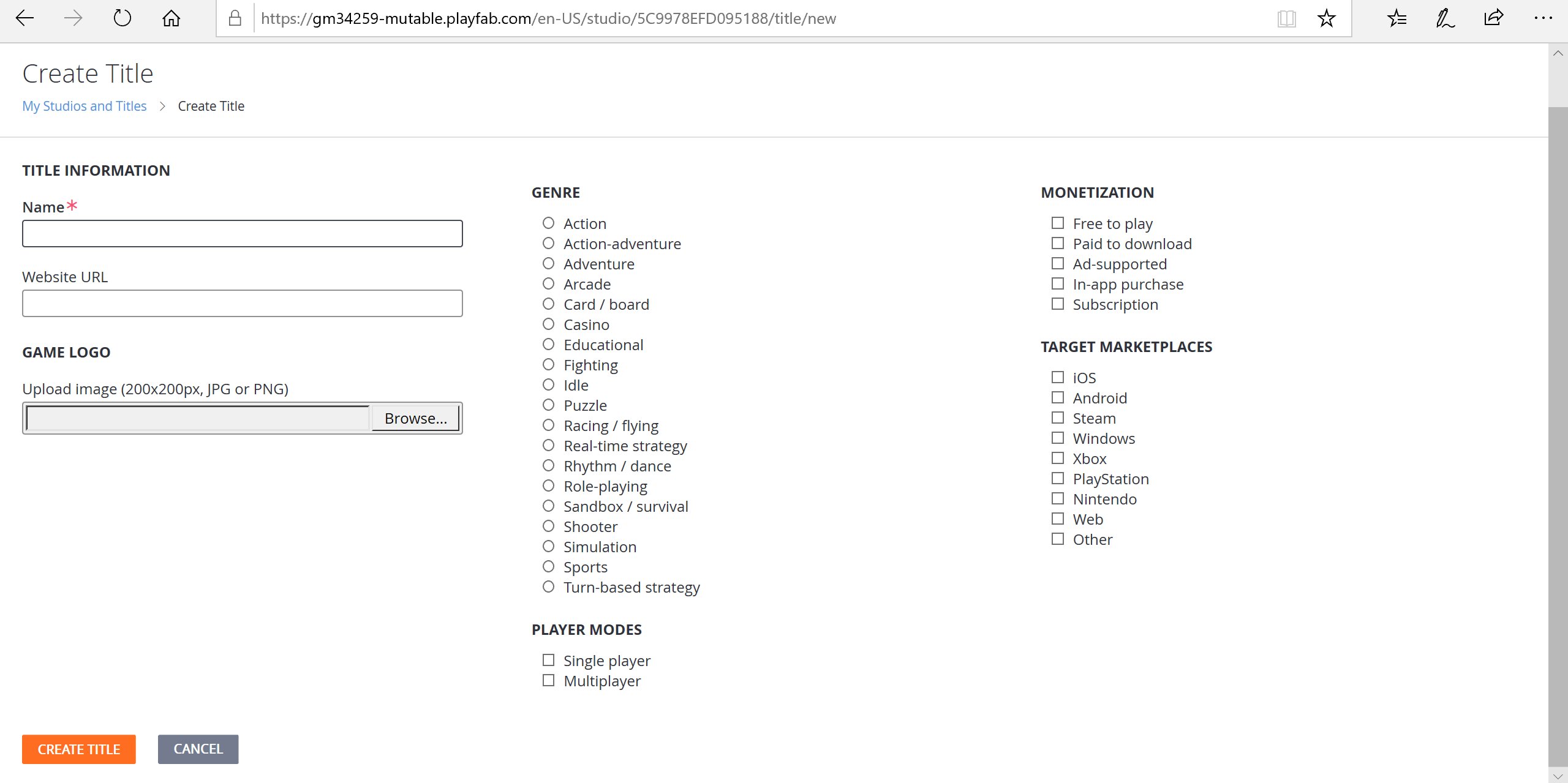 PlayFab は最初のタイトルを自動的に作成しました。別の新しいタイトルを作成するには、省略記号メニューから **New title** を選択します。
## タイトルの Game Manager を開く
SDK をインストールする前に、ゲーム タイトルを選択して Game Manager に入ります。時間をかけて、Game Manager ダッシュボードのさまざまなセクションに慣れてください。
より詳細な概要については、[Game Manager クイックスタート](/services/playfab/live-service-management/gamemanager/quickstart) をご覧ください。
PlayFab Game Manager では、ゲーム タイトルに対して必要なあらゆる操作を行うことができます。Game Manager の各要素を把握したら、SDK をインストールして API の使用を開始しましょう。SDK のインストール方法の詳細については、[SDK の概要](/services/playfab/sdks/sdk-overview) を参照してください。
## Related topics
- [Game Manager クイックスタート](/ja-jp/services/playfab/live-service-management/gamemanager/quickstart.md)
- [PlayFab Game Saves のアカウント リンク戦略](/ja-jp/services/playfab/player-progression/game-saves/linking.md)
- [PFAuthenticationLoginWithXUserAsync](/ja-jp/services/playfab/api-references/c/pfauthentication/functions/pfauthenticationloginwithxuserasync.md)
- [PFAuthenticationLoginWithXboxAsync](/ja-jp/services/playfab/api-references/c/pfauthentication/functions/pfauthenticationloginwithxboxasync.md)
- [PFAuthenticationLoginWithPSNAsync](/ja-jp/services/playfab/api-references/c/pfauthentication/functions/pfauthenticationloginwithpsnasync.md)
PlayFab は最初のタイトルを自動的に作成しました。別の新しいタイトルを作成するには、省略記号メニューから **New title** を選択します。
## タイトルの Game Manager を開く
SDK をインストールする前に、ゲーム タイトルを選択して Game Manager に入ります。時間をかけて、Game Manager ダッシュボードのさまざまなセクションに慣れてください。
より詳細な概要については、[Game Manager クイックスタート](/services/playfab/live-service-management/gamemanager/quickstart) をご覧ください。
PlayFab Game Manager では、ゲーム タイトルに対して必要なあらゆる操作を行うことができます。Game Manager の各要素を把握したら、SDK をインストールして API の使用を開始しましょう。SDK のインストール方法の詳細については、[SDK の概要](/services/playfab/sdks/sdk-overview) を参照してください。
## Related topics
- [Game Manager クイックスタート](/ja-jp/services/playfab/live-service-management/gamemanager/quickstart.md)
- [PlayFab Game Saves のアカウント リンク戦略](/ja-jp/services/playfab/player-progression/game-saves/linking.md)
- [PFAuthenticationLoginWithXUserAsync](/ja-jp/services/playfab/api-references/c/pfauthentication/functions/pfauthenticationloginwithxuserasync.md)
- [PFAuthenticationLoginWithXboxAsync](/ja-jp/services/playfab/api-references/c/pfauthentication/functions/pfauthenticationloginwithxboxasync.md)
- [PFAuthenticationLoginWithPSNAsync](/ja-jp/services/playfab/api-references/c/pfauthentication/functions/pfauthenticationloginwithpsnasync.md)