> ## Documentation Index
> Fetch the complete documentation index at: https://devdocs.xbox.com/llms.txt
> Use this file to discover all available pages before exploring further.
# テンプレート
> テンプレート
これらは、TAK CLI で使用できるテンプレートです。[新しいアンパック バンドルを作成する](/build/core-features/common/game-streaming/tak-command-line-tool/game-streaming-tak-command-line-create-command#create-bundle) 際、または [既存のアンパック バンドル内にレイアウトを作成する](/build/core-features/common/game-streaming/tak-command-line-tool/game-streaming-tak-command-line-create-command#create-layout) 際に使用できます。
コマンドライン ツール内で参照する際は、各テンプレートのコマンドライン ツール名を使用してください。
| テンプレート | コマンドライン ツール名 |
| --------------------------------------------- | --------------------- |
| [Blank](#blank) | `Blank` |
| [Menu](#menu) | `Menu` |
| [Cinematic](#cinematic) | `Cinematic` |
| [Platformer (Basic)](#platformer-basic) | `PlatformerBasic` |
| [Platformer (Advanced)](#platformer-advanced) | `PlatformerAdvanced ` |
| [Racing (Basic)](#racing-basic) | `RacingBasic` |
| [Racing (Advanced)](#racing-advanced) | `RacingAdvanced` |
| [Fighting](#fighting) | `Fighting` |
| [Shooter](#shooter) | `Shooter` |
## Blank
これはコンテンツのない空のレイアウトです。最新の TAK スキーマを使用するように構成されています。これは、ゲームのニーズに合ったカスタム タッチ操作レイアウトを作成するための良い出発点です。
## Menu
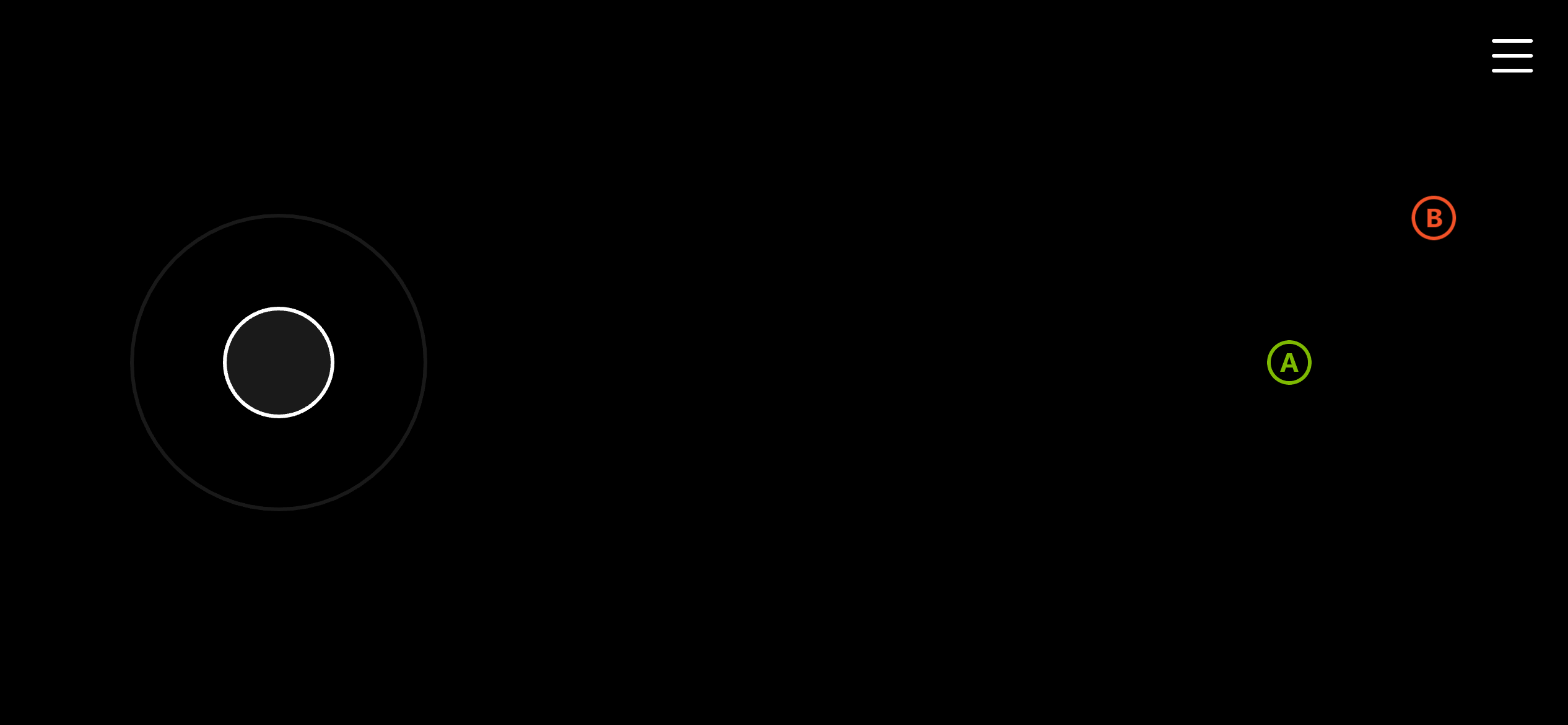
メニュー画面用のテンプレートです。メニュー ナビゲーション用の左ジョイスティックと、A および B ボタンを含みます。
 ## Cinematic
シネマティック画面用の最小限のテンプレートです。シネマティックのために利用可能な画面領域を最大化するため、画面の右上隅に B ボタンのみを含みます。
## Cinematic
シネマティック画面用の最小限のテンプレートです。シネマティックのために利用可能な画面領域を最大化するため、画面の右上隅に B ボタンのみを含みます。
 ## Platformer (Basic)
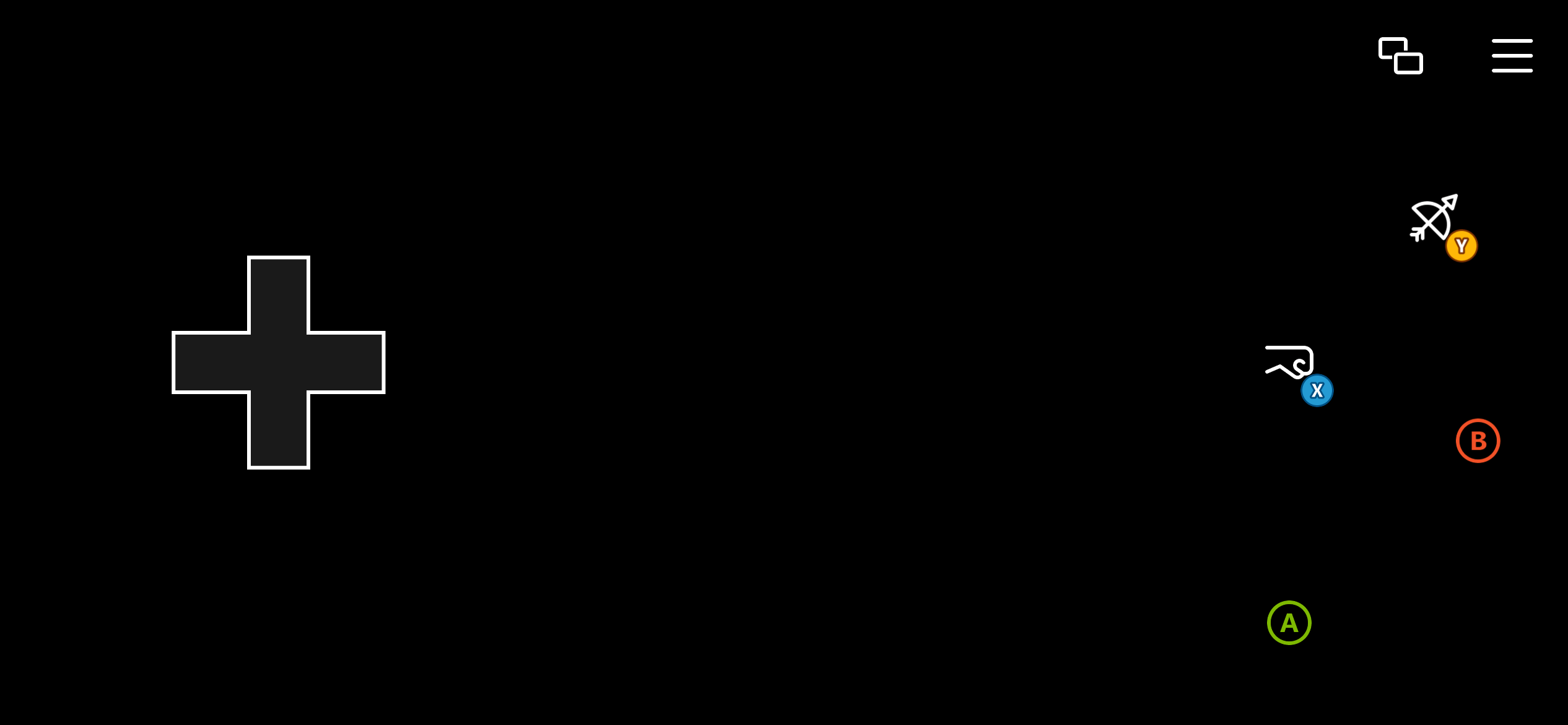
プラットフォーマー ゲーム用の基本テンプレートです。移動には方向パッドを使用し、スタイル化された A、B、X、Y ボタンを提供します。
## Platformer (Basic)
プラットフォーマー ゲーム用の基本テンプレートです。移動には方向パッドを使用し、スタイル化された A、B、X、Y ボタンを提供します。
 ## Platformer (Advanced)
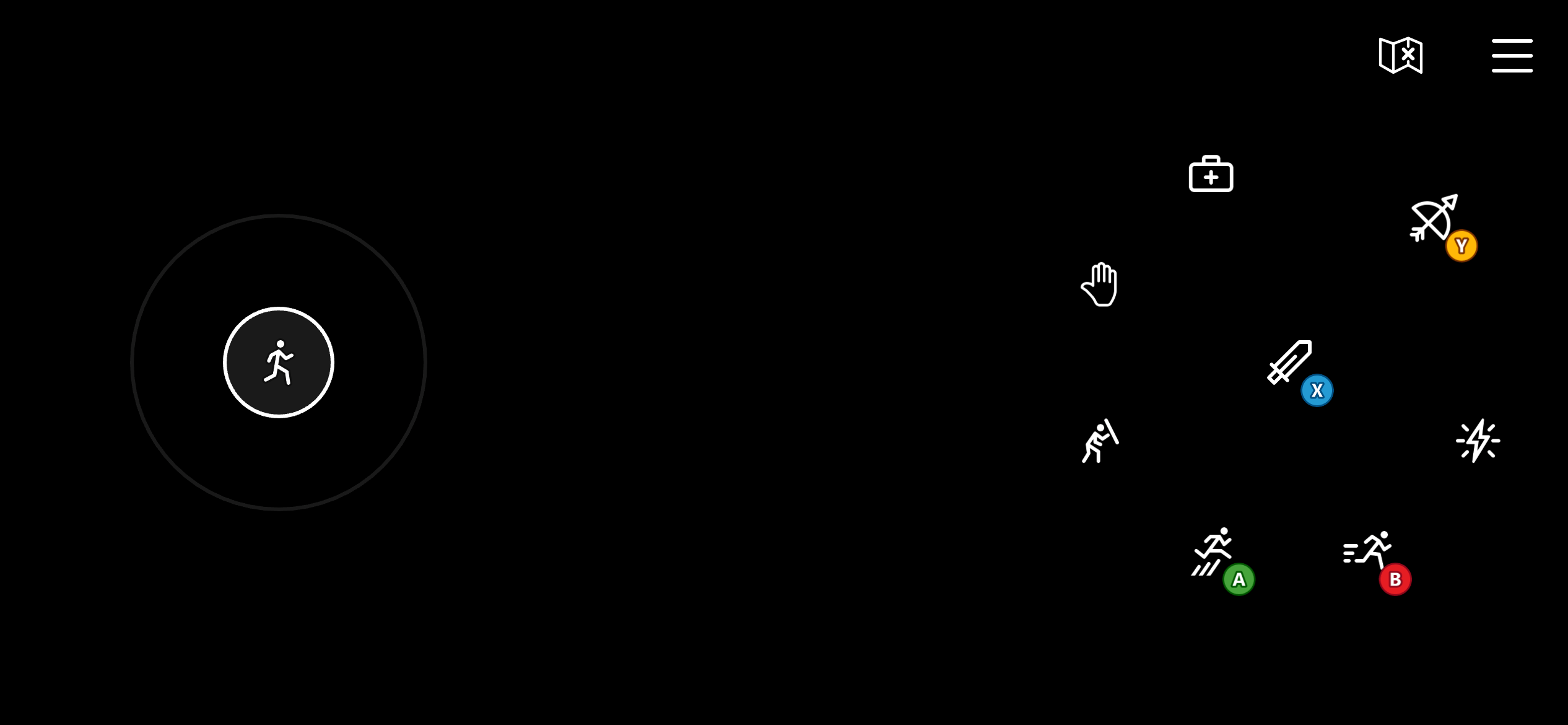
プラットフォーマー ゲーム用の高度なテンプレートです。移動には左ジョイスティックを使用し、より正確な移動操作を提供します。スタイル化された A、B、X、Y ボタンを含みます。また、右ホイールに追加の 4 つのボタンを使用し、防御、回復、能力、対話などの雑多なアクション用に左バンパー、右バンパー、トリガーにマップします。
## Platformer (Advanced)
プラットフォーマー ゲーム用の高度なテンプレートです。移動には左ジョイスティックを使用し、より正確な移動操作を提供します。スタイル化された A、B、X、Y ボタンを含みます。また、右ホイールに追加の 4 つのボタンを使用し、防御、回復、能力、対話などの雑多なアクション用に左バンパー、右バンパー、トリガーにマップします。
 ## Racing (Basic)
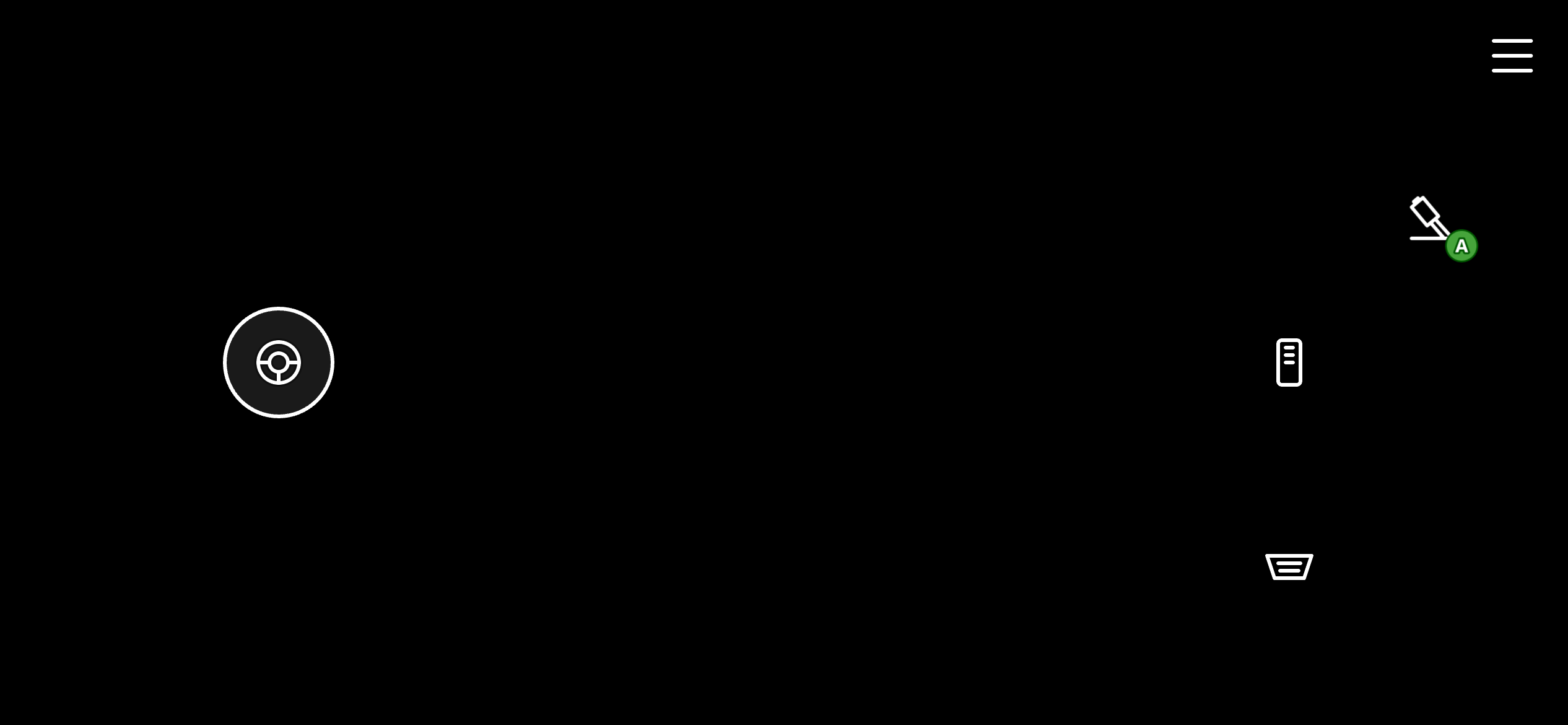
レーシング ゲーム用の基本テンプレートです。ステアリングには 1 次元 (水平) の左ジョイスティックを使用します。また、左トリガー (ブレーキ)、右トリガー (加速)、および A (ハンドブレーキ) にマップされた 3 つのスタイル化されたボタンを右ホイールで使用します。
## Racing (Basic)
レーシング ゲーム用の基本テンプレートです。ステアリングには 1 次元 (水平) の左ジョイスティックを使用します。また、左トリガー (ブレーキ)、右トリガー (加速)、および A (ハンドブレーキ) にマップされた 3 つのスタイル化されたボタンを右ホイールで使用します。
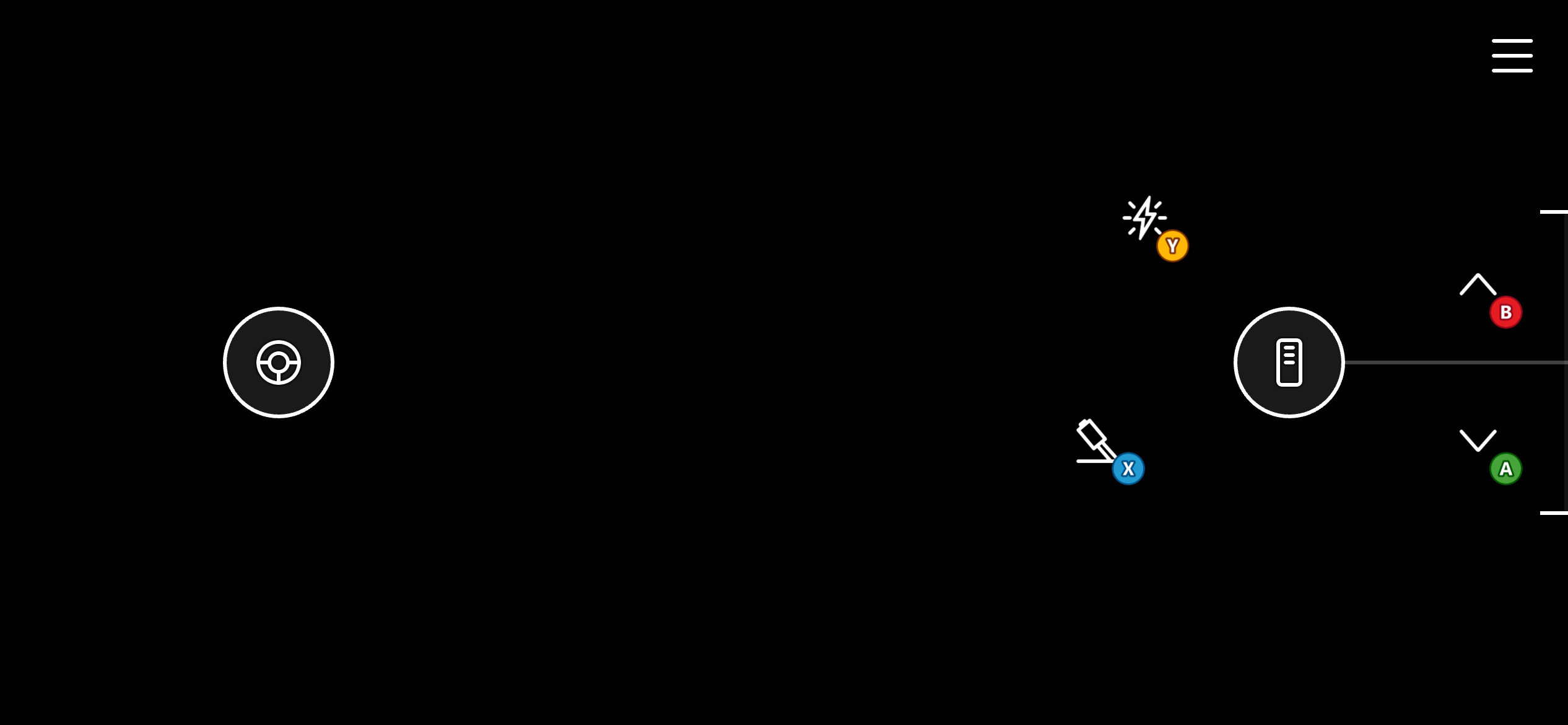
 ## Racing (Advanced)
レーシング ゲーム用の高度なテンプレートです。基本バージョンと同様に、ステアリングには 1 次元 (水平) の左ジョイスティックを使用します。左右のトリガー用にボタンを使用する代わりに、スロットル コントロールを使用し、これによりトリガーの値をより精密に制御でき、クルーズ コントロールのためにスロットルを位置に「固定」する能力もあります。また、より多くの操作のために右ホイールにスタイル化された A、B、X、Y ボタンを使用します。
## Racing (Advanced)
レーシング ゲーム用の高度なテンプレートです。基本バージョンと同様に、ステアリングには 1 次元 (水平) の左ジョイスティックを使用します。左右のトリガー用にボタンを使用する代わりに、スロットル コントロールを使用し、これによりトリガーの値をより精密に制御でき、クルーズ コントロールのためにスロットルを位置に「固定」する能力もあります。また、より多くの操作のために右ホイールにスタイル化された A、B、X、Y ボタンを使用します。
 ## Fighting
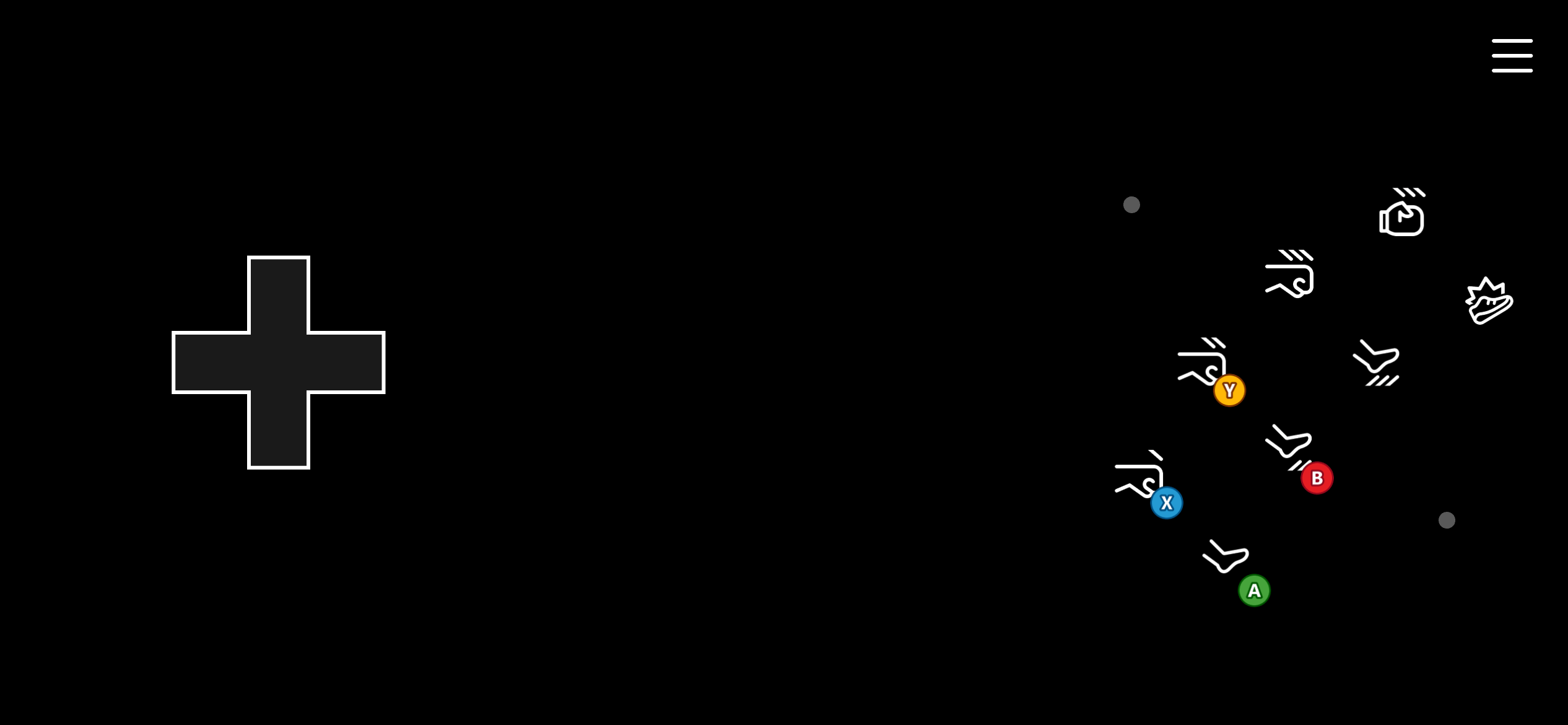
格闘ゲーム用のテンプレートです。移動には左ホイールに方向パッドを使用し、格闘コンボのために「アーケード」風に配置された 8 個のボタンのシリーズを右ホイールに使用します。これらのボタンは A、B、X、Y、左バンパー、右バンパー、およびトリガーにマップされます。
## Fighting
格闘ゲーム用のテンプレートです。移動には左ホイールに方向パッドを使用し、格闘コンボのために「アーケード」風に配置された 8 個のボタンのシリーズを右ホイールに使用します。これらのボタンは A、B、X、Y、左バンパー、右バンパー、およびトリガーにマップされます。
 ## Shooter
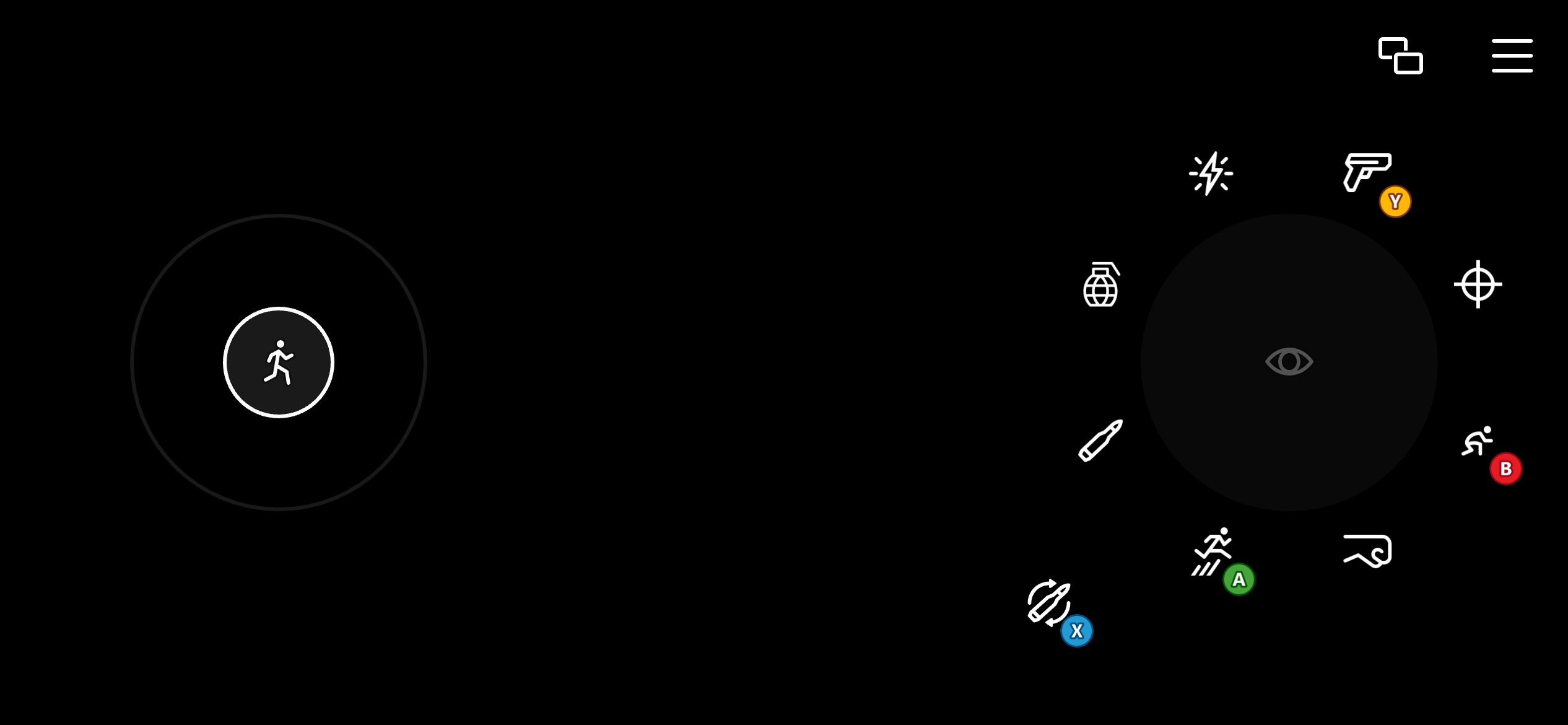
シューティング ゲーム用のテンプレートです。移動用の 2 次元左ジョイスティックと、より精密な狙いのために相対マウス移動にマップされたタッチパッドを使用します。右ホイールのいくつかのコントロールは、ボタンとしてレンダリングされるように構成されていますが、同時にタッチパッドとしても機能します。これにより、プレイヤーは射撃、リロード、ジャンプ、武器の切り替えなどのアクションのためにボタンを使用しながら、狙いを続けられます。
## Shooter
シューティング ゲーム用のテンプレートです。移動用の 2 次元左ジョイスティックと、より精密な狙いのために相対マウス移動にマップされたタッチパッドを使用します。右ホイールのいくつかのコントロールは、ボタンとしてレンダリングされるように構成されていますが、同時にタッチパッドとしても機能します。これにより、プレイヤーは射撃、リロード、ジャンプ、武器の切り替えなどのアクションのためにボタンを使用しながら、狙いを続けられます。
 ## Related topics
- [プッシュ通知テンプレート](/ja-jp/services/playfab/live-service-management/game-configuration/title-communications/push-notifications/push-notification-templates.md)
- [マルチプレイヤーセッションテンプレート](/ja-jp/services/xbox-services/multiplayer/mpsd/concepts/live-session-templates.md)
- [ローカライズされたメール テンプレート](/ja-jp/services/playfab/live-service-management/game-configuration/title-communications/emails/localized-email-templates.md)
- [セッションテンプレートの定数](/ja-jp/services/xbox-services/multiplayer/mpsd/concepts/live-session-template-constants.md)
- [XBOX 開発向けの Visual Studio プロジェクト テンプレート](/ja-jp/tools/tools-console/visualstudio/durango-visual-studio-templates.md)
## Related topics
- [プッシュ通知テンプレート](/ja-jp/services/playfab/live-service-management/game-configuration/title-communications/push-notifications/push-notification-templates.md)
- [マルチプレイヤーセッションテンプレート](/ja-jp/services/xbox-services/multiplayer/mpsd/concepts/live-session-templates.md)
- [ローカライズされたメール テンプレート](/ja-jp/services/playfab/live-service-management/game-configuration/title-communications/emails/localized-email-templates.md)
- [セッションテンプレートの定数](/ja-jp/services/xbox-services/multiplayer/mpsd/concepts/live-session-template-constants.md)
- [XBOX 開発向けの Visual Studio プロジェクト テンプレート](/ja-jp/tools/tools-console/visualstudio/durango-visual-studio-templates.md)