> ## Documentation Index
> Fetch the complete documentation index at: https://devdocs.xbox.com/llms.txt
> Use this file to discover all available pages before exploring further.
# Page Report a Problem
> Page Report a Problem
La page **Report a Problem** vous permet de signaler un problème rencontré sur votre console. Vous pouvez aussi envoyer des journaux qui aident à reproduire le problème.
## Pour signaler un problème
1. Sélectionnez la section **Report a Problem** dans Developer Home (Dev Home).
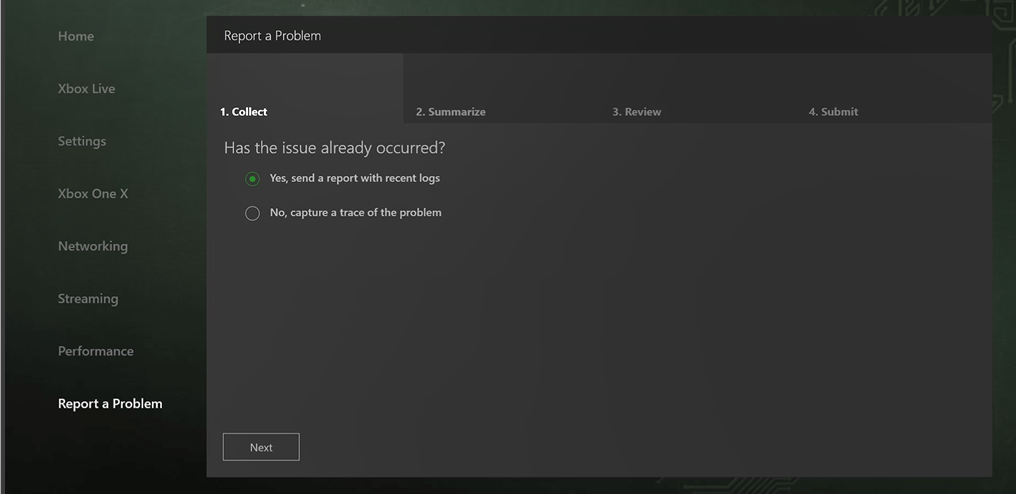
2. Sous l'onglet **Collect**, illustré dans la capture d'écran suivante, sélectionnez **Yes** si le problème s'est déjà produit. Sélectionnez **No** si vous voulez capturer une trace du problème.
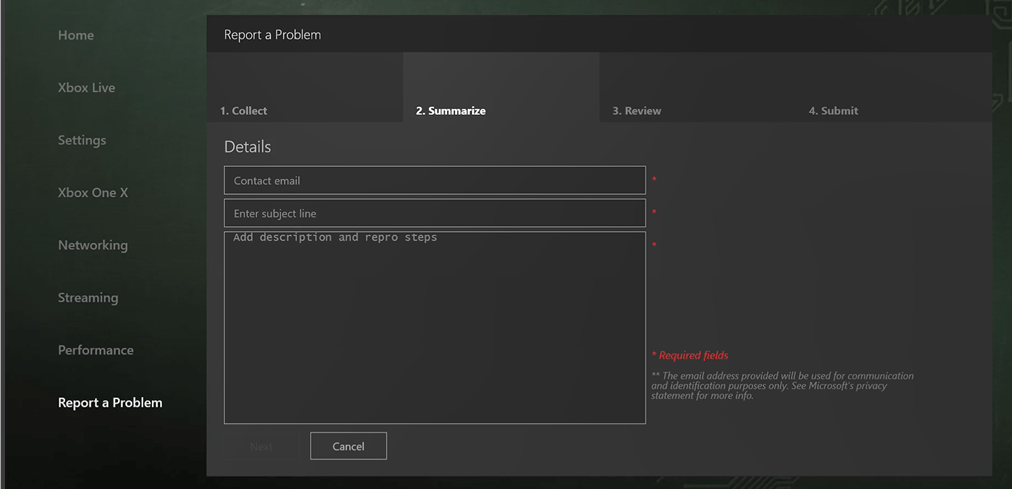
 1. Sous l'onglet **Summarize**, illustré dans la capture d'écran suivante, fournissez vos coordonnées, un résumé du problème et les éventuelles étapes permettant de le reproduire.
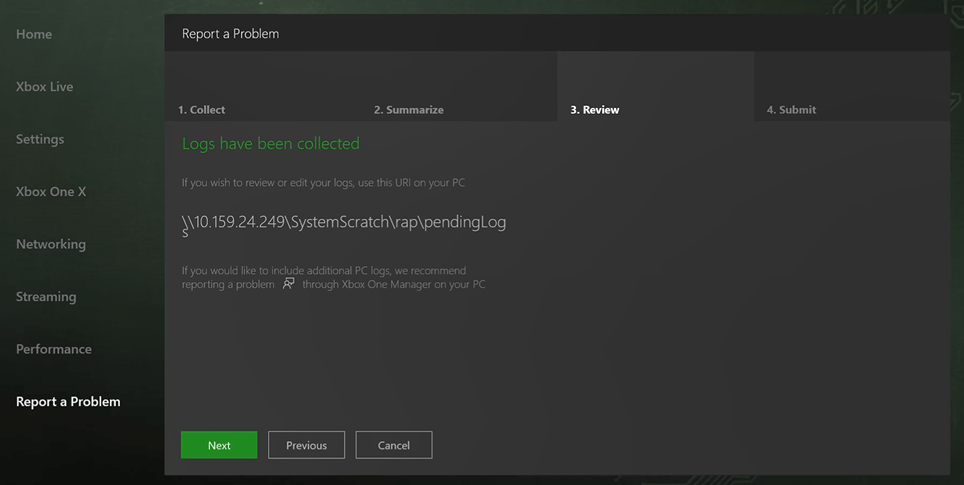
 1. Sous l'onglet **Review**, illustré dans la capture d'écran suivante, utilisez l'URI fourni si vous voulez examiner ou modifier les journaux collectés.
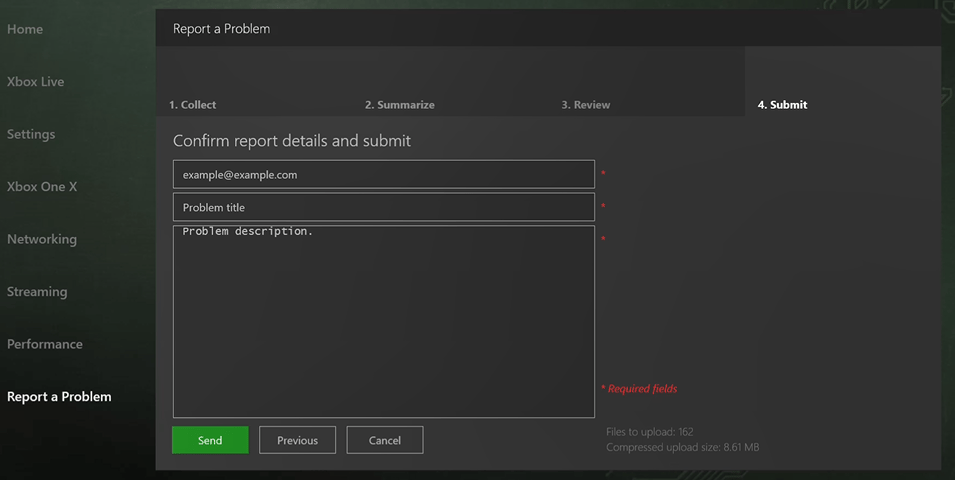
 1. Sous l'onglet **Submit**, illustré dans la capture d'écran suivante, confirmez les détails de votre rapport et sélectionnez **Send** pour l'envoyer.
 ## Voir aussi
[Developer Home (Dev Home)](/fr-CA/tools/tools-console/devhome/devhome)
## Related topics
- [Developer Home (DevHome) sur les kits de développement XBOX](/fr-CA/tools/tools-console/devhome/index.md)
- [FAQ sur les versions d'essai du programme XBOX Insider](/fr-CA/publishing/game-publishing/publishing-processes/managed-creators/publishing-processes-xbox-flighting-faq.md)
- [XBOX Manager](/fr-CA/tools/tools-console/xbom/xbom.md)
- [Developer Home sur la console (Dev Home)](/fr-CA/tools/tools-console/devhome/devhome.md)
- [Notes de prise en charge du GDK pour Visual Studio 2026](/fr-CA/tools/tools-console/visualstudio/vs-2026-support-notes.md)
## Voir aussi
[Developer Home (Dev Home)](/fr-CA/tools/tools-console/devhome/devhome)
## Related topics
- [Developer Home (DevHome) sur les kits de développement XBOX](/fr-CA/tools/tools-console/devhome/index.md)
- [FAQ sur les versions d'essai du programme XBOX Insider](/fr-CA/publishing/game-publishing/publishing-processes/managed-creators/publishing-processes-xbox-flighting-faq.md)
- [XBOX Manager](/fr-CA/tools/tools-console/xbom/xbom.md)
- [Developer Home sur la console (Dev Home)](/fr-CA/tools/tools-console/devhome/devhome.md)
- [Notes de prise en charge du GDK pour Visual Studio 2026](/fr-CA/tools/tools-console/visualstudio/vs-2026-support-notes.md)