> ## Documentation Index
> Fetch the complete documentation index at: https://devdocs.xbox.com/llms.txt
> Use this file to discover all available pages before exploring further.
# Touch Adaptation Kit (TAK) Reference
> Touch Adaptation Kit (TAK) reference for building touch layouts, bundles, and using tak.exe to enable touch controls in streamed XBOX games.
## Bundle & Tools
| Topic | Description |
| :--------------------------------------------------------------------------------------------------------------------------------------------------- | :--------------------------------------------------------------------------------------------------- |
| [Touch Adaptation Bundle (TAB)](/build/core-features/common/game-streaming/game-streaming-touch-touch-adaptation-bundle) | A self-contained set of layouts, assets and configuration to enable playing the game with touch. |
| [Touch Adaptation Kit Command Line Tool (tak.exe)](/build/core-features/common/game-streaming/tak-command-line-tool/game-streaming-tak-command-line) | Create and validate touch control layouts. Enable streaming devices to acquire layouts from your PC. |
## Layout Configuration
The base layout components of a touch layout.
| Topic | Description |
| :-------------------------------------------------------------------------------------------------------- | :------------------------------------------------------------------------------------------------------ |
| [Layout](/reference/system/touchadaptationkit/layout/game-streaming-touch-layout) | The representation of a full touch layout for a game. |
| [Control cluster](/reference/system/touchadaptationkit/layout/game-streaming-touch-control-cluster-outer) | An array of up to four controls that can be used to occupy two slots in the outer portion of the wheel. |
| [Inner wheel](/reference/system/touchadaptationkit/layout/game-streaming-touch-inner-wheel) | An array of up to four controls that split the inner portion of a wheel. |
| [Layer](/reference/system/touchadaptationkit/layout/game-streaming-touch-layer) | An ***experimental*** child touch layout that can be overlayed on top of the base touch layout. |
| [Layer action](/reference/system/touchadaptationkit/layout/game-streaming-touch-layer-action) | An ***experimental*** action that a button can use to display a layer. |
| [Layout orientation](/reference/system/touchadaptationkit/layout/game-streaming-touch-layout-orientation) | (***deprecated***) The orientation that the touch layout will be displayed. |
| [Wheel](/reference/system/touchadaptationkit/layout/game-streaming-touch-wheel) | A set of touch controls arranged in an inner and outer circular area. |
## Touch Controls
The set of visual controls that are available for your touch layouts.
| Control | Description | Examples |
| :--------------------------------------------------------------------------------------------------- | :-------------------------------------------------------------------------------------------------------- | :------------------------------------------------------------------------------------------------------------------------------------------------------------------------------------------------------------------------------------------------------------------------------------------------------------------------------------------------------------------------------------------------------------------------------------------------------------------------------------------------------------------------------------------------------------------------------------------------------------------------------------------------------------------------------------------------------------------------------------------------------------------------------------------------------------------------------------------ |
| [Arcade Buttons](/reference/system/touchadaptationkit/controls/game-streaming-touch-arcadebuttons) | A collection of 6 or 8 buttons laid out in an arc, in the style of arcade cabinets. | 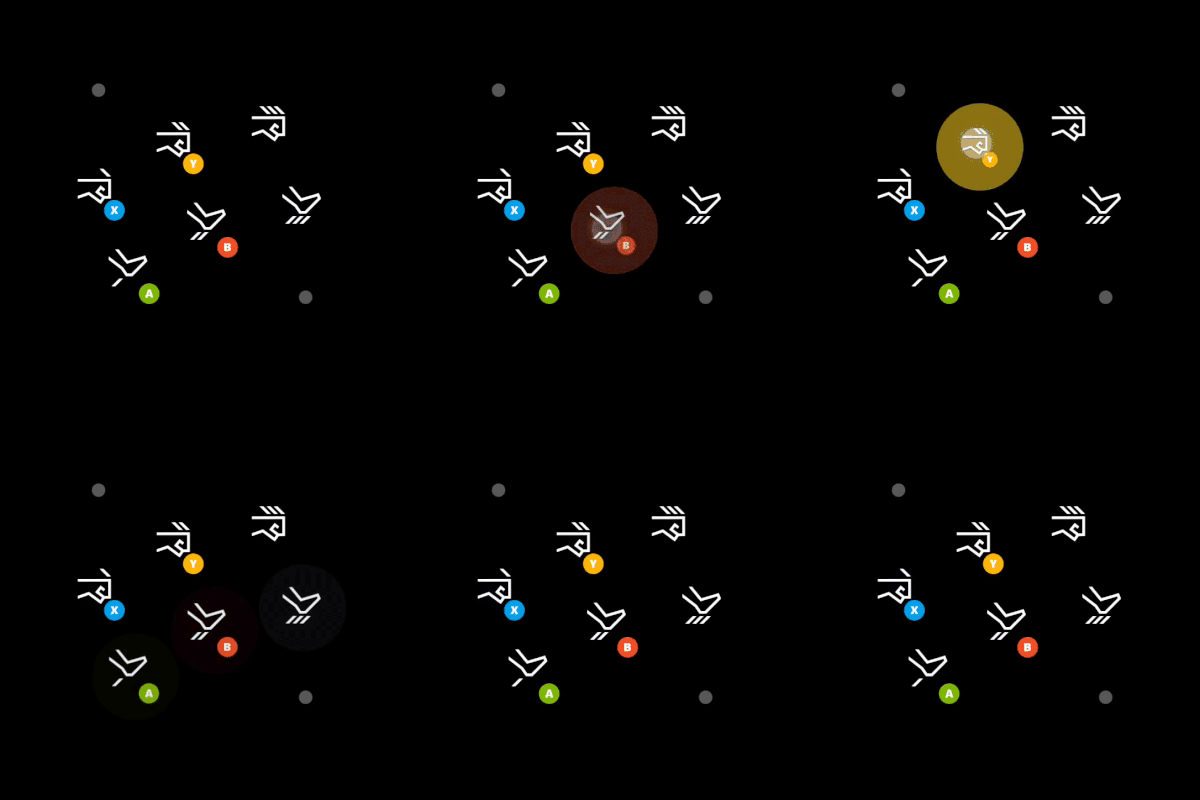 |
| [Blank](/reference/system/touchadaptationkit/controls/game-streaming-touch-blank) | An ***expiremental*** control used in a `layer` to hide the control that was being displayed in the slot. | |
| [Button](/reference/system/touchadaptationkit/controls/game-streaming-touch-button) | A basic control that can respond to player touch input. |
|
| [Blank](/reference/system/touchadaptationkit/controls/game-streaming-touch-blank) | An ***expiremental*** control used in a `layer` to hide the control that was being displayed in the slot. | |
| [Button](/reference/system/touchadaptationkit/controls/game-streaming-touch-button) | A basic control that can respond to player touch input. | 
 |
| [Directional Pad](/reference/system/touchadaptationkit/controls/game-streaming-touch-directionalpad) | A directional pad control that always maps the gamepad directional pad. |
|
| [Directional Pad](/reference/system/touchadaptationkit/controls/game-streaming-touch-directionalpad) | A directional pad control that always maps the gamepad directional pad. | 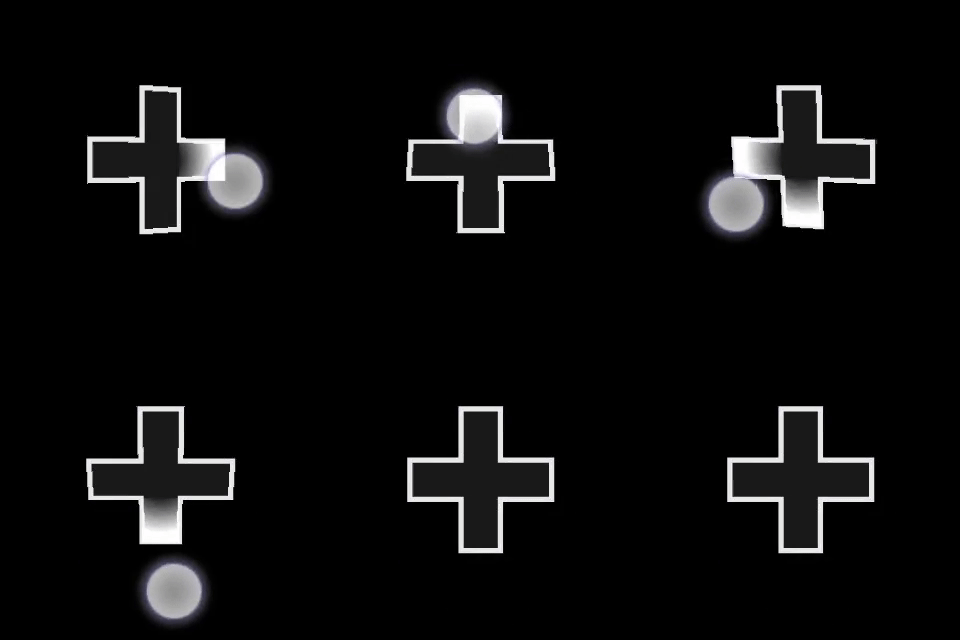 |
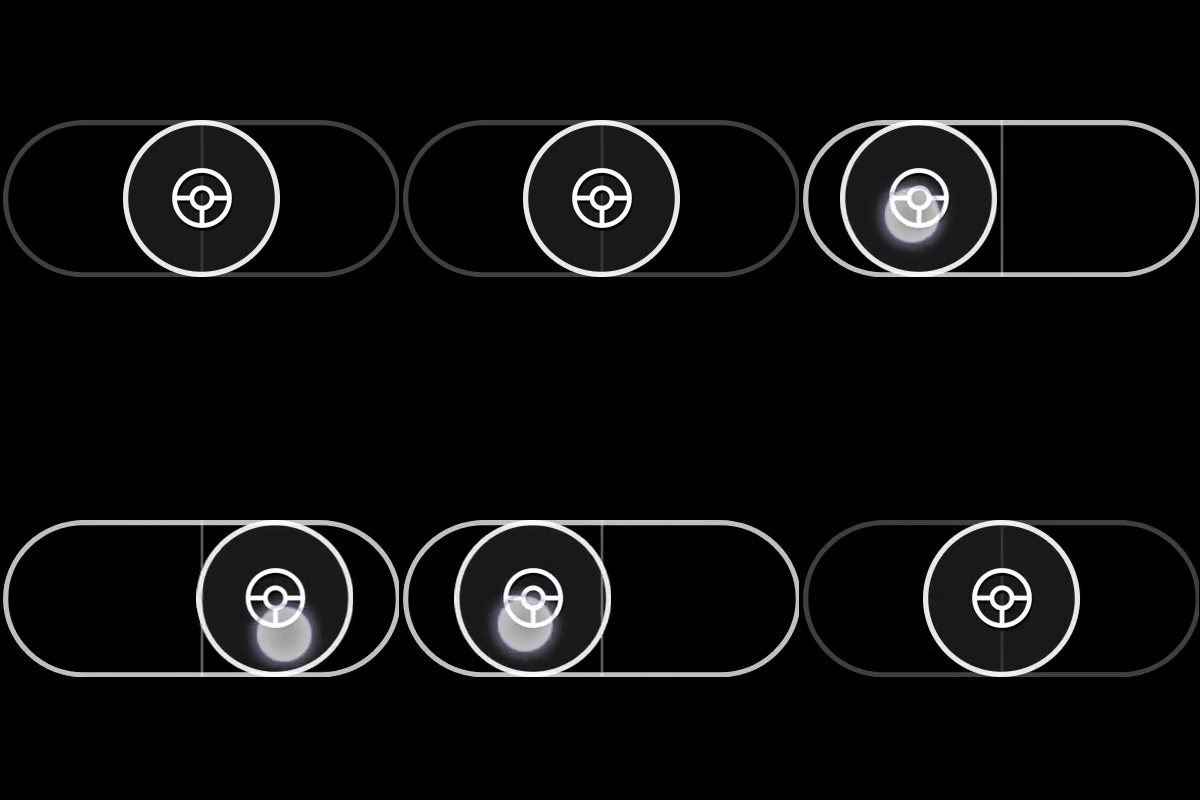
| [Joystick](/reference/system/touchadaptationkit/controls/game-streaming-touch-joystick) | An analog control that behaves like a joystick. |
|
| [Joystick](/reference/system/touchadaptationkit/controls/game-streaming-touch-joystick) | An analog control that behaves like a joystick. | 
 |
| [Throttle](/reference/system/touchadaptationkit/controls/game-streaming-touch-throttle) | A specialized version of a Y-axis only joystick that maps to triggers. Designed for driving games. |
|
| [Throttle](/reference/system/touchadaptationkit/controls/game-streaming-touch-throttle) | A specialized version of a Y-axis only joystick that maps to triggers. Designed for driving games. | 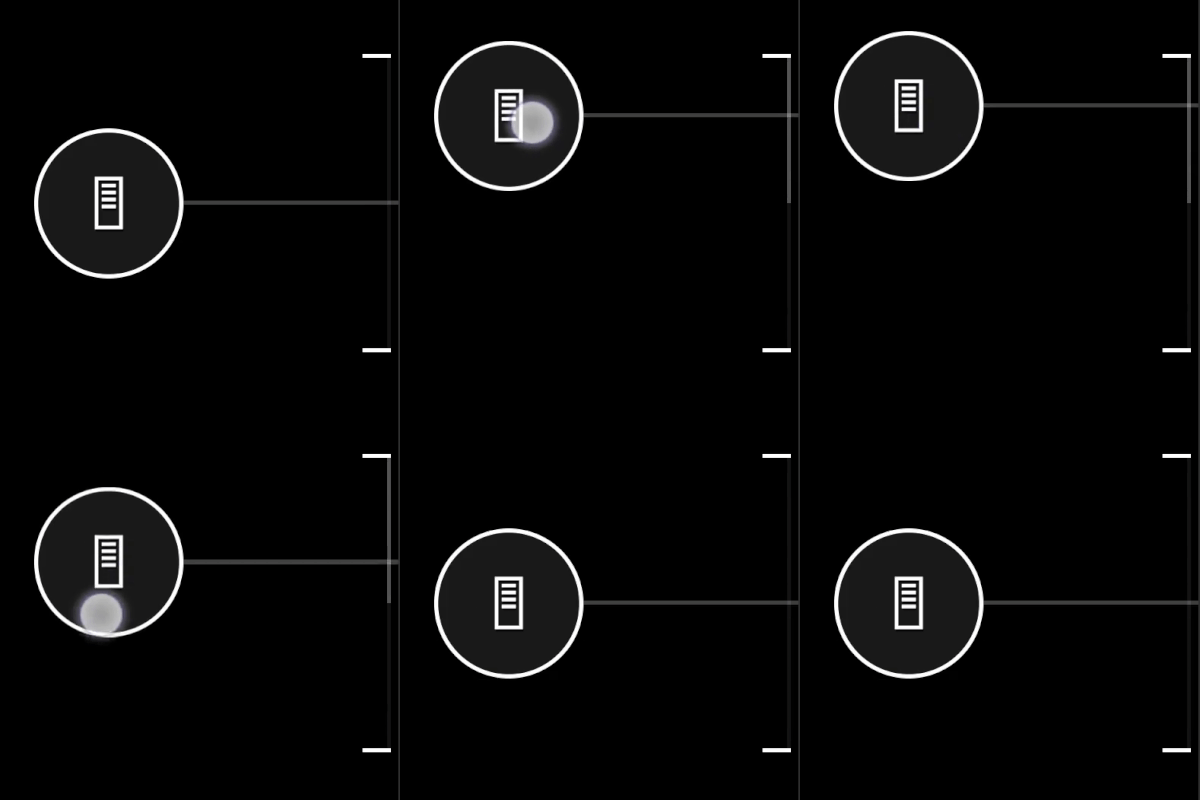 |
| [Touchpad](/reference/system/touchadaptationkit/controls/game-streaming-touch-touchpad) | Analog control that enables the player to interact similar to a laptop touchpad. |
|
| [Touchpad](/reference/system/touchadaptationkit/controls/game-streaming-touch-touchpad) | Analog control that enables the player to interact similar to a laptop touchpad. |  |
## Control Styling & Components
| Component | Description |
| :----------------------------------------------------------------------------------------------------------------- | :-------------------------------------------------------------------------------------------- |
| [Action](/reference/system/touchadaptationkit/types/game-streaming-touch-action) | Physical controller action(s) that can be referenced. |
| [Asset](/reference/system/touchadaptationkit/types/game-streaming-touch-asset) | Reference to a custom image that has been included in the touch adaptation package. |
| [Axis](/reference/system/touchadaptationkit/types/game-streaming-touch-axis) | Definition of the mapping of touch controls to the physical analog control equivalent. |
| [Color](/reference/system/touchadaptationkit/types/game-streaming-touch-color) | Reference to a color. |
| [Deadzone](/reference/system/touchadaptationkit/types/game-streaming-touch-deadzone) | Definition for the amount of player interaction that should not be registered as input. |
| [Hexcolor](/reference/system/touchadaptationkit/types/game-streaming-touch-hexcolor) | String containing hexadecimal representation of RGBA color value to be referenced. |
| [Icon](/reference/system/touchadaptationkit/types/game-streaming-touch-icon) | Reference to an icon. |
| [Joystick outline and indicator](/reference/system/touchadaptationkit/types/game-streaming-touch-joystick-outline) | The styling attributes for the outer ring of a joystick controls. |
| [Knob](/reference/system/touchadaptationkit/types/game-streaming-touch-knob) | The styling attributes for a button like component that can be interacted with by the player. |
| [Response curve](/reference/system/touchadaptationkit/types/game-streaming-touch-responsecurve) | Definition of the curve range for mapping input mapped to output. |
| [Stroke](/reference/system/touchadaptationkit/types/game-streaming-touch-stroke) | The styling attributes for the outline of the object being referenced. |
| [Throttle axis](/reference/system/touchadaptationkit/types/game-streaming-touch-throttle-axis) | The styling attributes for an axes of a throttle control. |
## Sensor Controls
Sensor controls allow mapping of physical sensors on the player's device to be mapped to a physical controller input.
| Control | Description |
| :------------------------------------------------------------------------------------------------------- | :--------------------------------------------------------------------------------------------------------------------------------------- |
| [Accelerometer](/reference/system/touchadaptationkit/sensor-controls/game-streaming-touch-accelerometer) | An ***experimental*** sensor control that maps the devices accelerometer of the client device (if available) to a specified set of axes. |
| [Gyroscope](/reference/system/touchadaptationkit/sensor-controls/game-streaming-touch-gyroscope) | A sensor control that maps the devices physical movement to a specified set of axes. |
## Related topics
- [Touch Adaptation Kit (TAK) command line tool reference](/build/core-features/common/game-streaming/tak-command-line-tool/index.md)
- [Touch Adaptation Kit (TAK) Editor for Visual Studio Code](/build/core-features/common/game-streaming/tak-editor/index.md)
- [Touch Adaptation Kit Command Line Tool (tak.exe)](/build/core-features/common/game-streaming/tak-command-line-tool/game-streaming-tak-command-line.md)
- [Packing Touch Adaptation Bundles with the TAK Editor](/build/core-features/common/game-streaming/tak-editor/game-streaming-tak-editor-pack-bundles.md)
- [What is the Touch Adaptation Kit Editor?](/build/core-features/common/game-streaming/tak-editor/game-streaming-tak-editor.md)
|
## Control Styling & Components
| Component | Description |
| :----------------------------------------------------------------------------------------------------------------- | :-------------------------------------------------------------------------------------------- |
| [Action](/reference/system/touchadaptationkit/types/game-streaming-touch-action) | Physical controller action(s) that can be referenced. |
| [Asset](/reference/system/touchadaptationkit/types/game-streaming-touch-asset) | Reference to a custom image that has been included in the touch adaptation package. |
| [Axis](/reference/system/touchadaptationkit/types/game-streaming-touch-axis) | Definition of the mapping of touch controls to the physical analog control equivalent. |
| [Color](/reference/system/touchadaptationkit/types/game-streaming-touch-color) | Reference to a color. |
| [Deadzone](/reference/system/touchadaptationkit/types/game-streaming-touch-deadzone) | Definition for the amount of player interaction that should not be registered as input. |
| [Hexcolor](/reference/system/touchadaptationkit/types/game-streaming-touch-hexcolor) | String containing hexadecimal representation of RGBA color value to be referenced. |
| [Icon](/reference/system/touchadaptationkit/types/game-streaming-touch-icon) | Reference to an icon. |
| [Joystick outline and indicator](/reference/system/touchadaptationkit/types/game-streaming-touch-joystick-outline) | The styling attributes for the outer ring of a joystick controls. |
| [Knob](/reference/system/touchadaptationkit/types/game-streaming-touch-knob) | The styling attributes for a button like component that can be interacted with by the player. |
| [Response curve](/reference/system/touchadaptationkit/types/game-streaming-touch-responsecurve) | Definition of the curve range for mapping input mapped to output. |
| [Stroke](/reference/system/touchadaptationkit/types/game-streaming-touch-stroke) | The styling attributes for the outline of the object being referenced. |
| [Throttle axis](/reference/system/touchadaptationkit/types/game-streaming-touch-throttle-axis) | The styling attributes for an axes of a throttle control. |
## Sensor Controls
Sensor controls allow mapping of physical sensors on the player's device to be mapped to a physical controller input.
| Control | Description |
| :------------------------------------------------------------------------------------------------------- | :--------------------------------------------------------------------------------------------------------------------------------------- |
| [Accelerometer](/reference/system/touchadaptationkit/sensor-controls/game-streaming-touch-accelerometer) | An ***experimental*** sensor control that maps the devices accelerometer of the client device (if available) to a specified set of axes. |
| [Gyroscope](/reference/system/touchadaptationkit/sensor-controls/game-streaming-touch-gyroscope) | A sensor control that maps the devices physical movement to a specified set of axes. |
## Related topics
- [Touch Adaptation Kit (TAK) command line tool reference](/build/core-features/common/game-streaming/tak-command-line-tool/index.md)
- [Touch Adaptation Kit (TAK) Editor for Visual Studio Code](/build/core-features/common/game-streaming/tak-editor/index.md)
- [Touch Adaptation Kit Command Line Tool (tak.exe)](/build/core-features/common/game-streaming/tak-command-line-tool/game-streaming-tak-command-line.md)
- [Packing Touch Adaptation Bundles with the TAK Editor](/build/core-features/common/game-streaming/tak-editor/game-streaming-tak-editor-pack-bundles.md)
- [What is the Touch Adaptation Kit Editor?](/build/core-features/common/game-streaming/tak-editor/game-streaming-tak-editor.md)