> ## Documentation Index
> Fetch the complete documentation index at: https://devdocs.xbox.com/llms.txt
> Use this file to discover all available pages before exploring further.
# 2D Platformer Touch Control Layout
> 2D Platformer Touch Control Layout
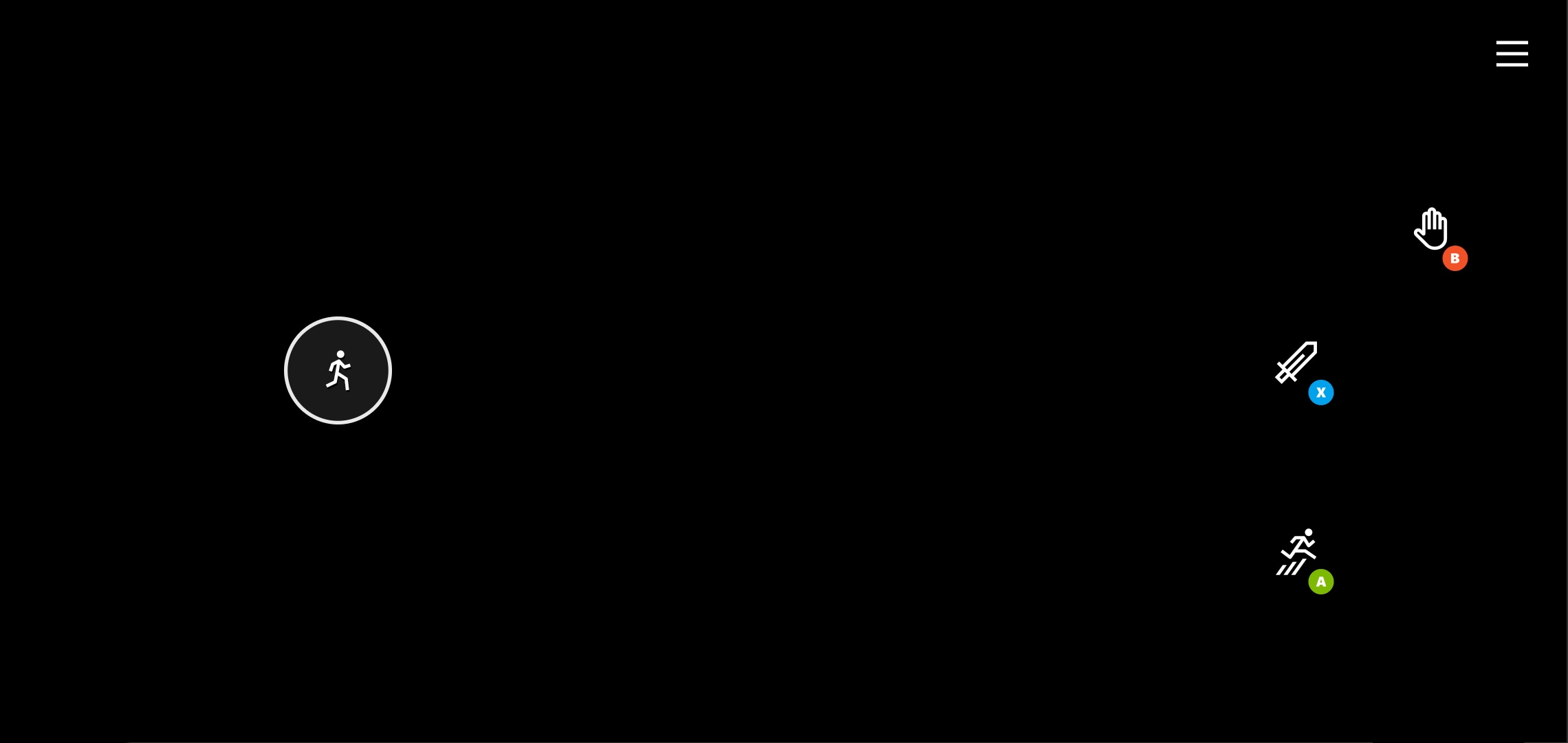
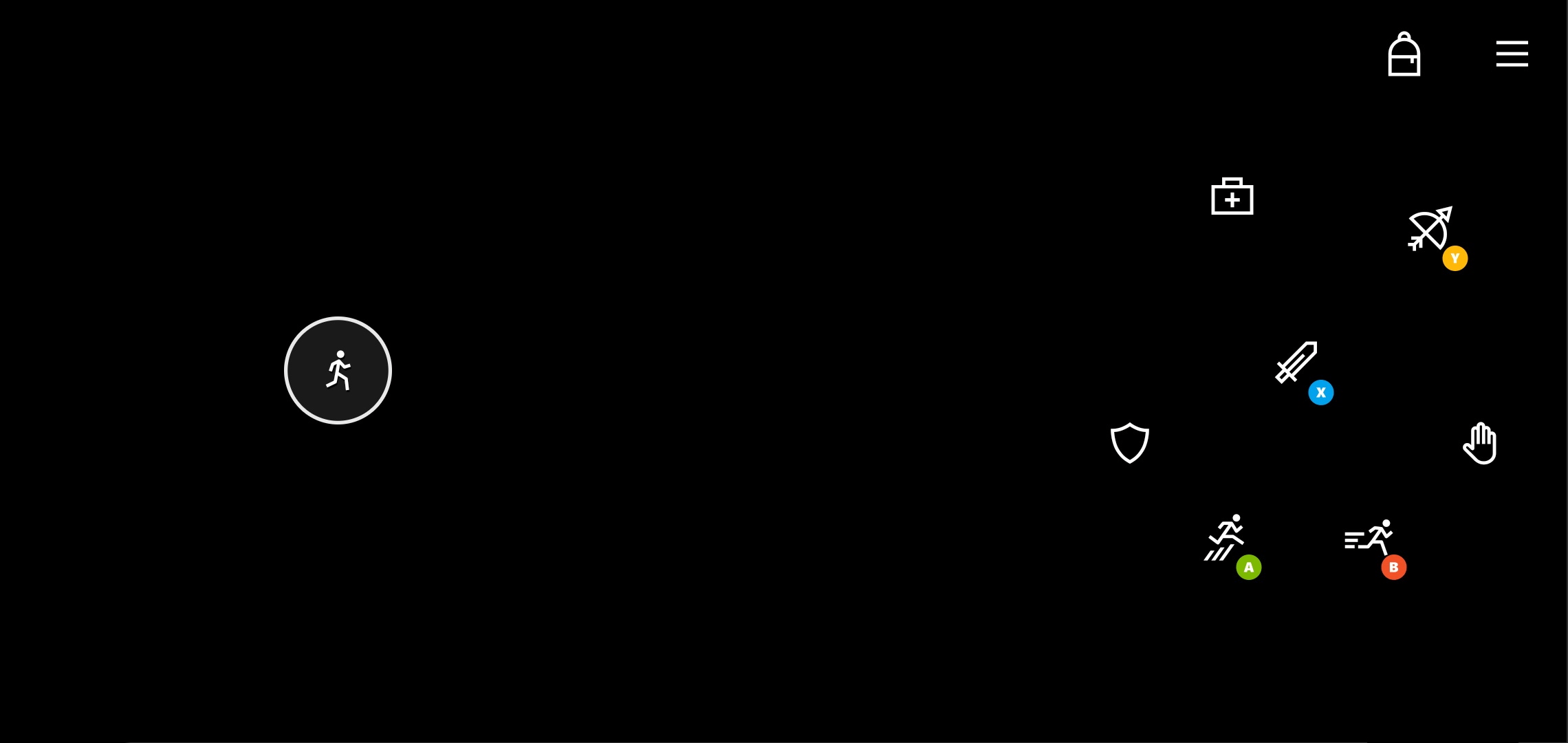
Two sample touch control layouts for platformer games.
**Simple platformer layout**
 **Platformer layout with more player actions**
 ## Remarks
The *simple platformer* layout shows how a basic 2D platformer can provide a very streamlined touch experience.
Key elements include:
* Joystick for movement available for left hand. Can also consider a directional pad if the game is more optimized for that input.
* The three key actions (fire, jump, interact) placed in an arc on the right hand based on the expected priority of interaction by the player.
The *platformer* layout builds on the base of the simple platform and showcases where to add additional controls for the player.
Key additional elements:
* Inventory management is placed in the upper right
* Optimized placement for key actions (sword, jump, bow), with the other, less frequently used actions placed around them.
## Availability
1. Part of the TAK [sample-layouts](https://github.com/microsoft/xbox-game-streaming-tools/tree/main/touch-adaptation-kit/samples/sample-layouts) sample.
2. TAK command line tool [create command](/build/core-features/common/game-streaming/tak-command-line-tool/game-streaming-tak-command-line-create-command)
## Related topics
- [Samples](/build/core-features/common/game-streaming/building-touch-layouts/samples/index.md)
- [Building Touch Control Layouts](/build/core-features/common/game-streaming/building-touch-layouts/game-streaming-touch-building-touch-layout.md)
- [Driving Touch Control Layout](/build/core-features/common/game-streaming/building-touch-layouts/samples/game-streaming-touch-tak-sample-driving.md)
- [Fighting Touch Control Layout](/build/core-features/common/game-streaming/building-touch-layouts/samples/game-streaming-touch-tak-sample-fighter.md)
- [Deploying your touch control layouts](/build/core-features/common/game-streaming/building-touch-layouts/game-streaming-touch-deploying-touch-layout.md)
## Remarks
The *simple platformer* layout shows how a basic 2D platformer can provide a very streamlined touch experience.
Key elements include:
* Joystick for movement available for left hand. Can also consider a directional pad if the game is more optimized for that input.
* The three key actions (fire, jump, interact) placed in an arc on the right hand based on the expected priority of interaction by the player.
The *platformer* layout builds on the base of the simple platform and showcases where to add additional controls for the player.
Key additional elements:
* Inventory management is placed in the upper right
* Optimized placement for key actions (sword, jump, bow), with the other, less frequently used actions placed around them.
## Availability
1. Part of the TAK [sample-layouts](https://github.com/microsoft/xbox-game-streaming-tools/tree/main/touch-adaptation-kit/samples/sample-layouts) sample.
2. TAK command line tool [create command](/build/core-features/common/game-streaming/tak-command-line-tool/game-streaming-tak-command-line-create-command)
## Related topics
- [Samples](/build/core-features/common/game-streaming/building-touch-layouts/samples/index.md)
- [Building Touch Control Layouts](/build/core-features/common/game-streaming/building-touch-layouts/game-streaming-touch-building-touch-layout.md)
- [Driving Touch Control Layout](/build/core-features/common/game-streaming/building-touch-layouts/samples/game-streaming-touch-tak-sample-driving.md)
- [Fighting Touch Control Layout](/build/core-features/common/game-streaming/building-touch-layouts/samples/game-streaming-touch-tak-sample-fighter.md)
- [Deploying your touch control layouts](/build/core-features/common/game-streaming/building-touch-layouts/game-streaming-touch-deploying-touch-layout.md)